2727
Using a Bluetooth headset
When a Bluetooth headset is connected, you can transfer audio from the conference
phone to the headset.
Note: Only calls to a SIP account can be transferred to the Bluetooth headset.
Audio for cell phone calls can only be routed between the C520 and the cell
phone. You can use a DECT headset for both SIP account calls and cell phone calls.
To route audio to a BT headset, a SIP call must be established rst at the C520. You can
then route the SIP call using the
Device 2
so key or using the key on the Bluetooth
headset.
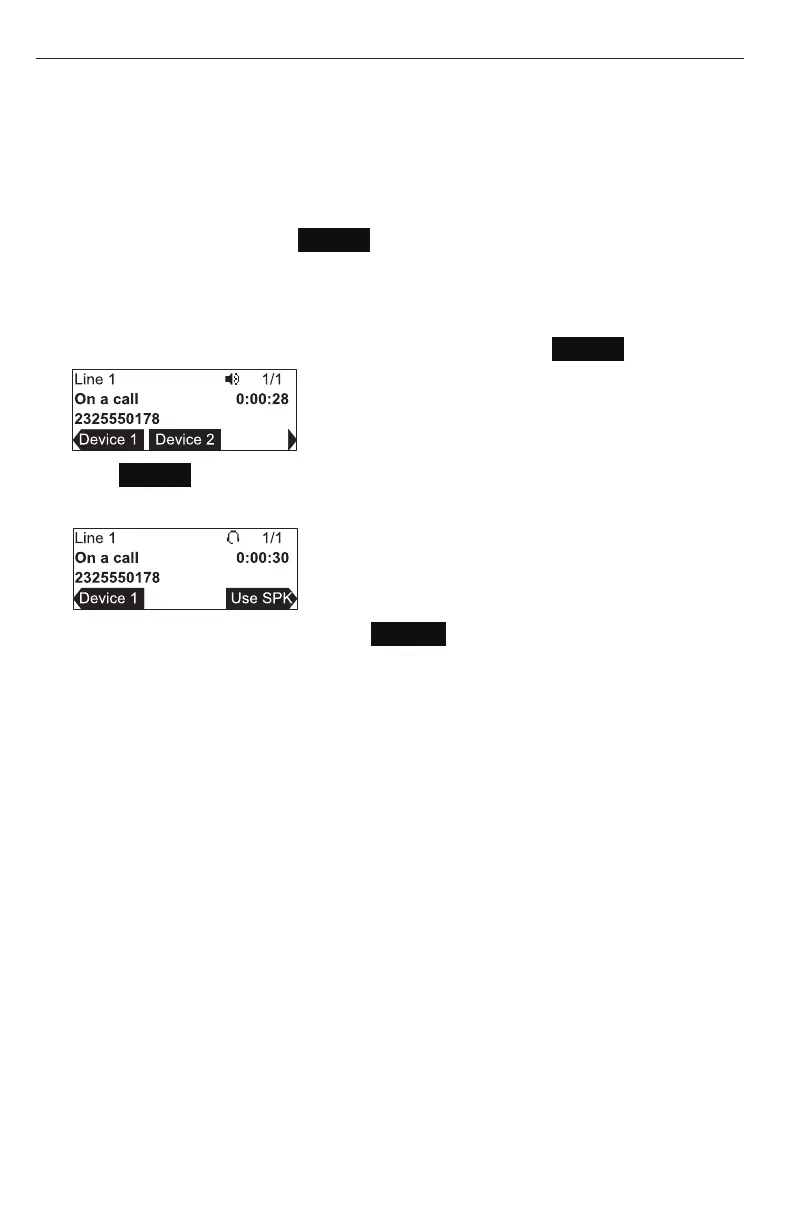
Transferring conference phone audio to a Bluetooth headset:
1. During an acve SIP account call, press t or u to view the
Device 2
so key.
2. Press
Device 2
.
Audio is transferred to the headset and the headset icon appears.
To transfer audio back to the C520, press
Use SPK
.



 To Next Page