21
Making a conference call
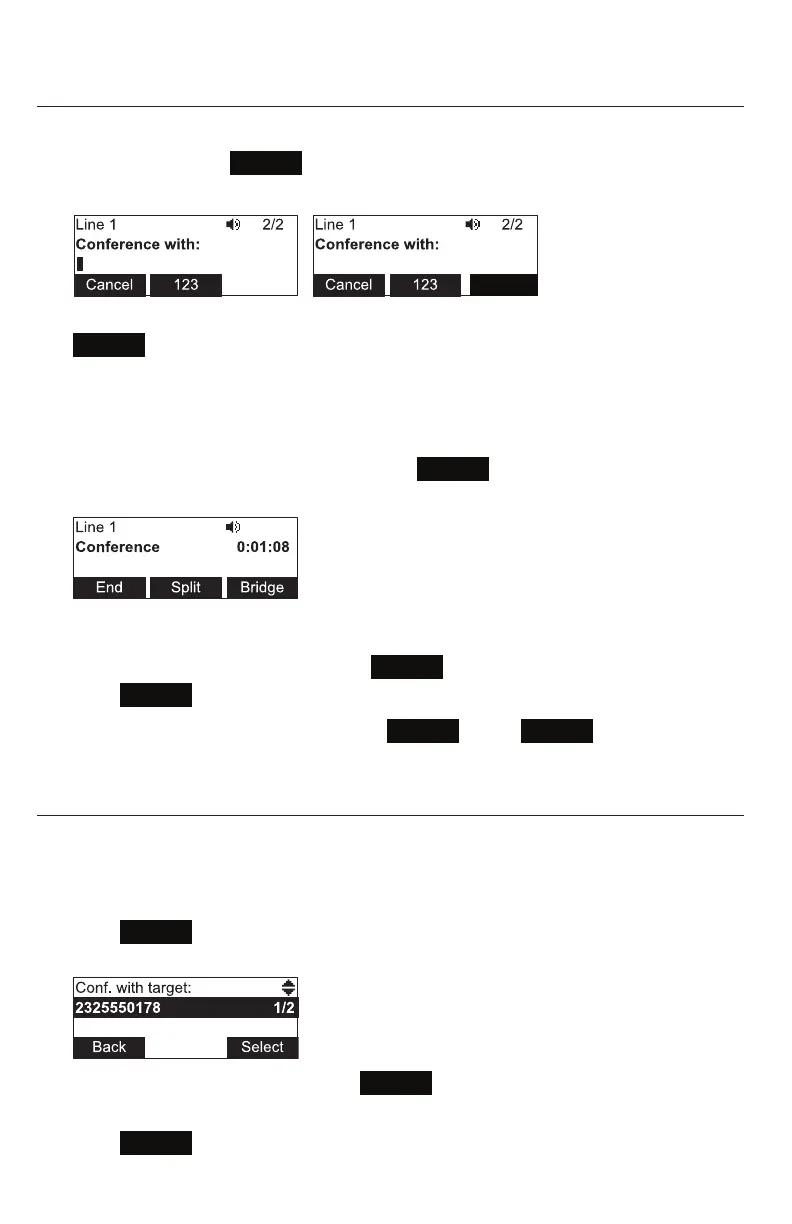
You can hold a conference call between yourself and two other callers.
1. During a call, press
Conf
. The call is automacally put on hold and the
conference setup screen appears.
2. Enter the number for the party you want to join your conference and press
Dial
or wait unl phone dials automacally.
-OR-
To select a number from the Directory or Call History, follow steps 2 to 8 on
pagepage 18, and then connue to step 3 below.
3. When the second call is established, press
Conf
. The conference begins and
the conference screen appears.
Canceling the conference
• before dialing the second call: Press
Cancel
on the conference setup screen.
Press
Resume
to resume the held call.
• with the second call on the line: Press
End
. Press
Resume
to resume the
held call.
Creang a conference with a held call:
When you have an acve call and a held call, you can also create a conference with the
held call.
1. During a call, press t or u to view the next set of so keys.
2. Press
ConfCall
. The call is automacally put on hold, and a Conf. with target
screen showing all calls on hold appears.
3. Highlight the desired call and press
Select
. You can now talk to the caller you
selected.
4. Press
Conf
. The conference begins and the conference screen appears.
Dial
7795
Conference phone operaon



 To Next Page