19
Transferring calls
You can transfer a call to someone else at another phone.
If you talk to the transfer recipient before compleng the transfer, you are making a
Supervised transfer (also called an Aended transfer).
However, the transfer recipient does not have to talk to you before receiving the
transferred call. If you do not talk to the transfer recipient before transferring the call,
you are making a Blind transfer.
You can also transfer a call to a held call.
To transfer a call (Supervised transfer):
1. During a call, press
Transfer
.
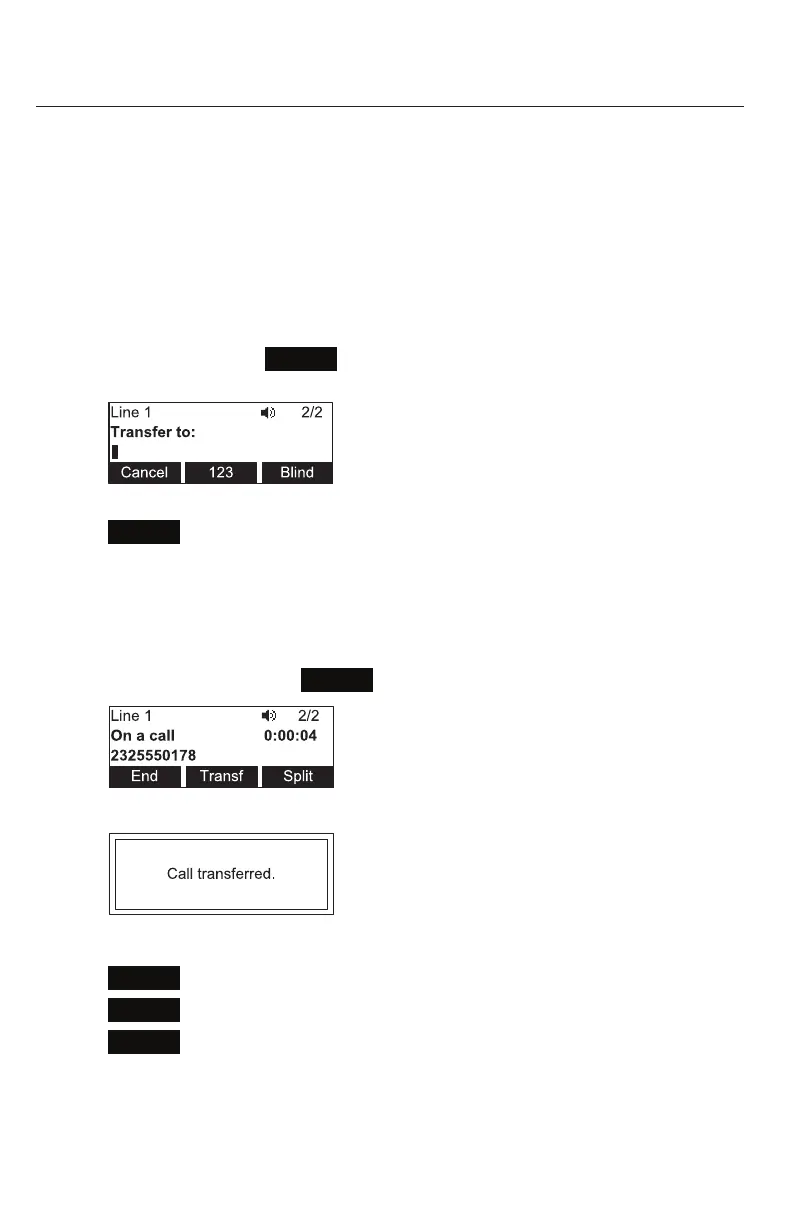
The call is automacally put on hold and the transfer setup screen appears.
2. Enter the number to which you want to transfer the call and either press
Dial
or wait for the phone to dial automacally.
-OR-
To select a number from the Directory or Call History, follow steps 2 to 8 on
pagepage 18, and then connue to step 3 below.
3. When the second caller answers, you can talk to the caller to nofy them of
the transfer, then press
Transf
to transfer the call.
The Call transferred screen appears, and your phone returns to idle mode.
To cancel the transfer, press:
◦
Cancel
on the transfer setup screen. The acve call screen reappears.
◦
End
when the second call is acve. You will hang up on the second call.
◦
Split
when the second call is acve. You will stay connected to the second
call. Your rst call remains on hold.
Conference phone operaon



 To Next Page