53 54
You can change the password aer you have logged in. The factory defaults are:
User mode Admin mode
Name user admin
Password user admin
7. Click Log In.
The Web UI appears.
Click topics from the navigaon bar at the top of the page, and then click the desired
seng on the le side of the Web UI to see the page for that seng. You view and
change sengs in two dierent types of elds: drop-down lists and entry elds into
which you type informaon. For your security, the WebUI mes out aer 10 minutes,
so if it is idle for that me, you must log on again.
The remaining procedures in this secon assume that you have already logged on to
the WebUI.
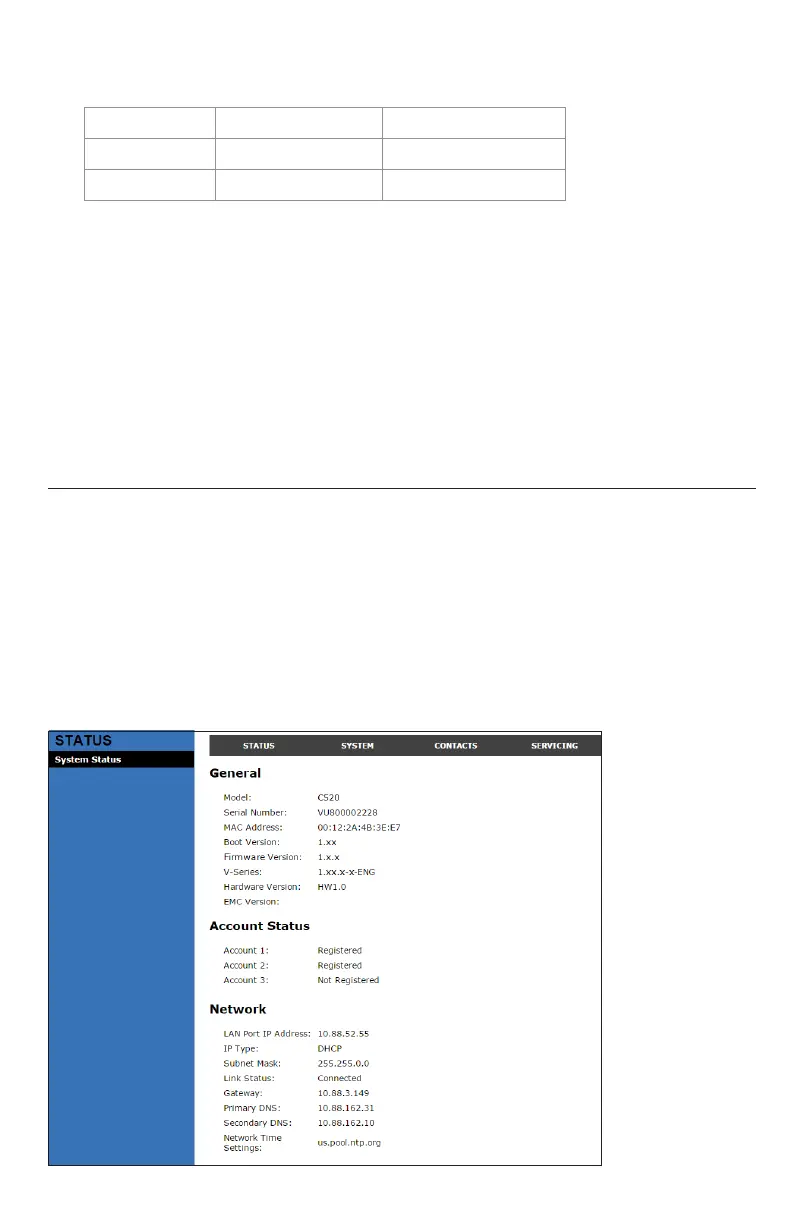
Status
The Status page shows:
• General informaon about your phone, including model, MAC address, and
rmware version.
• Account Status informaon about your SIP account registraon.
• Network informaon regarding your phone’s network address and network
connecon.
The Status page has no sengs that you can change. You may need some of the status
informaon for troubleshoong purposes.
WebUI



 To Next Page