65
If you have diculty with your conference phone, please try the suggesons below.
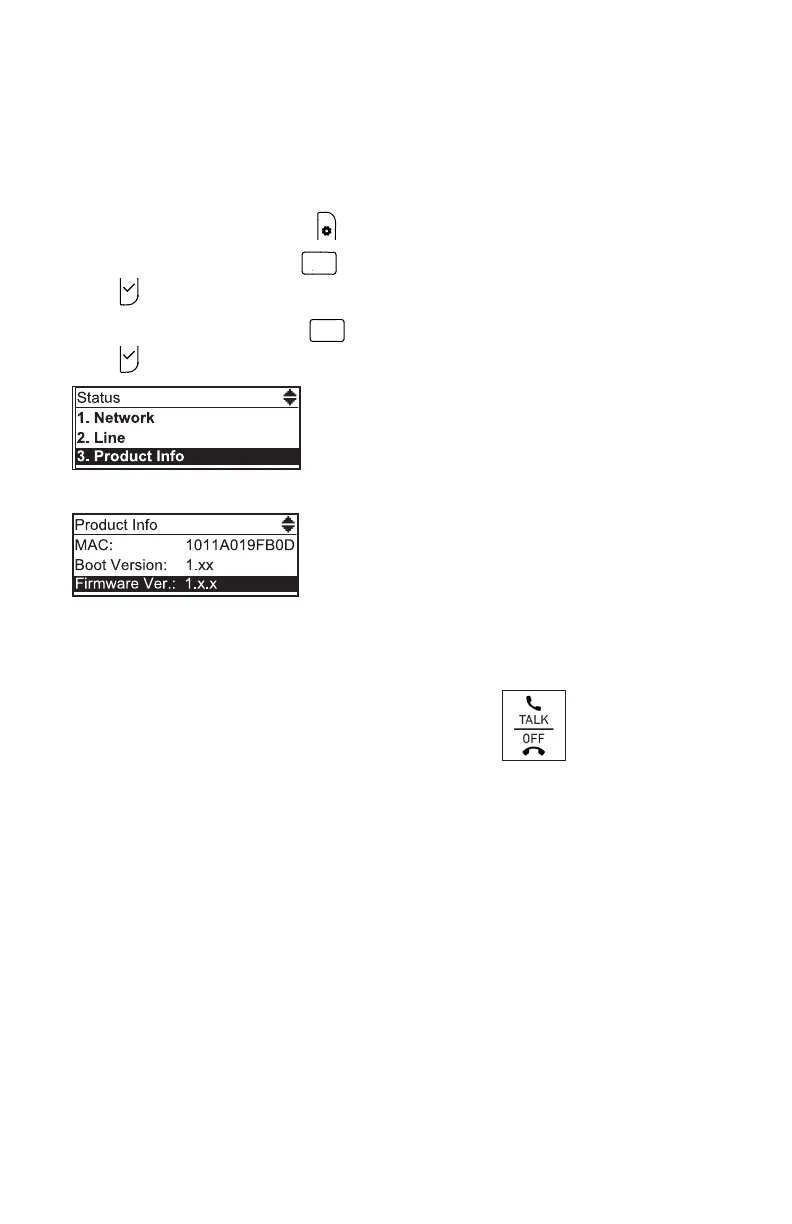
Finding the rmware version
As part of troubleshoong, you may need to provide the rmware version of the
conference phone.
1. When the phone is idle, press .
2. From the Main Menu, press
2
A B C
OR press q to highlight 2 Status and then
press .
3. From the Status menu, press
3DEF
OR press q to highlight 3 Product Info and then
press .
4. From the Product Info screen, press q unl Firmware Ver. appears.
My Conference phone does not work at all.
Aer powering up the phone (see page 3), the LCD display will show the display
name and account number (extension) of the base. Press to hear the dial tone.
If any of this does not happen, please try the following:
• Make sure the DC power cable is securely plugged into the phone and the power
adapter.
• Make sure the AC power cord is securely plugged into the power adapter and a
wall outlet not controlled by a wall switch.
I cannot dial out.
• Try all the above suggesons.
• Make sure there is a dial tone before dialing.
• If other telephones in your oce are having the same problem, the problem is in
the wiring or telephone service. Contact your IP PBX system administrator.
• Eliminate any background noise. Dial from another room in your oce with less
background noise.
Troubleshoong



 To Next Page