57 58
User Preferences (connued)
Call Hold Reminder Sengs
Seng Descripon Range Default
Enable Call Hold
Reminder Tone
Enables or disables the call hold reminder
tone.
n/a — Select
to enable
Enabled
Tone Interval (secs) Sets the interval for the call hold reminder
tone.
10–300
seconds
30 seconds
Call Waing Sengs
Seng Descripon Range Default
Call Waing O Rejects addional incoming calls. No
nocaon appears on the screen.
n/a — Select
to enable
Disabled
Call Waing On Shows addional incoming calls on the
screen.
n/a — Select
to enable
Enabled
Enable Call Waing
Tone
Enables or disables Call Waing Tone. n/a — Select
to enable
Enabled
Tone Interval (secs) Sets the interval for the call waing tone. 10–60
seconds
30 seconds
Program Dial So Keys
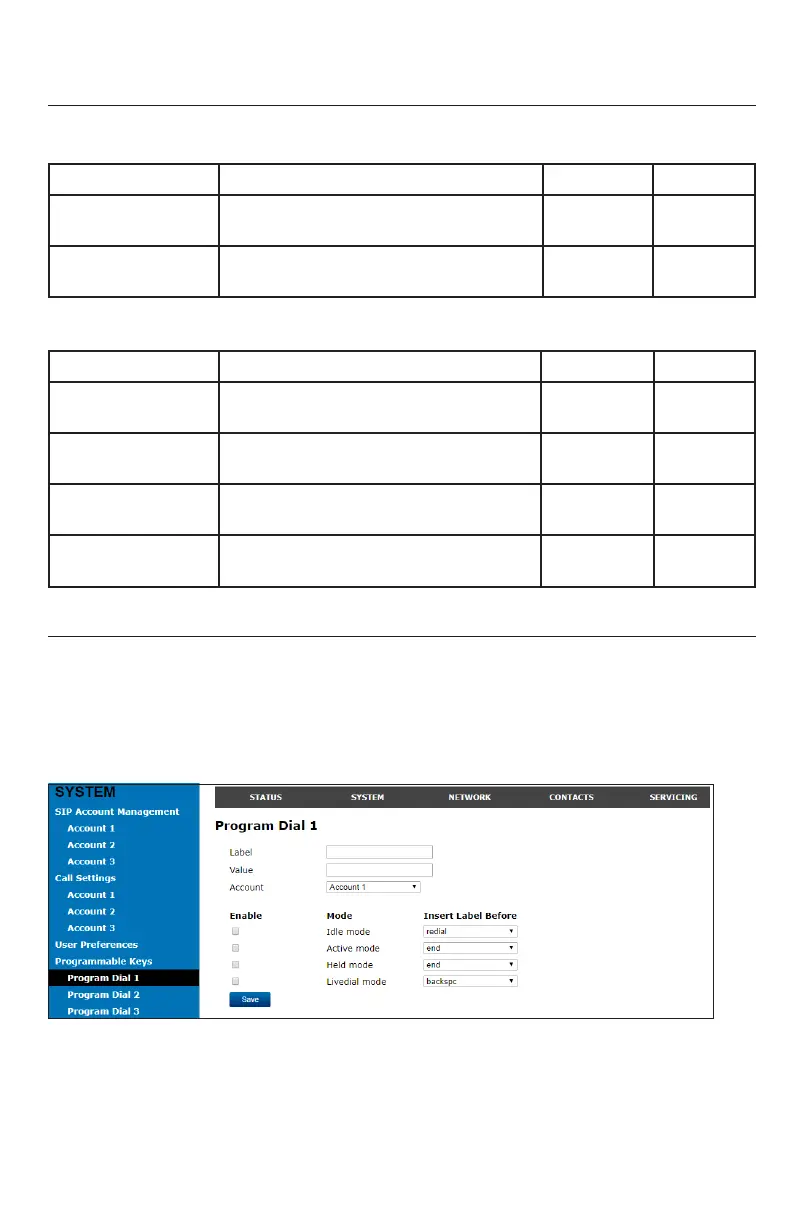
The Program Dial feature allows you to dial numbers with a single press of a so key.
On the Program Dial pages, you can congure up to three Program Dial keys. Each key
requires a label (short enough to t in the so key’s area), an account and number that
the key will dial, a locaon where the key will t between the other so keys, and the
call modes during which the key will appear.
WebUI



 To Next Page