5151
Registering wireless C52-SP speakerphones
For large meeng rooms, you can extend the range of the C520 with up to three
wireless DECT Snom C52-SP Speakerphones. You can use the speakerphone to answer
and end calls and mute the audio on the enre system (i.e., the conference phone and
all connected devices like speakerphones and wireless microphones).
Note: If a DECT headset is already registered, you can register up to two C52-SP
Speakerphones.
Note: If a speakerphone is already registered to the phone, you must rst
deregister all speakerphones before you can register another or a new one.
If your organizaon uses DECT auto registraon:
The C52-SP will automacally register to the C520. You do not need to take any
further acon.
If your organizaon does NOT use DECT auto registraon (or if you are not sure):
You must rst turn o auto registraon by performing the following steps:
1. Press and hold the MUTE ALL buon on the C52-SP for ve seconds.
2. Press and hold the TALK/OFF buon on the C52-SP for ve seconds.
The C52-SP LEDs turn steady orange for ve seconds, then slowly ash orange.
At this point, you can manually register the C52-SP to the C520 by
following the instrucons below.
Manually register the C52-SP to the C520
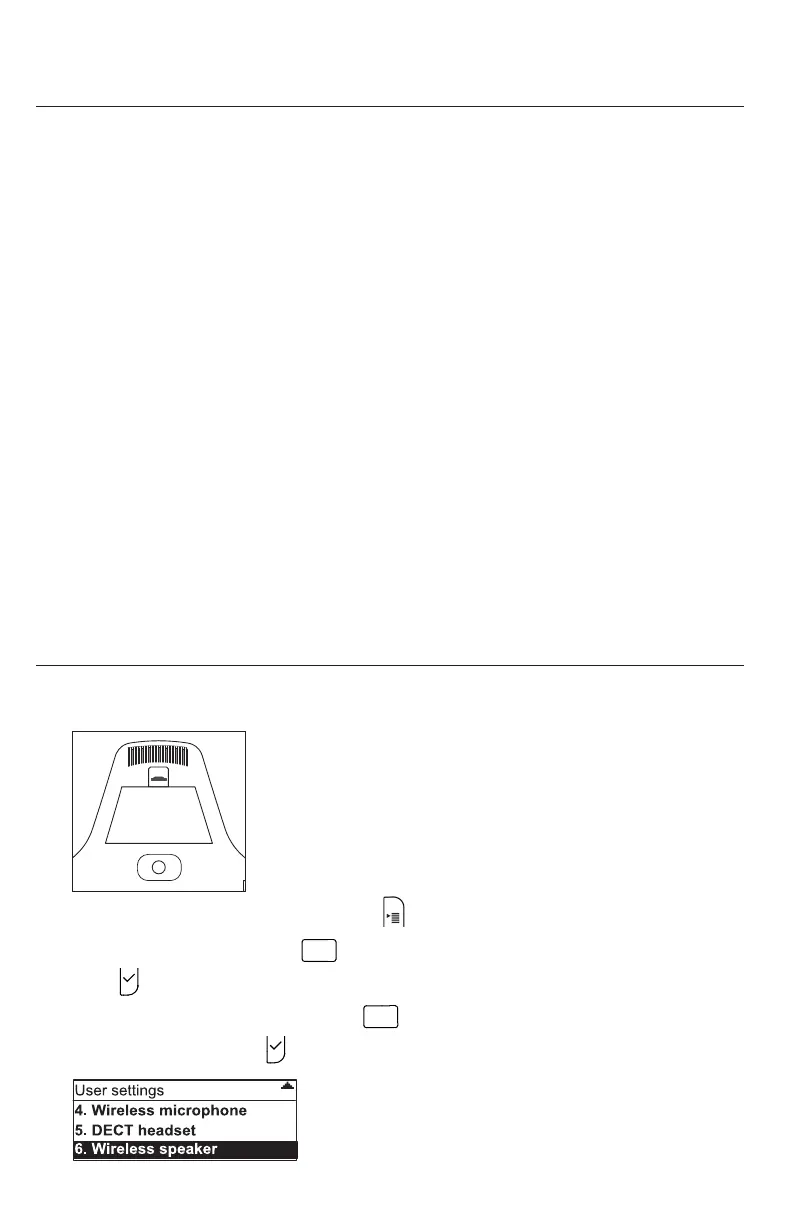
1. Press the white REGISTRATION buon on the boom of the C52-SP speakerphone
for ve about seconds unl its LEDs are ashing red and green alternangly.
2. On the C520 Conference Phone, press .
3. From the Main Menu, press
3DEF
OR press q to highlight 3 User sengs and then
press .
4. From the User sengs menu, press
6
MNO
OR press q to highlight 6 Wireless
speaker and then press .
Conguring the Phone



 To Next Page