47
Seng the "backlight o" meout:
This seng determines aer how many seconds the backlight will revert to the idle
seng when there has been no acvity on the phone for the specied me. The
default is 30 seconds.
1. From the Display menu, press q to highlight Timeout.
2. Press t or u to select between 10 and 60 seconds in 5-second increments.
3. Press
Save
.
Audio
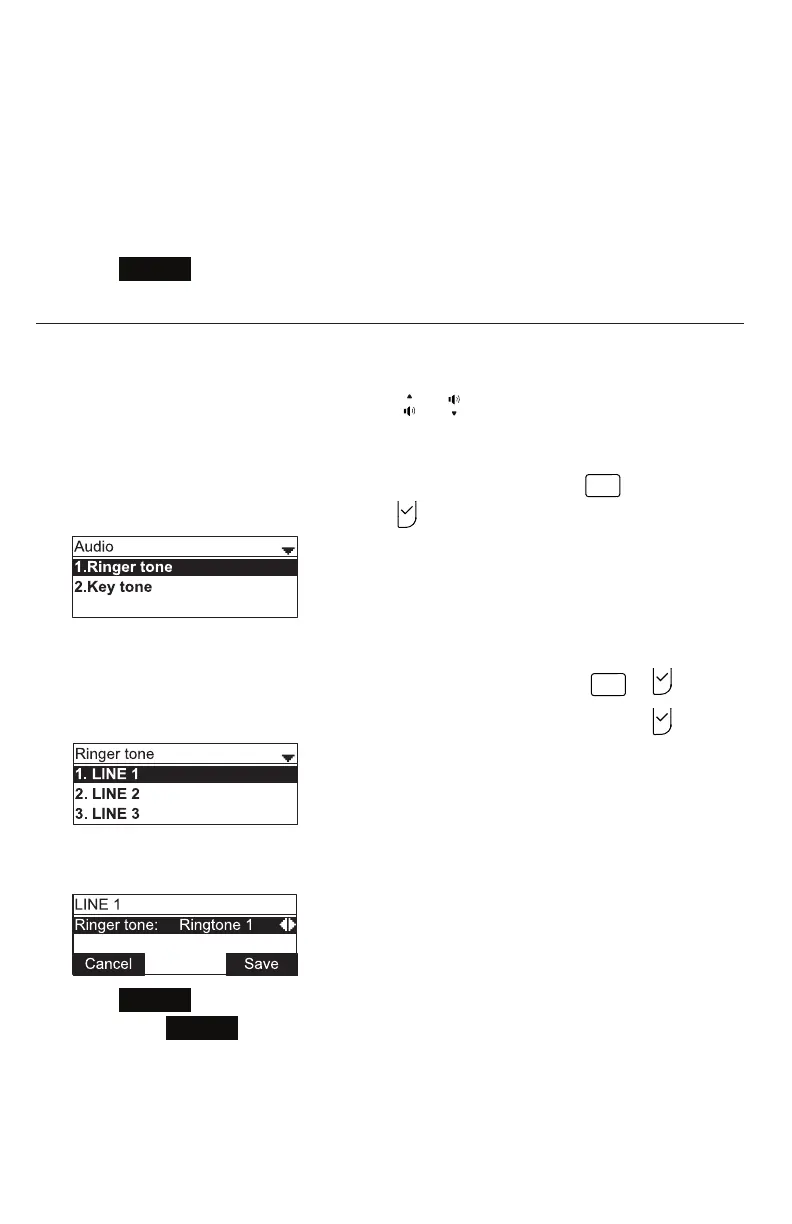
Use the Audio menu to pick one of ten ringer tones for each account and turn key
tones on and o.
Note: To adjust the ringer volume, press or while the phone is idle.
Using the Audio menu:
From the User sengs menu, open the Audio submenu by pressing
DEF
. Alternavely,
press q to highlight 3 Audio and then press .
Selecng a ringer tone for each line:
1. From the Audio menu, open the Ringer tone screen by pressing
or .
2. Press q to highlight the line for which to select a ringer tone and press .
3. On the selected line screen, press t or u to select one of ten ringer tones.
The default is 1. Ringer tone samples play when selected.
4. Press
Save
to save the selected ringer. To exit without saving a new ringer
tone, press
Cancel
.
Conguring the Phone



 To Next Page