43
Conguring the Phone
Conguring the phone
You can congure the phone using one of two methods:
1. The User sengs menu on the phone
2. The Web UI which you access using your Internet browser.
This secon describes the user sengs menu. For informaon about the WebUI, see
page 53.
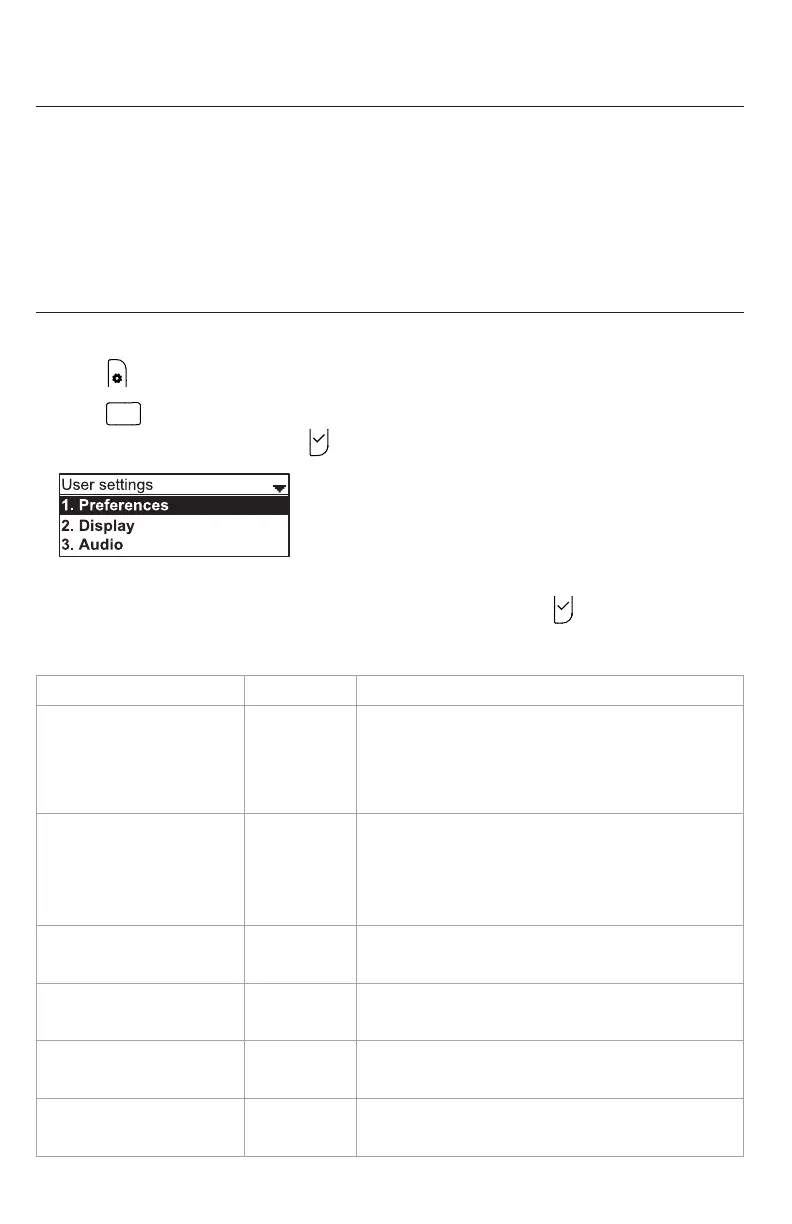
Using the User sengs menu
Viewing the User sengs menu:
1. Press when the phone is idle.
2. Press
DEF
to open the User sengs menu. Alternavely, press q to highlight
3 User sengs and then press .
3. Press the number key 1 - 6 on the keypad to open each respecve submenu.
Alternavely, press q to highlight the seng and then press .
The user sengs are:
Seng See page... Opons
1. Preferences 44 Language
Date & Time (Clock me, Clock date, Time
zone, DST, NTP server, Set manually)
Restart phone
2. Display 46 Contrast (Level 1–7)
Backlight ON (O, Low, Medium, High)
Backlight idle (O, Low, Medium, High)
Timeout (10–60 seconds)
3. Audio 47 Ringer tone (Line 1, Line 2…)
Key tone (On, O)
4. Wireless microphone 48 Register
Deregister
5. DECT headset Register
Deregister
6. Wireless speaker 51 Register
Deregister



 To Next Page