41
4. Press
Save
to save the entry.
Deleng a single call history entry:
While viewing the desired entry, press
Delete
.
Deleng mulple call history entries
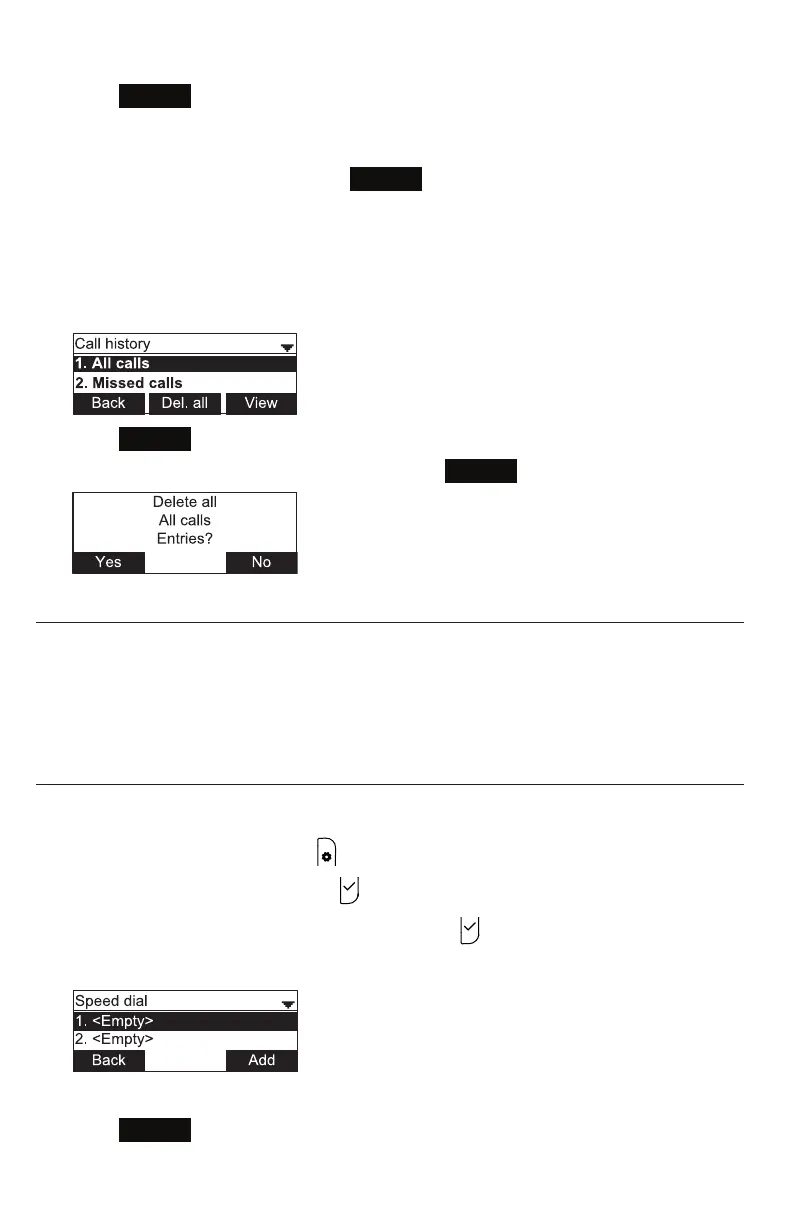
1. While viewing the list of call history folders, press q to highlight the folder for
which you would like to delete all entries: All calls, Missed calls, Received calls, or
Dialed calls.
2. Press
Del. all
.
3. When the conrmaon screen appears, press
Yes
.
Speed Dial
The speed dial menu allows you to enter up to 10 numbers that you dial frequently.
To dial a speed dial number, press and hold the dial pad key that matches the speed
dial entry number (for entry 10, press and hold 0).
You can also enter speed dial numbers using the WebUI. See "Speed Dial on page 59.
Entering speed dial numbers
To add a speed dial entry:
1. When the phone is idle, press .
2. With Features highlighted, press .
3. Press q to highlight Speed dial, and then press .
The Speed dial menu appears.
4. Press q to highlight a speed dial entry marked <Empty>.
5. Press
Add
.
A blank speed dial entry appears.
Phone Features



 To Next Page