23
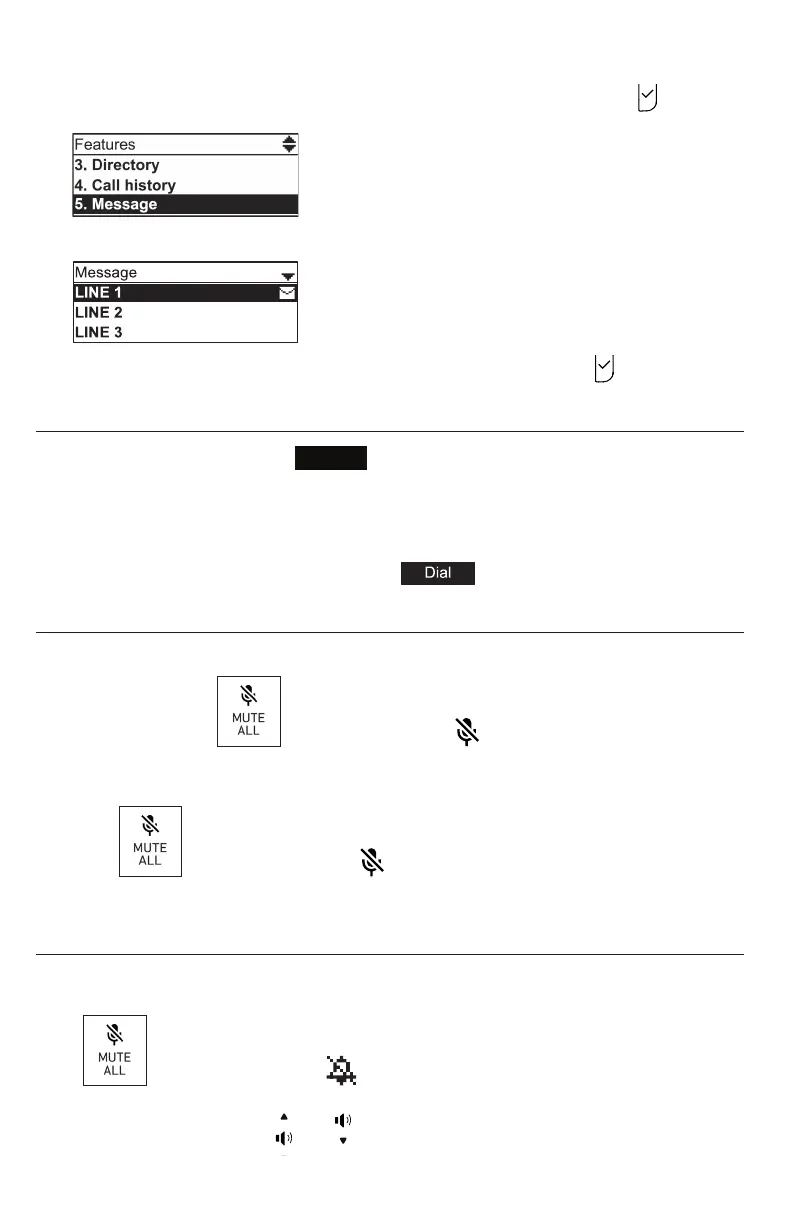
3. On the Features menu, press q to highlight Message, and then press .
The Message menu appears.
4. On the Message menu, highlight the desired line and then press .
Redialing
1. From the idle screen, press
Redial
. The last dialed call is shown on the display
with me and date and the name of the party called, if available, or <Unknown>, if
it is not.
2. Press q or p on the navigaon key to view older dialed calls.
3. When the desired call is onscreen, press to dial the number.
Mung acve calls
The mute funcon allows you to hear the other party but the other party cannot hear you.
• During a call, press on the phone or press on a wireless microphone.
The status LEDs turn red. All microphones in the system are muted unl the mute
funcon is turned o.
• Press on the phone or press on a wireless microphone to end mung of
all microphones in the system. The status LEDs turn green.
Temporarily silencing the ringer
When the conference phone is ringing, you can temporarily silence its ringer without
disconnecng the call. The next call will ring normally at the preset volume.
Press on the base unit. The symbol appears in the upper right corner of
the display.
Note: You can also press or on the phone to adjust the ringer volume.
The adjustment will be saved and applied to the next incoming call.
Conference phone operaon



 To Next Page