37 38
• Aer compleng a line, press q to move to the next line.
• Press t or u to select the ringtone or dial line.
4. Press
Save
.
Searching directory entries
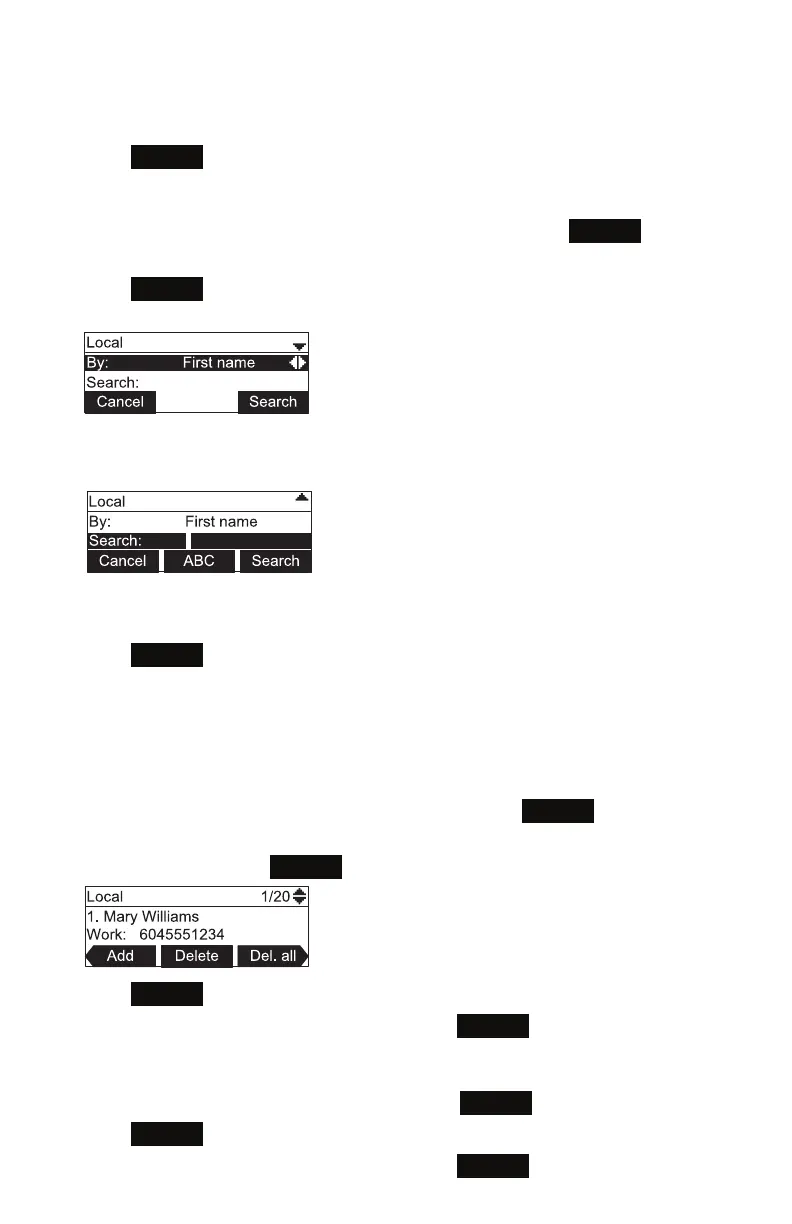
1. From the Local or Blacklist directory, press t or u unl the
Search
so key
appears.
2. Press
Search
.
The search screen appears.
3. To lter your search by rst name or last name, press t or u.
4. Press q to move to the Search eld.
5. Press a dial pad key to enter a leer for your rst name or last name search.
For example, press 2 once for A, or three mes for C.
6. Press
Search
. The phone searches for the rst name or last name beginning with
the leer you entered.
The rst entry found appears. If more than one entry was found, press p or q to
view other entries.
Deleng a directory entry:
1. From the Local or Blacklist directory, press p or q or
Search
(see "Searching
directory entries", above) to select the directory entry.
2. Press t or u unl the
Delete
so key appears.
3. Press
Delete
.
4. When the conrmaon screen appears, press
Yes
.
Deleng all directory entries:
1. From a directory entry, press t or u unl the
Del. all
so key appears.
2. Press
Del. all
.
3. When the conrmaon screen appears, press
Yes
.
Phone Features



 To Next Page