25
Pitch Curve
Adjusting the Normal Pitch Curve
The DX7 offers four independent pitch curves, each with up to five adjustable points. This function allocates a
separate pitch curve setting during normal, stunt 1, stunt 2 and hold modes. Once the pitch curves are adjusted,
each can be activated in flight using the three-position flight mode and throttle hold switches. Each of the five
points of the pitch curve are independently adjustable from 0–100%. These five points correspond to low, 25%,
mid, 75% and high stick positions. See Page 89 for more details on setting up pitch curves.
To Access the Pitch Curve Function
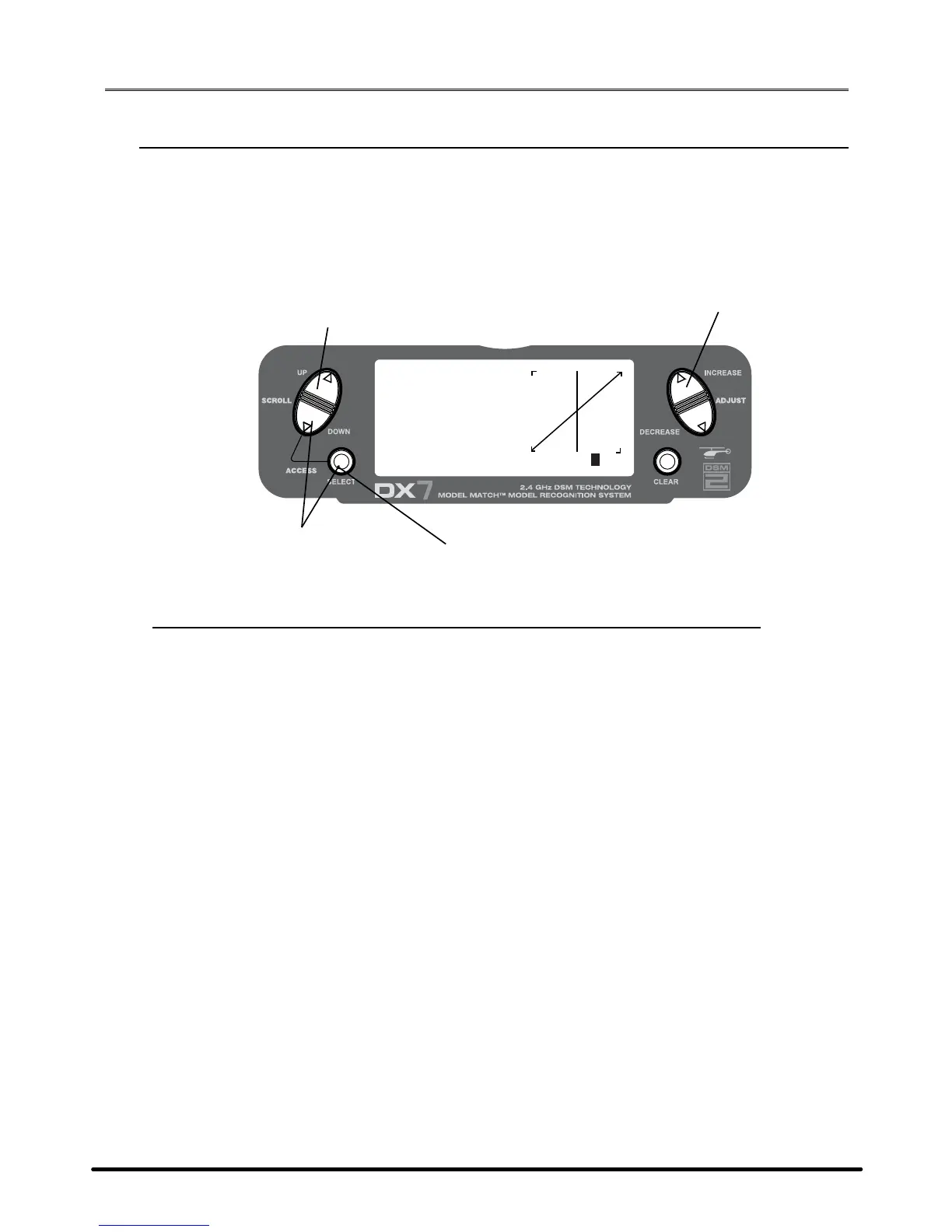
Turn the power on and press the DowN and SELECT keys simultaneously to enter the function mode.
Press the UP or DowN key until PITCH CURVE NORM appears on screen.
Press the SELECT key to select the stick position that you wish to adjust the pitch.
• L= Low
• 1= 25%
• 2= 50%
• 3= 75%
• H= High
Press the INCREASE or DECREASE keys to adjust the pitch value of the selected pitch position.
Recommended Initial Pitch Settings
• L= -4º
• 2= 5º
• H= 9º
Note: For more information about setting up pitch curves, see Page 89.
SPEKTRUM DX7 • HELICOPTER QUICK START GUIDE


 To Next Page
 Loading...