70 SPEKTRUM DX7 • HELICOPTER PROGRAMMING GUIDE
Model Reset/Integrated Timer
The Model Reset function resets all programming functions to their default settings. This screen also allows you
to reset the integrated timer function to zero.
[MODEL RESET]
MODEL 1 HELI DSM
◊DATA RESET
INTEG-T
0:00:34
Press to enter
MODEL RESET
Hold while turning
on transmitter
Press to select
RESET or INTEG-T
Press to reset data
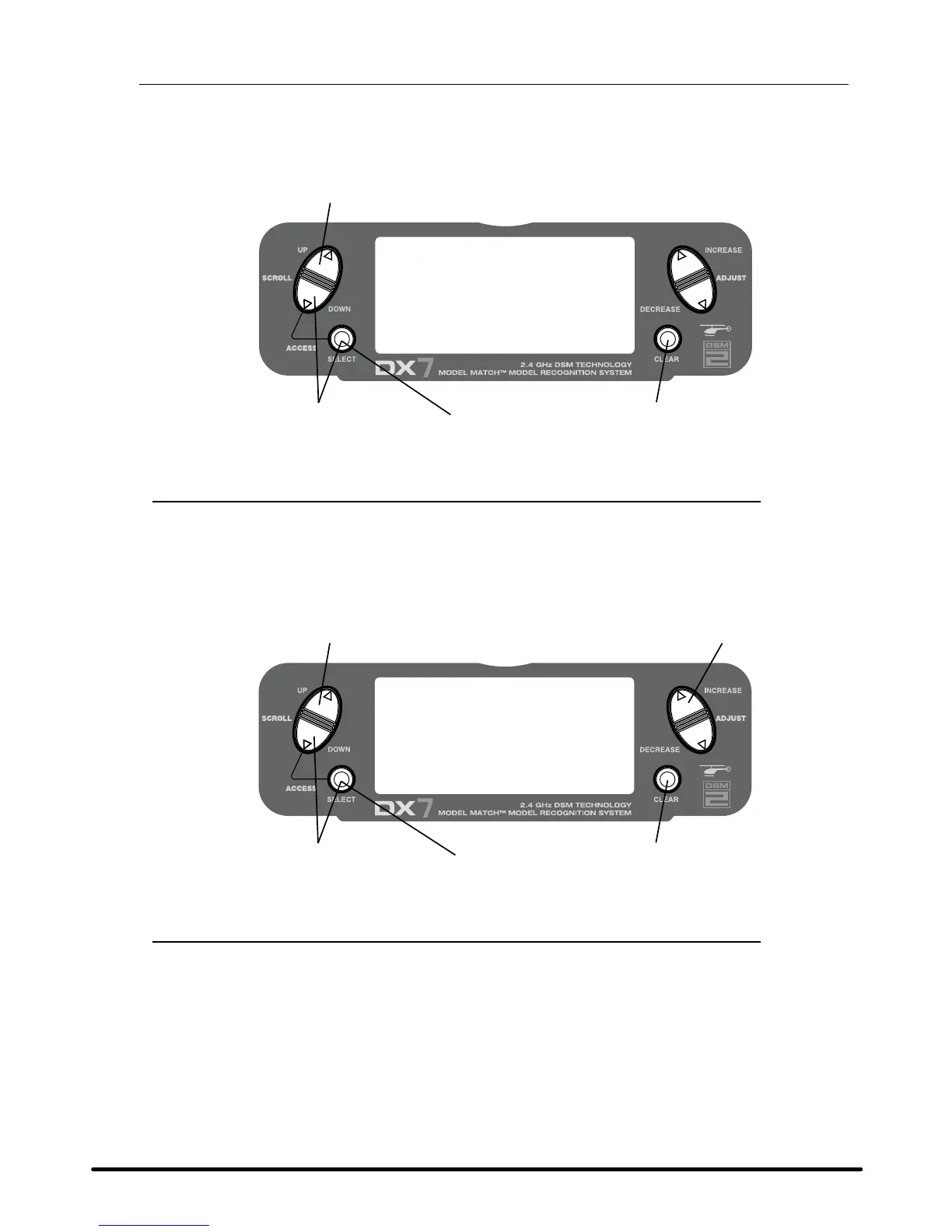
To Reset a Model
• Press the DowN and SELECT keys simultaneously, then turn on the transmitter.
• Press the UP key until MODEL RESET appears on screen.
• Press the SELECT key until DATA RESET is highlighted.
• Pressing the CLEAR key will reset the model memory to factory default settings.
[MODEL RESET]
MODEL 1 HELI DSM
◊DATA RESET
INTEG-T
0:00:34
INCREASE and DECREASE key
Press to enter
MODEL RESET
Hold while turning
on transmitter
Press to select
RESET or INTEG-T
Press to reset timer
To Reset the Integrated Timer
• Press the DowN and SELECT keys simultaneously, then turn on the transmitter.
• Press the UP key until the MODEL RESET function appears on screen.
• Press the SELECT key until INTEG-T is highlighted.
• Pressing the CLEAR key will reset the INTEG-T to factory zero.



 To Next Page
 Loading...