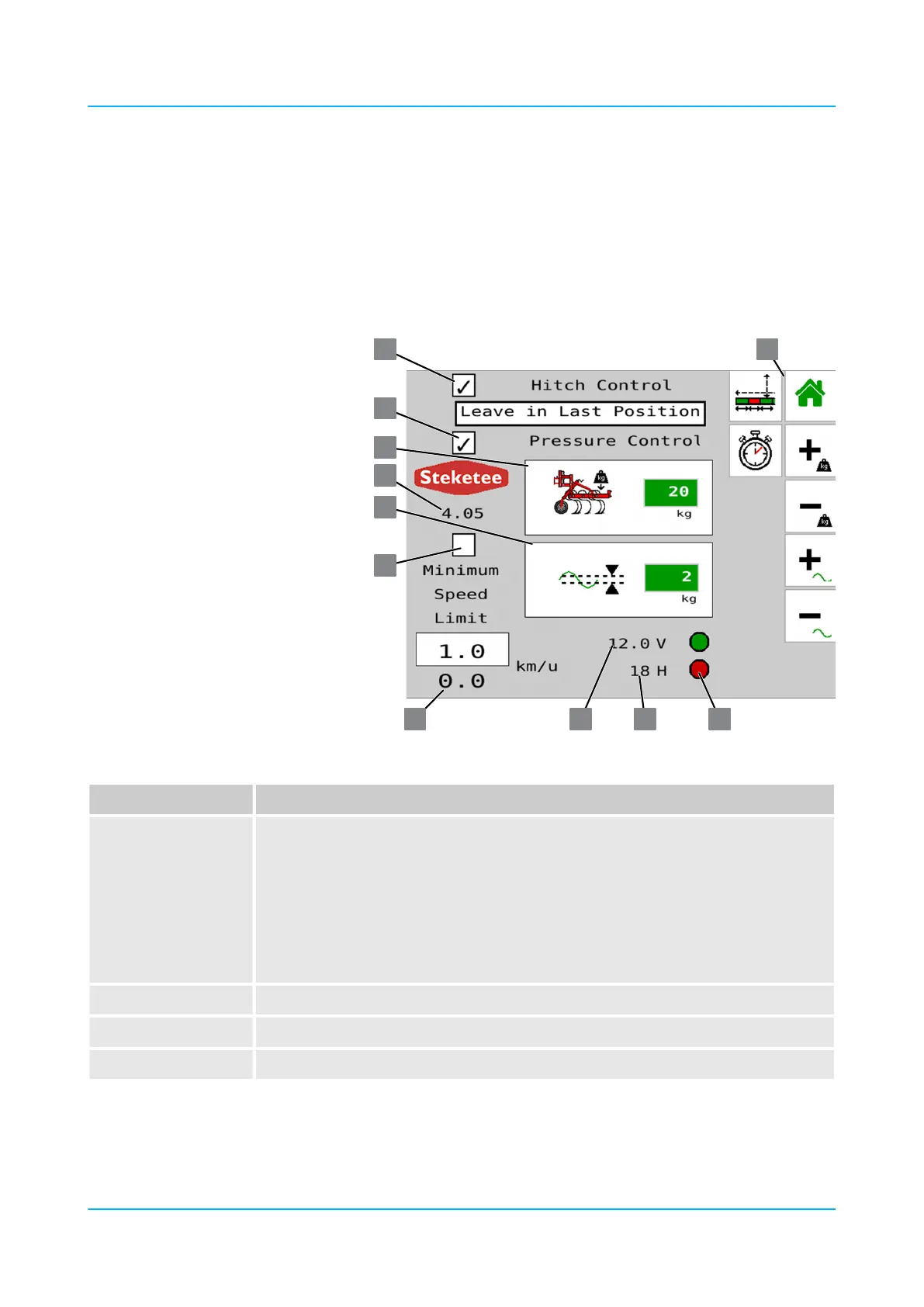
6.3.7 Setting menus of Section Control
The control Section Control is used to lift and lower hydraulic hoeing
elements during travel. The basic functions are described elsewhere
Ä Operating menu of Section Control, page 39.
Ä Lift and lower hoeing elements with GPS, page 64.
Position / Button Meaning
1
Signal lamps for EPEC control units:
n Top: Control unit for up to 12 hoeing elements with pressure control or 13 hoeing
elements without pressure control
n Bottom: Control unit for other hoeing elements
n Green: Control unit active
The communication between the two control units has been established.
n Red: Control unit inactive or no communication between the two control units.
2 ‘H’ : Operating hours
3 ‘V’ : Operating voltage
4 Current speed
‘Settings’ menu
Operation
en-GB | Item no. 17513597 | BA 02/05-2022 87



 To Next Page