6-8
920509-645 Operator Manual Routine Maintenance
6.3.4 Inspect Self-Cleaning
Screen
NOTE: A STERIS or STERIS-trained service technician is required to
perform this task. Contact STERIS for this service. Preventive main-
tenance is not covered under warranty.
IMPORTANT: Intake filter requires periodic inspection and
replacement. Initial inspection is suggested once a week; user should
determine frequency thereafter.
1. Lock disconnect switch in OFF position and close building
supply valves.
2. Allow unit to cool down.
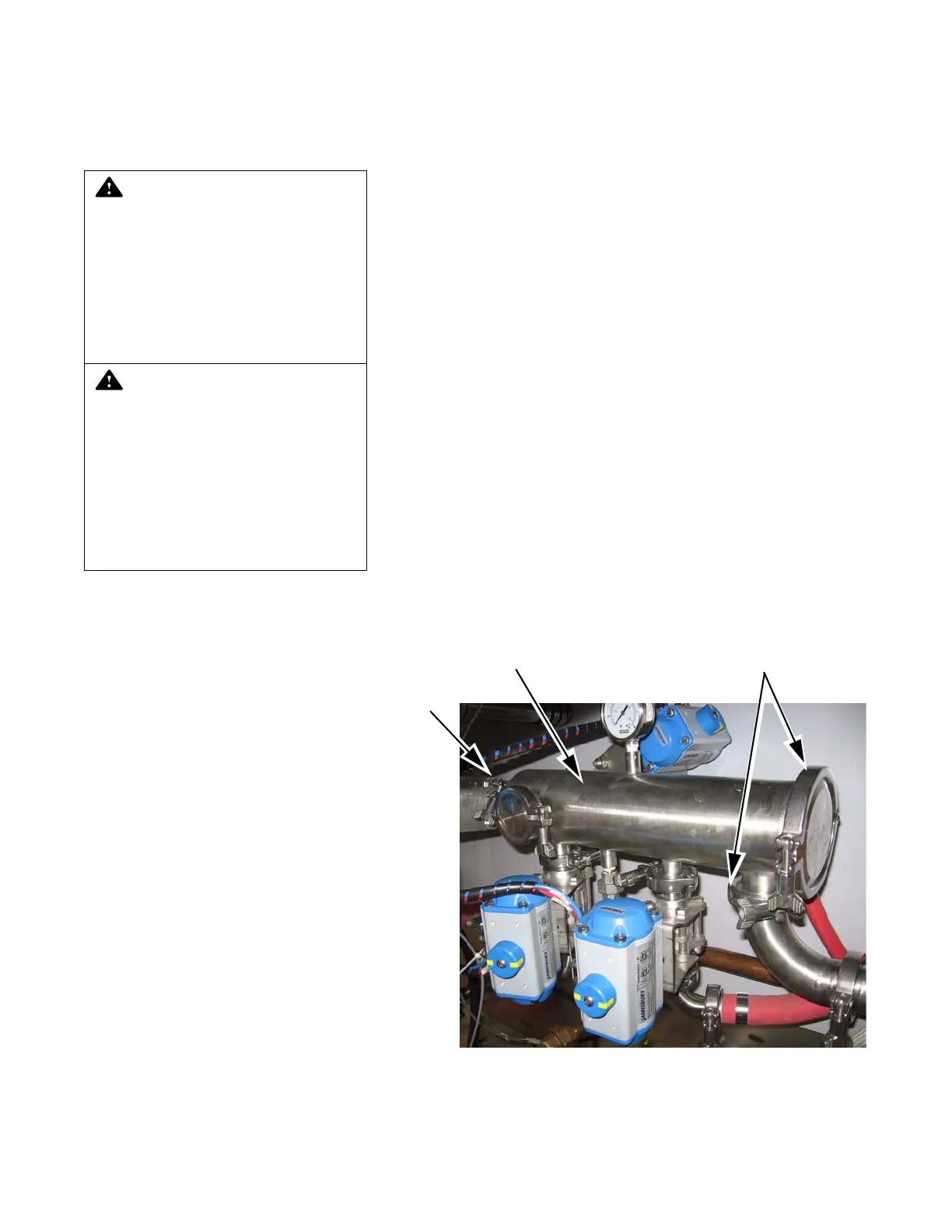
3. Remove quick disconnect clamps located directly on filter
assembly (see Figure 6-2).
4. Remove filter cartridge by pulling straight out on handle.
5. Brush and rinse surface of filter cartridge to remove any debris.
Inspect O-ring for damage.
6. Rinse filter under running water.
7. Reinsert filter cartridge. Reposition gaskets, quick disconnect
clamps and tighten.
NOTE: Gasket should last for several inspection procedures.
When necessary, order replacement gasket (P117951-568 and
P117951-392) from STERIS.
8. Re-energize washer utilities.
WARNING – ELECTRIC SHOCK
HAZARD:
Disconnect all utili-
ties to washer before servic-
ing. Do not service washer
unless all utilities have been
properly locked out. Always
follow local occupational
health and safety regulations,
as well as electric and plumb-
ing codes.
WARNING – BURN HAZARD
:
• Allow unit to cool down
before performing any ser-
vice on mechanical compo-
nents and on piping.
Components and piping
become very hot during
operation.
• Pipes may be extremely
hot.
Figure 6-2. Self-Cleaning Screen
Quick
Disconnect
Clamp
Self-Cleaning Filter Quick Disconnect Clamps













 To Next Page