6 Maintenance
Maintenance as required
1044_606-011
2
3
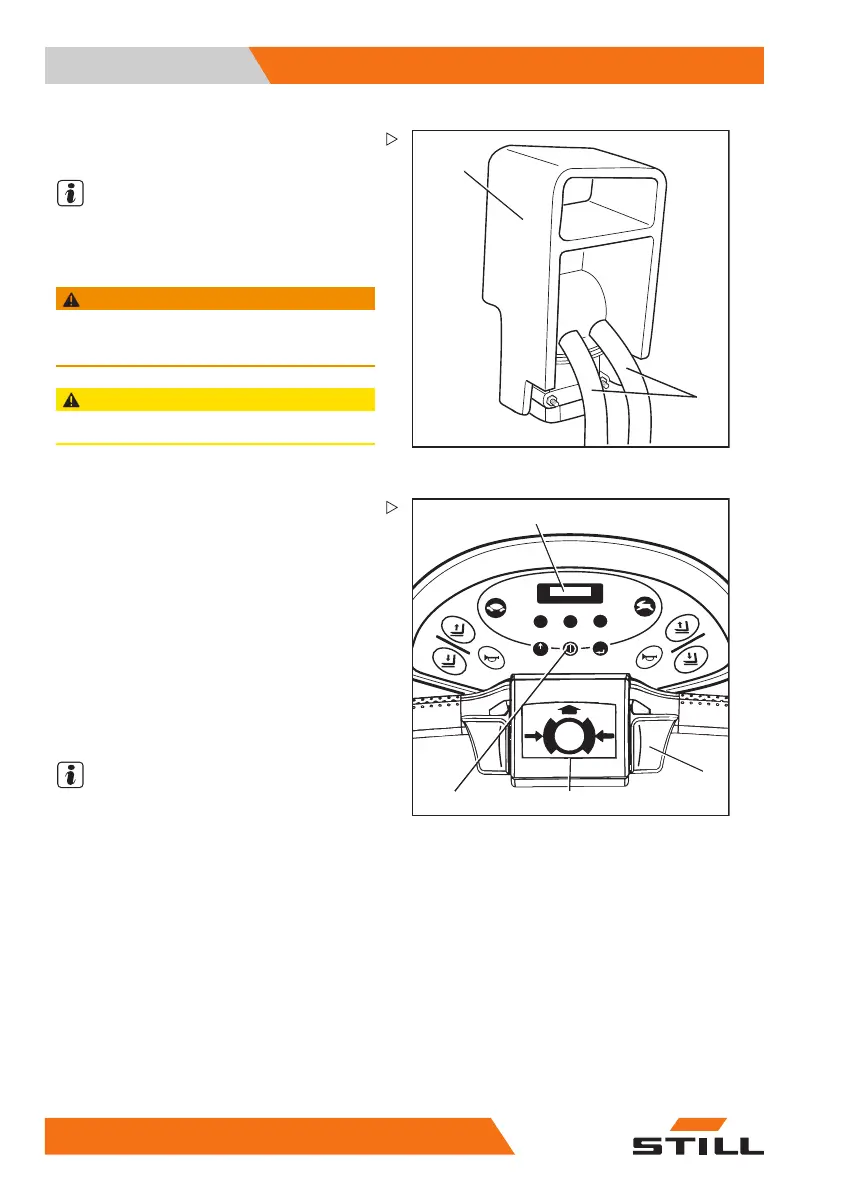
– Connect the battery plug (2) to the connec-
tor of the charger unit.
NOTE
Please follow the informati
on in the operating
instructions for the batter
y and the charging
station (equalising charg
e).
WARNING
The gases released during charging are explosive.
– Ensure that the room is well ventilated.
CAUTION
Never squeeze the battery cables (3).
123
456
789
PRG
PRG
1044_490-002
1
2
3
6
Checking operation of the brake,
checking the emergency brake
– Drive the truck.
– Leave presence area (5). The truck will
brake to a stop.
– Drive the truck slowly with the traction
control (2).
– Press the belly button (3). The truck is
braked to a stop.
–
SToP appears in the display (1).
NOTE
After the disappearance of
StoP
in the
12
0 50108043405 [EN]


 To Next Page