Operation 5
Using the Digicode control
8
1044_505-012
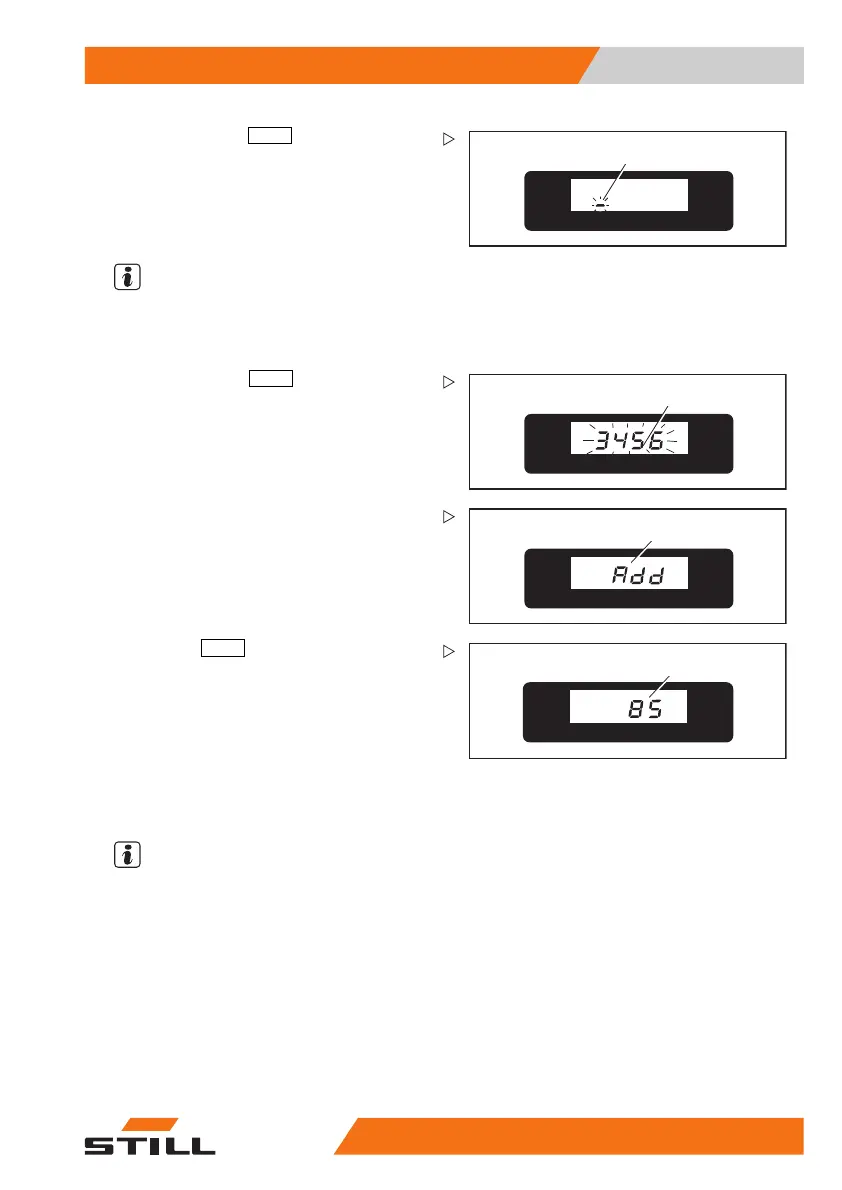
– Confirm with the
PRG ↲
(enter) button (4).
A flashing line cursor (8) will appear in the
display.
– Enter the desired new 4-digit master code
with the buttons (1), (2) or (3) as described
above.
NOTE
The controller can store a maximum of five
master codes. If one attempts to add a sixth
master code,
Err
will appear in the display.
9
1044_505-013
– Confirm with the
PRG ↲
(enter) but
ton (4)
until the new master code (9
) blinks (an
example is shown).
10
1044_505-011
– Then release the button. Add (10) will
appear again in the display.
%
11
1044_505-014
– Press the
PRG ↑
(scrolling) button (6) until
a normal readout (11) (eg battery charge)
appears in the display. The new master
code is entered.
Deleting a master code
NOTE
The pallet tr
uck is turned off, the battery is
connected.
50
108043405 [EN] 87


 To Next Page