15
PRINT WIZARD/3D PRINTER SOFTWARE OVERVIEW
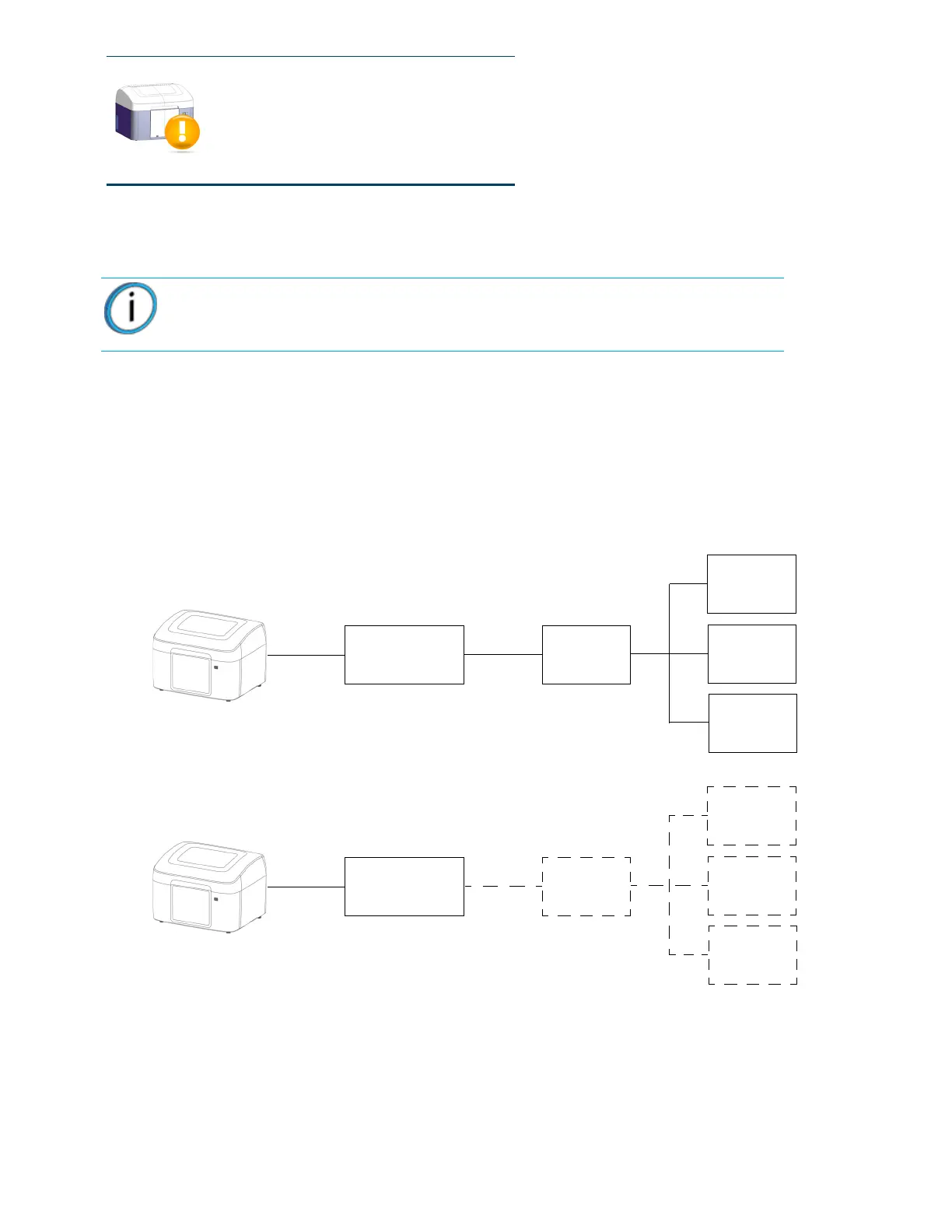
Print Wizard software can be installed on multiple computers so parts (files) can be sent to the host computer
over a local area network.
• 3D Printer software is installed on the host computer and is used to send files to the printer.
• 3D Printer software only needs to be installed on the host computer.
• Only one Mojo printer can be connected to the host computer.
Figure 4-14: Network overview
Part canceled
Note: Make sure the “Windows automatic update” feature is turned off on the
host computer. Loss of part will occur if this feature is not turned off.
Host computer with
3D Printer Software
USB Cable
Ethernet
Local Area
Host computer with
3D Printer Software
USB Cable
Ethernet
Print Wizard
on Computer
Print Wizard
on Computer
Print Wizard
on Computer
Print Wizard
on Computer
Print Wizard
on Computer
Print Wizard
on Computer
(without Print Wizard)
Network
Local Area
Network (optional)
and Print Wizard Software















 To Next Page