44
5 MAINTENANCE
PREVENTIVE MAINTENANCE
DAILY
EMPTY THE PURGE BUCKETS
Empty the purge buckets after each build has completed.
INSPECT THE TIP WIPE ASSEMBLY
After each build you should inspect the tip wipe assembly to make sure there is no material build up. If there is
material build up, clean the tip wipe assembly by brushing it off. Material build up on the tip wipe assembly can
cause part quality issues.
AS NEEDED
REMOVE DEBRIS BUILDUP
Remove all material buildup on the platen and surrounding area. Failure to do so could cause part quality
issues.
CLEAN DOOR
Wipe clean using mild soap and a damp cloth. Do not use ammonia based glass cleaner on the door. It will
damage the polycarbonate window.
REPLACING TIP WIPE ASSEMBLY
The tip wipe assembly should be replaced with each QuickPack Print Engine replacement.
1. Open the door.
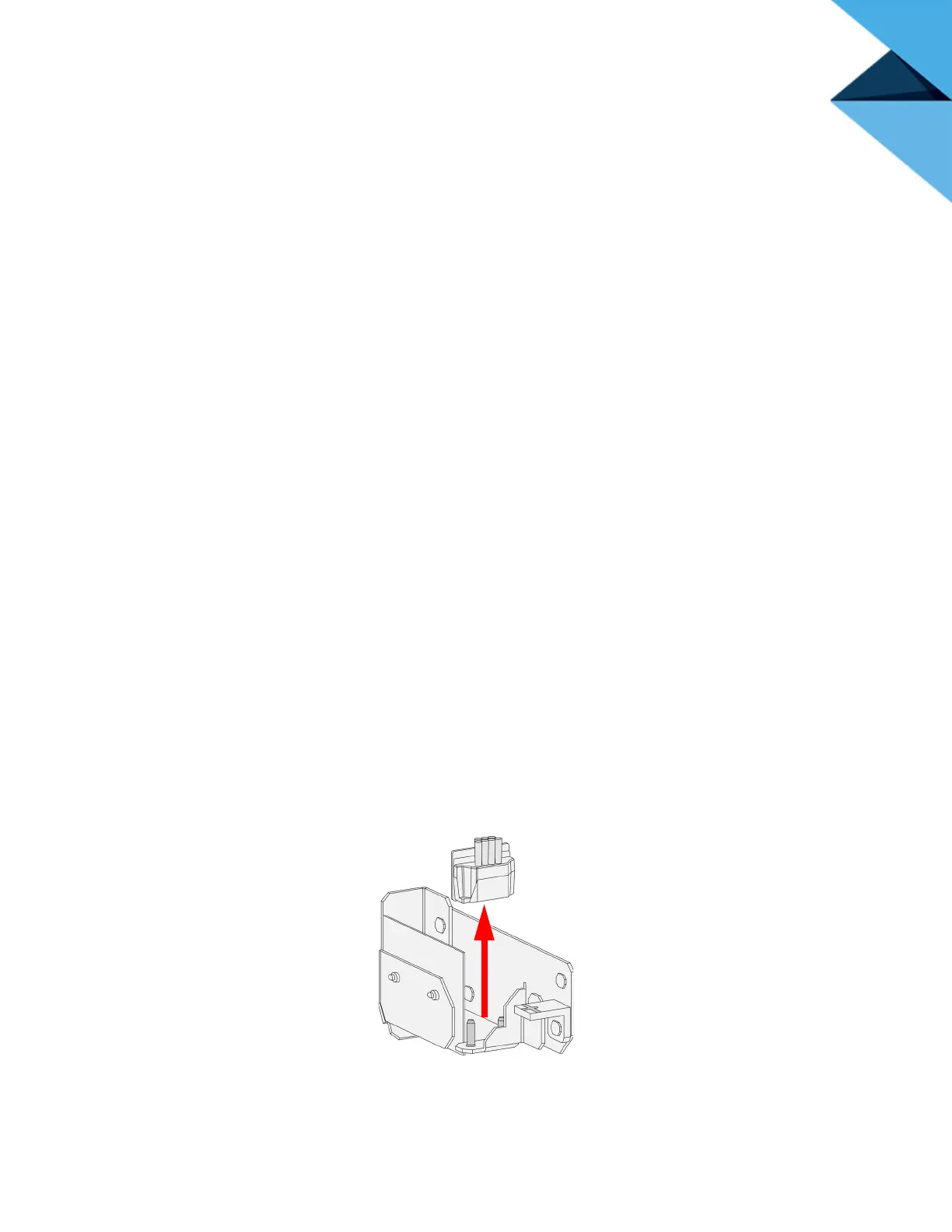
2. Lift out the tip wipes out from the holding bracket. There are two tip wipes; one on either side of
the chamber.
Figure 5-62: Removing tip wipes (right side shown)
3. When replacing the tip wipes make sure they are fully seated in the holding brackets.















 To Next Page