36
REMOVING SUPPORT MATERIAL
Mojo uses soluble support material which is designed to dissolve in a water based solution. Your part is left with
a smooth and clean finish with the fine details intact. The soluble support material can be removed by hand with
relative ease, but is designed to be dissolved from your parts for hands free finishing.
POWERING OFF
To power off the printer, turn the power switch to the OFF position. This can be done at anytime without harming
the printer. No other steps are necessary. If power is switched OFF while printing, the current part will not be
completed.
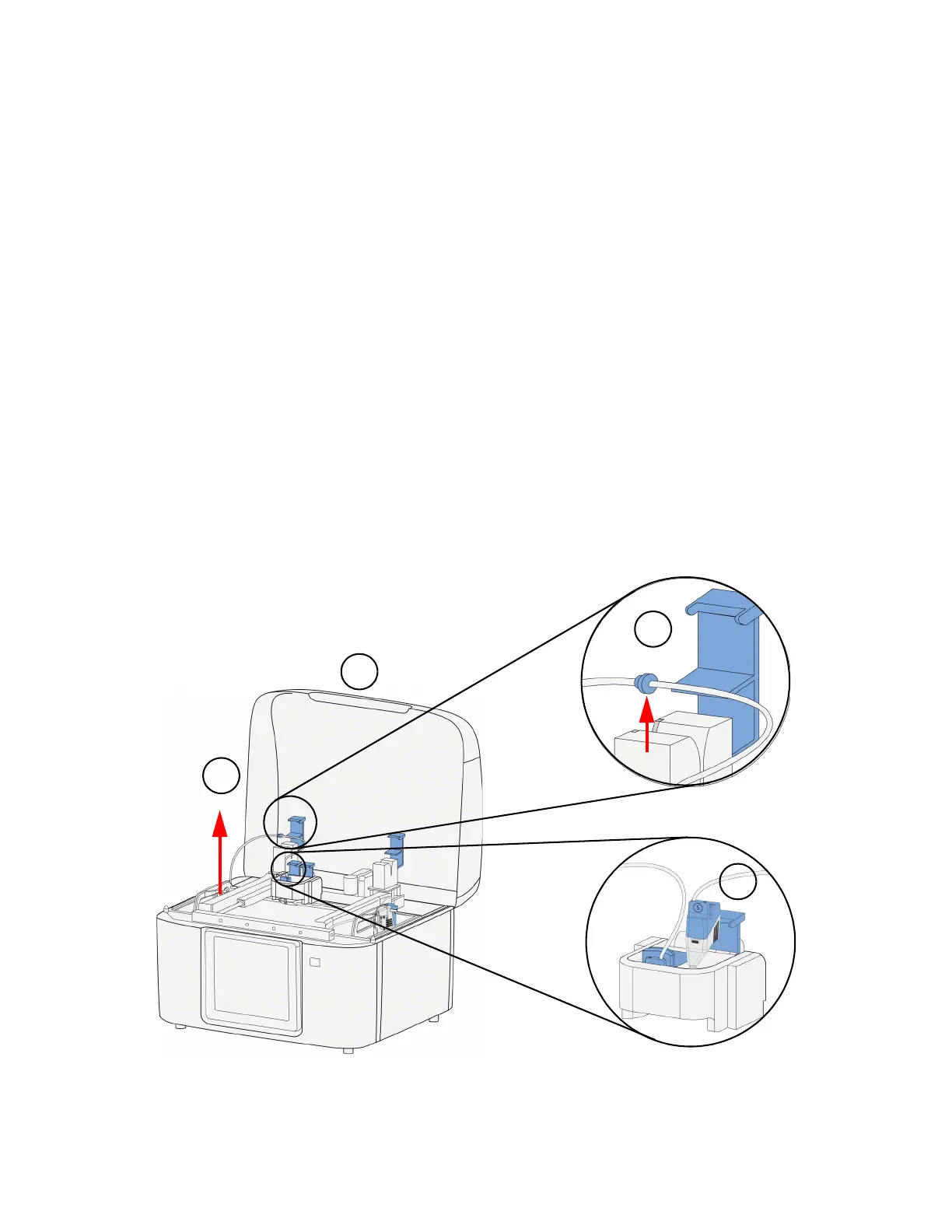
REMOVING THE QUICKPACK PRINT ENGINE
1. Open the cover.
2. Open the material sensor lid and remove the material tube guide from the material sensor.
3. Open the head socket lid and remove the print head.
4. Using the handle, lift up and remove the QuickPack Print Engine from the material bay.
Figure 4-48: Remove the QuickPack Print Engine















 To Next Page