25
ADDING/REMOVING PARTS
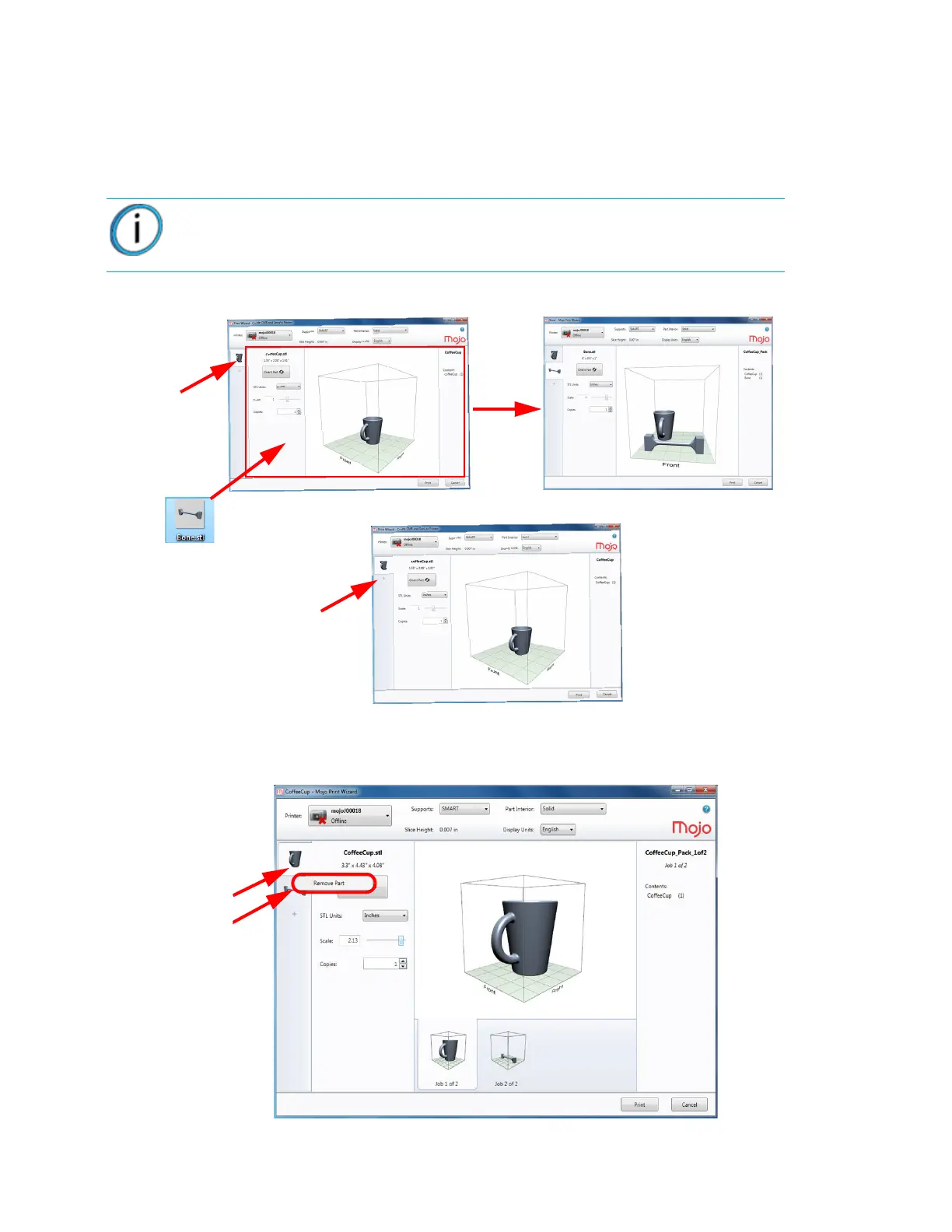
STL files can be added to the job by:
• Double-clicking an STL file.
• Using the drag-and-drop feature of Windows Explorer to move the file into the print window.
• By clicking the “+” sign.
Figure 4-27: Drag-and-drop new STL file
A part is removed by right clicking on the part and then selecting “Remove Part”.
Figure 4-28: Removing a part
Note: Once the STL file is brought into Print Wizard, the file is then considered a
part.















 To Next Page