43
REMOVING AND INSTALLING TIP WIPES
1. Open the door.
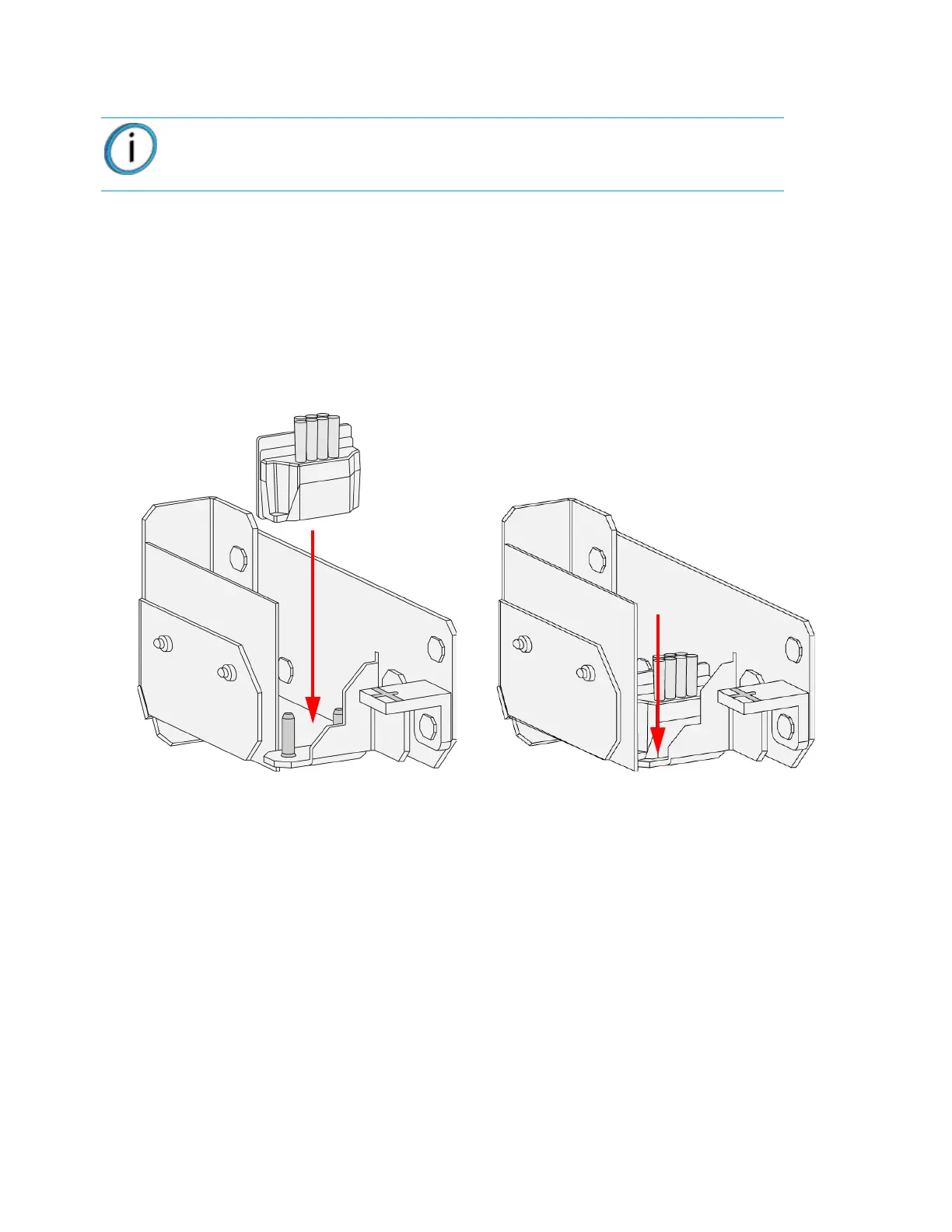
2. Remove the tip wipe assembly that corresponds to the QuickPack Print Engine being replaced
by lifting the tip wipe up and out of the bracket. There are two tip wipe assemblies; one on either
side of the chamber.
3. Place the tip wipe assembly on the two mounting posts on the bracket.
4. Make sure the tip wipe assembly is fully seated in the bracket.
Figure 4-61: Installing tip wipes (right side shown)
Note: Replace the tip wipe that corresponds to the QuickPack Print Engine
(model or support) that is being replaced.















 To Next Page