18
ADDING ADDITIONAL PRINTERS
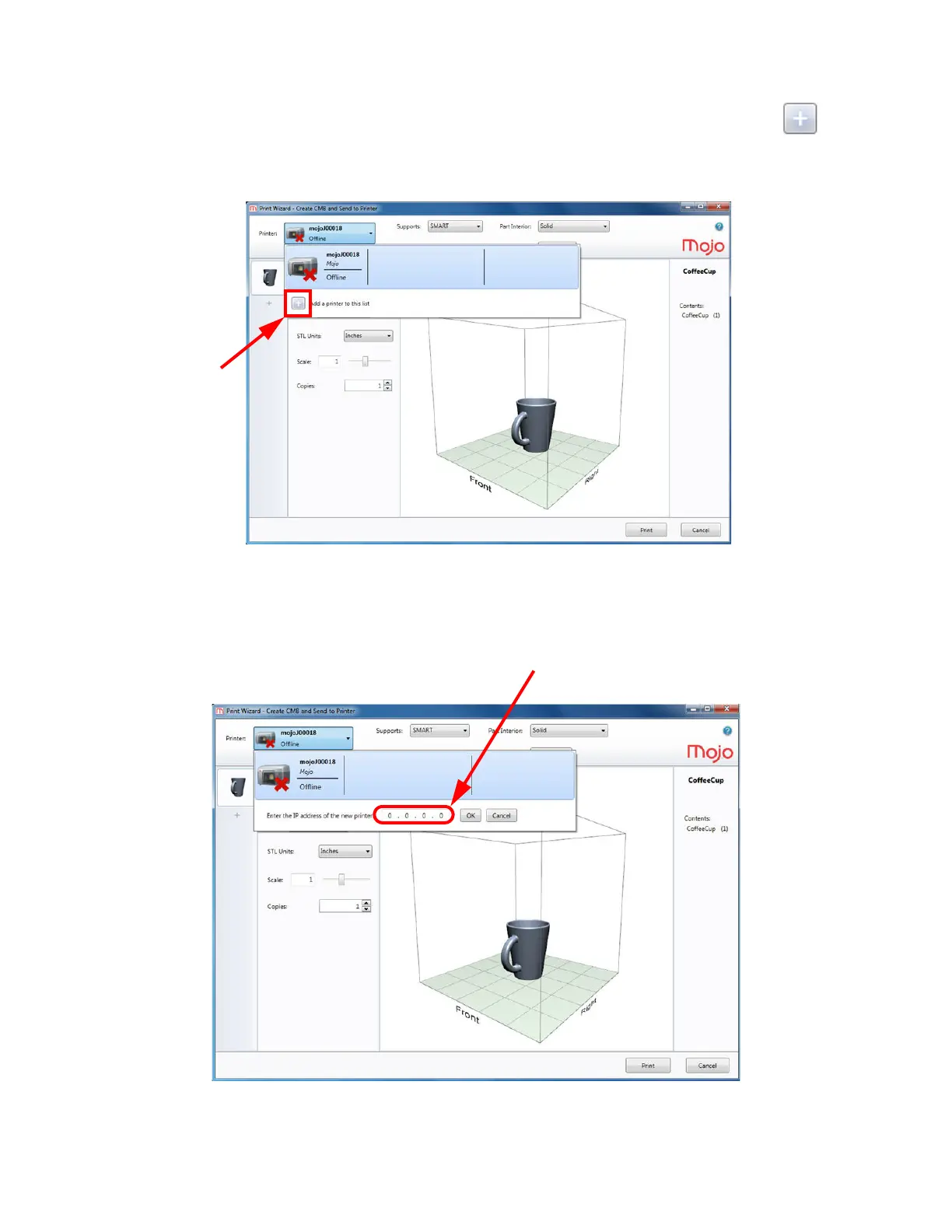
To add another printer, click MyPrinter and the following drop-down menu will appear. Click the Add a
printer to this list icon.
Figure 4-17: Adding a printer
Obtain the host computer IP address from your network administrator. Enter the IP address of the host computer
connected to the printer in the boxes provided, and then press OK or from the menu on the Mojo control panel
on the host computer.
Figure 4-18: Entering an IP address















 To Next Page