20
SELECTING PART INTERIOR
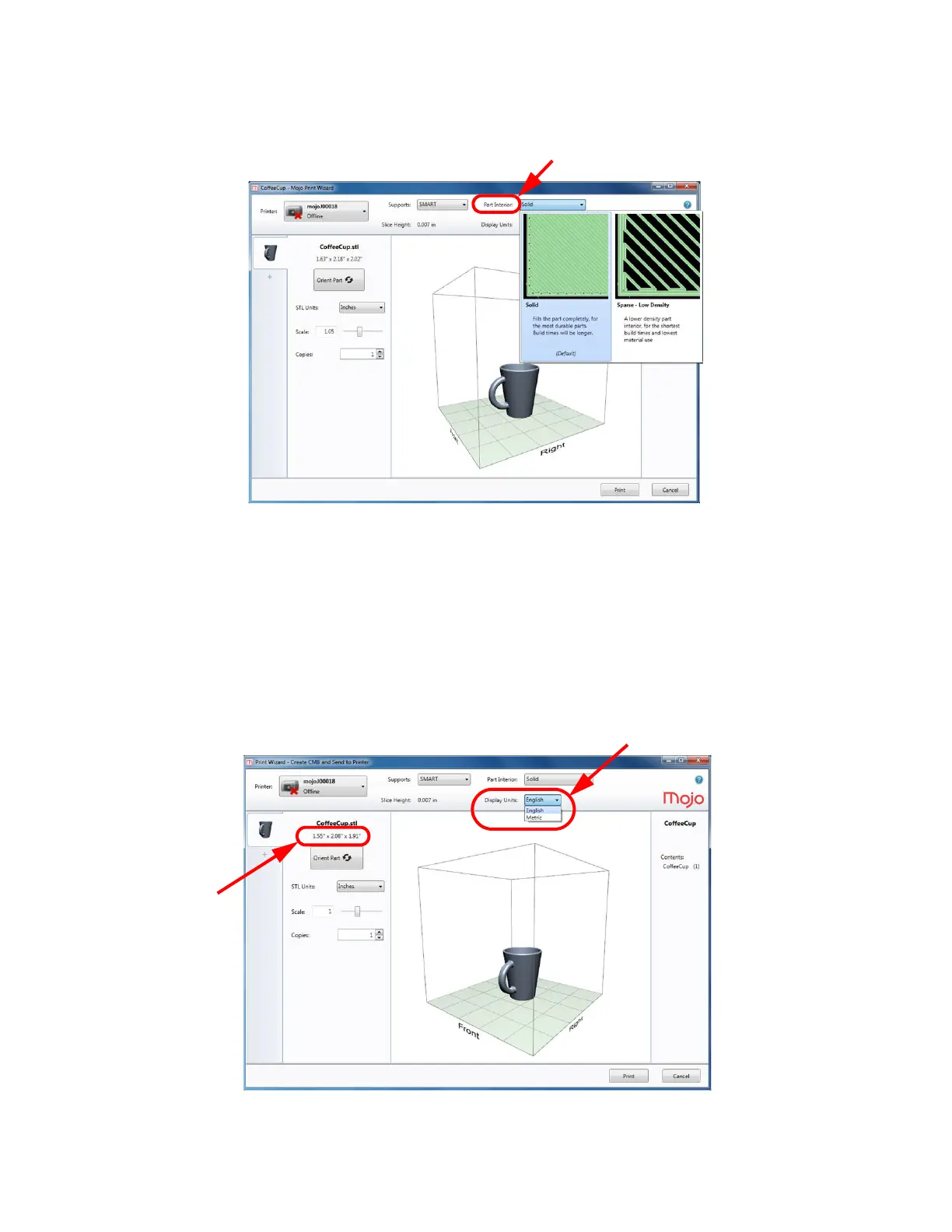
Model interior establishes the type of fill for the interior solid area of the part. Solid is the default setting.
Figure 4-20: Part Interior
‘
• Solid (default) - Fills the part completely for the most durable parts. Build times will be longer.
• Sparse - Low Density - A lower density part interior for the shortest build times and lowest
material use.
SELECTING DISPLAY UNITS
Display units can be selected for English or Metric measurement. The STL file selected will display the size of
the part under the file name. Display units determines whether the part size is displayed in millimeters or inches.
The unit selected will also be reflected in material information in the Mojo Control Panel window.
Figure 4-21: Display units















 To Next Page