39
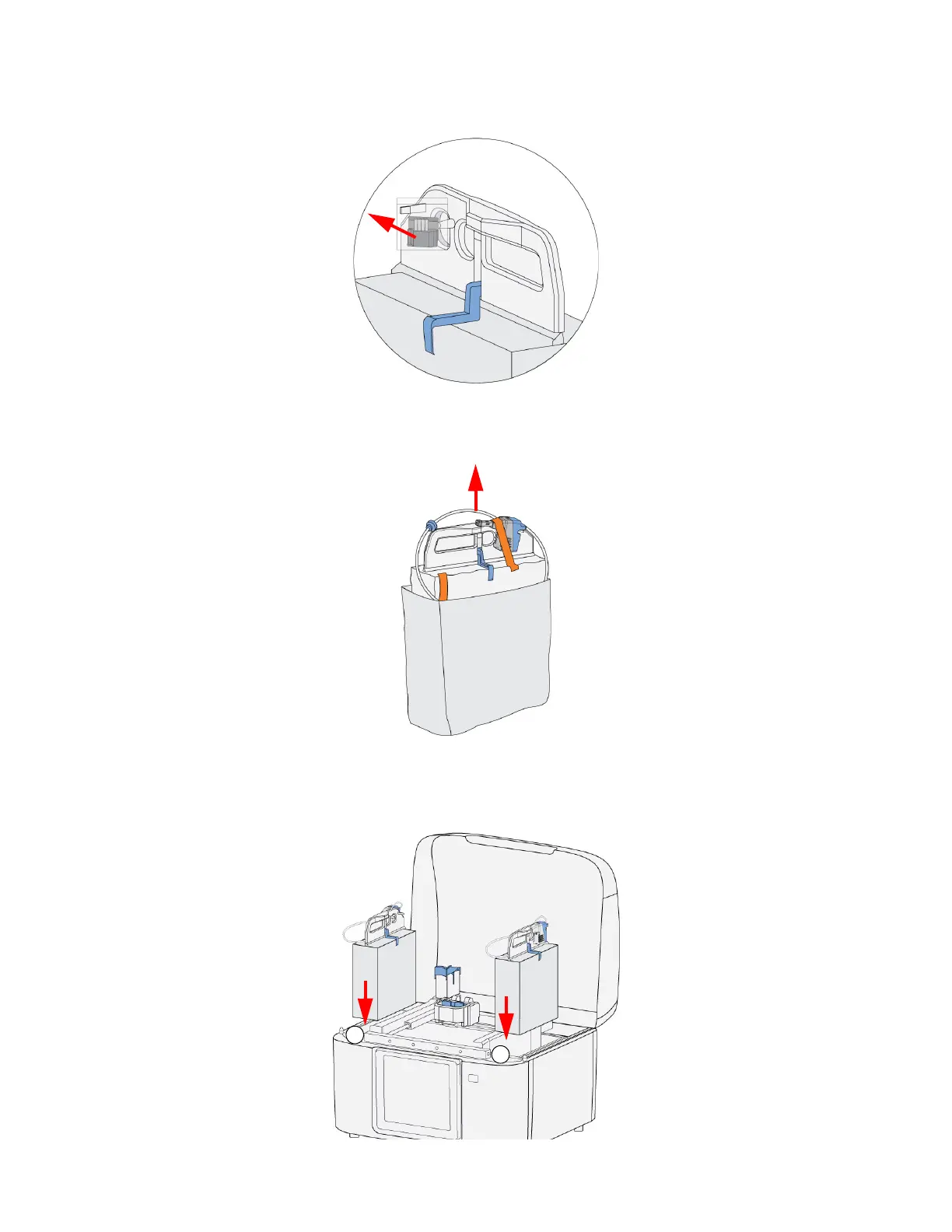
4. Remove the plastic bag containing the tip wipe assembly from the QuickPack Print Engine
handle. The tip wipe assembly will be installed in a later step.
Figure 4-52: Removing Tip Wipe Assembly Bag
5. Use the handle to remove the QuickPack Print Engine from the bag and remove the orange tape.
Figure 4-53: Removing the QuickPack Print Engine
6. Place the QuickPack Print Engine material in the appropriate bay. The head must face outside
and to the back of the printer.
Figure 4-54: QuickPack Print Engine placement















 To Next Page