Objet260 User Guide 6 Operating and Maintaining the Objet260 3DPrinter
DOC-37004 Rev.E 6-7
Ontheprinterinterface,theprintermodechangesfromIdletoPre-print,as
theprinter’scomponentspreparethemselvesforproduction:
•Theprintblockisheated.
•TheUVlampsarepoweredandtheywarmup.
Whenprintingbegins,ObjetStudiosendssevenslicestotheprinter-control
application.ThisisthestandardbufferbetweenObjetStudioandtheprinter.
Aseachsliceisprinted,anothersliceissenttotheprinter.
Dependingonthesizeofthemodel(s)tobeproduced,printingcantake
betweenseveralhourstoseveraldays.AslongasthereisenoughModeland
Supportmaterialinthesupplycartridges,printingproceedsautomatically
untilthejobisfinished.
Duringprinting,theservercomputermustremainonanditmust
communicatewiththeObjet260printer.Donotlog-offWindowsuntil
printingisfinished.
TheObjet260printerusesone,twoorthreeModel-materialcartridgesand
oneSupport-materialcartridgetoproducemodels.Ifadditionalcartridgesare
installedandtheyarenotneededforthecurrentprintjob,theprinter
interfaceindicateswhicharebeingused:
•Blue cartridge—usedfortheprintjob
•Gray cartridge—notusedfortheprintjob
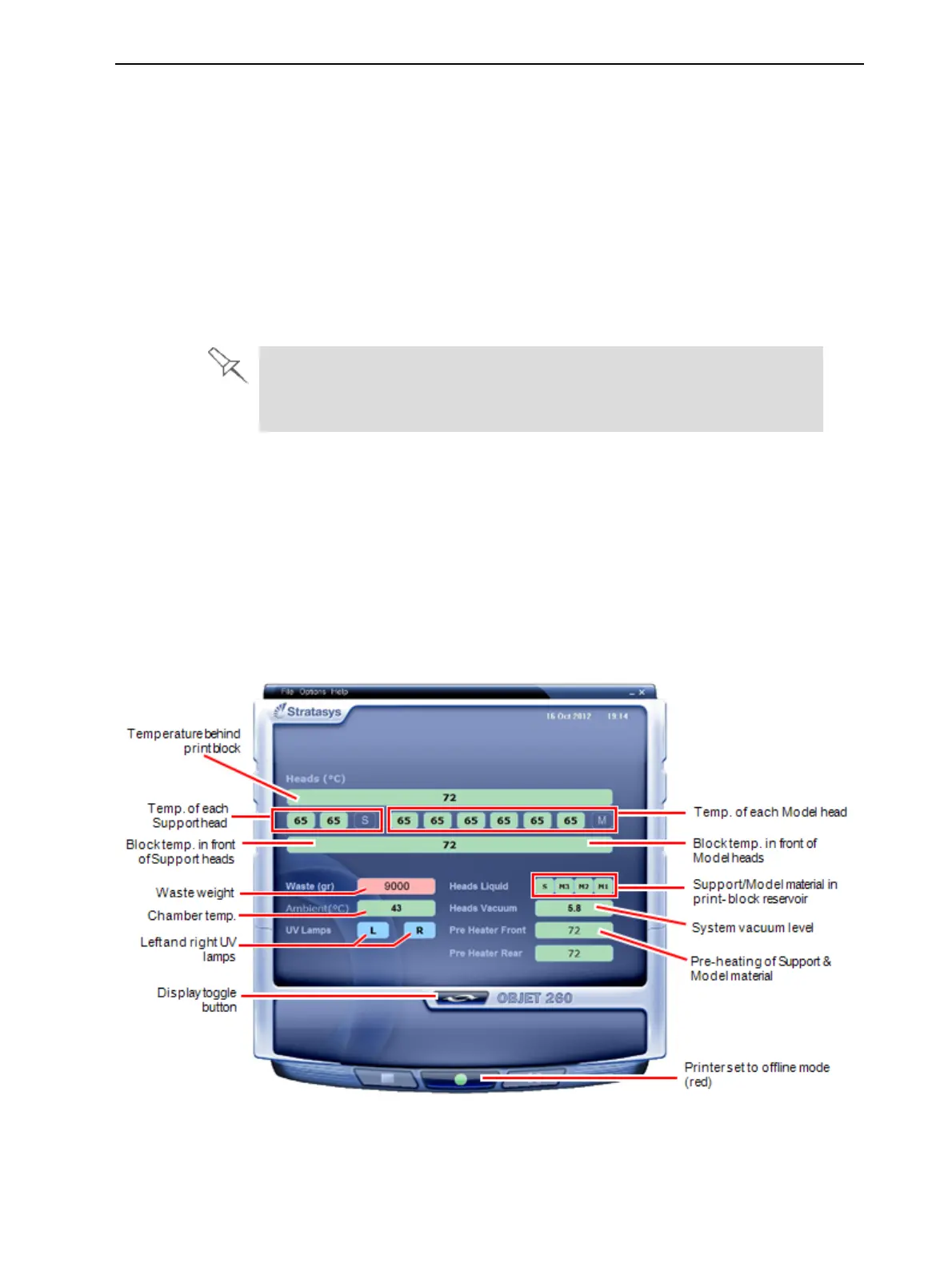
Youcanmonitorprinterstatusindicatorsbyswitchingtheprinterinterface
display.Todothis,clickthedisplaytogglebuttonontheprinterinterface
screen.
Figure6-4Printerindicators













 To Next Page