Objet260 User Guide 7 Handling Printed Models
DOC-37004 Rev.E 7-5
Post-Printing Treatment for Models Made with VeroClear
ModelsmadewithVeroClear(RGD810)haveaslightyellowtintwhen
removedfromtheprinter.Thisisespeciallytrueformodelsprintedwitha
glossyfinish.Theyellowtintfadesnaturallyovertime,butyoucangreatly
acceleratethisprocessbyusingasuitablephotobleachingtreatment.
Asarule,bestclarityisachievedwhenpartsareprintedwithamattefinish,
andtreatedasexplainedbelow.
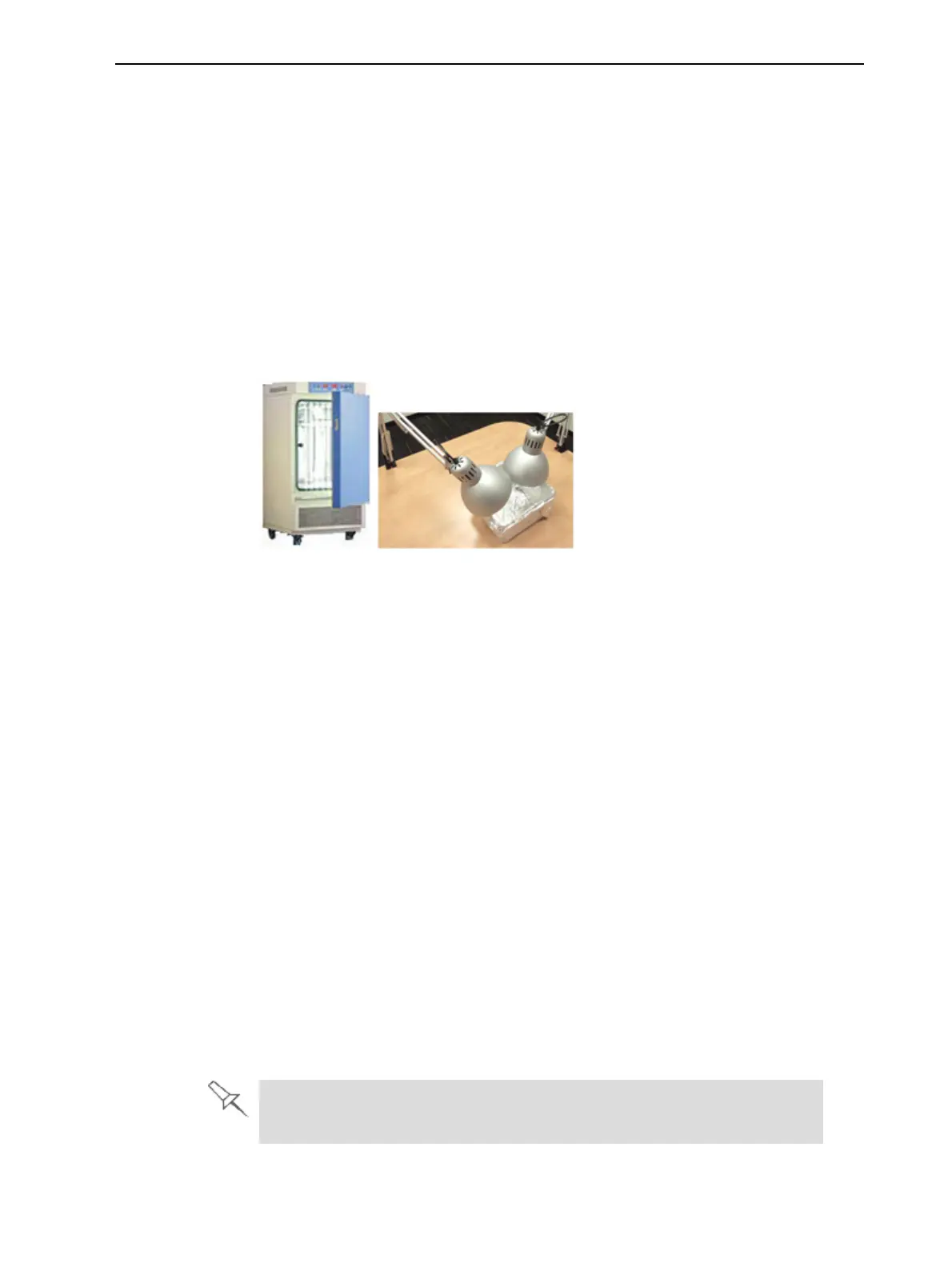
Photobleachingmodelsinvolvesexposingthemtolight.Toachievehighly
controlledandpredictableresults,aprofessionalilluminationchamberis
recommended.However,adequateresultsmaybeobtainedusingordinary
desklampsfittedwithsuitablefluorescentelements.
Figure7-2Left:Illuminationchamber;Right:Desklamps
Photo-
Bleaching
Instructions
Followtheseinstructionsforphotobleachingprintedmodels.
•Thefluorescentlampsshouldberated45W,6500K.
•Whenusingdesklamps,placethemodelsinacontainerlinedwith
aluminumfoil.Useatleasttwolamps,morewhentreatingmodelsina
largecontainer.
•Arrangethemodelswithenoughspacebetweenthemtoallowlightto
reachallsidesofeachmodel.
•Verifythattheambienttemperaturearoundthemodelsisapproximately
40°C(104°F).Highertemperaturesmaycausemodeldistortion;lower
temperaturesmaynotproducesatisfactoryresults.Whenusingdesk
lamps,youcanachievetherequiredtemperaturebypositioningthelamps
approximately10cm(4in.)abovethemodels.
•Inspectthemodelsaftersixhoursoftreatment.
❒ Forpartswithamattefinish,thisshouldbeenough.Polishand
lacquertheparts.
❒ Forpartswithaglossyfinish,continuethephotobleachingtreatment
forupto18hoursmore.
InStratasyslaboratories,therewasatintreductionofapproximately70%
withinsixhours.After24hours,tintwasreducedbyapproximately90%.
Moreinformationaboutthistreatmentisavailableintheapplicationnote
VeroClear RGD810 Model Material.













 To Next Page