Objet260 User Guide 5 Using Objet Studio
DOC-37004 Rev.E 5-58
anoptionthatenablesObjetStudiotoprintthetraybythemostefficient
method(see"Printing-ModeSelection"onthenextpage).
E-mailing
Objet Digital
Files
Youcaneasilye-mailobjdffilesusingMicrosoft
®
OfficeOutlook
®
.Sending
objdffilesisrecommended(insteadofstlfiles)becausethesizeofafileis
typicallyreducedbymorethanhalf.Anaddedbenefitisthattheobjdffile
containsthemodel-materialinformationfortheobject.
Toe-mailafile:
1. FromtheToolsmenu,selectEmailObjetDigitalFile.
OutlookopenswiththefileattachedandSubjectdetailsaddedtothe
e-mailform.
2. Enterthee-mailaddressandsendthefile.
Printing the
Tray
Whenatrayisreadytobeprinted,itisplacedintheJobsQueue.Whenthe
jobreachestheheadofthequeue,ObjetStudiopre-processesthetrayfileto
createslices,andfeedsthemtotheprinter.
Tosendthetraytotheprintqueue:
1. OntheTray Settingsribbon,Build Process group,click .
❒ Ifprintingthetrayrequirestwoormoremodelmaterials(Digital
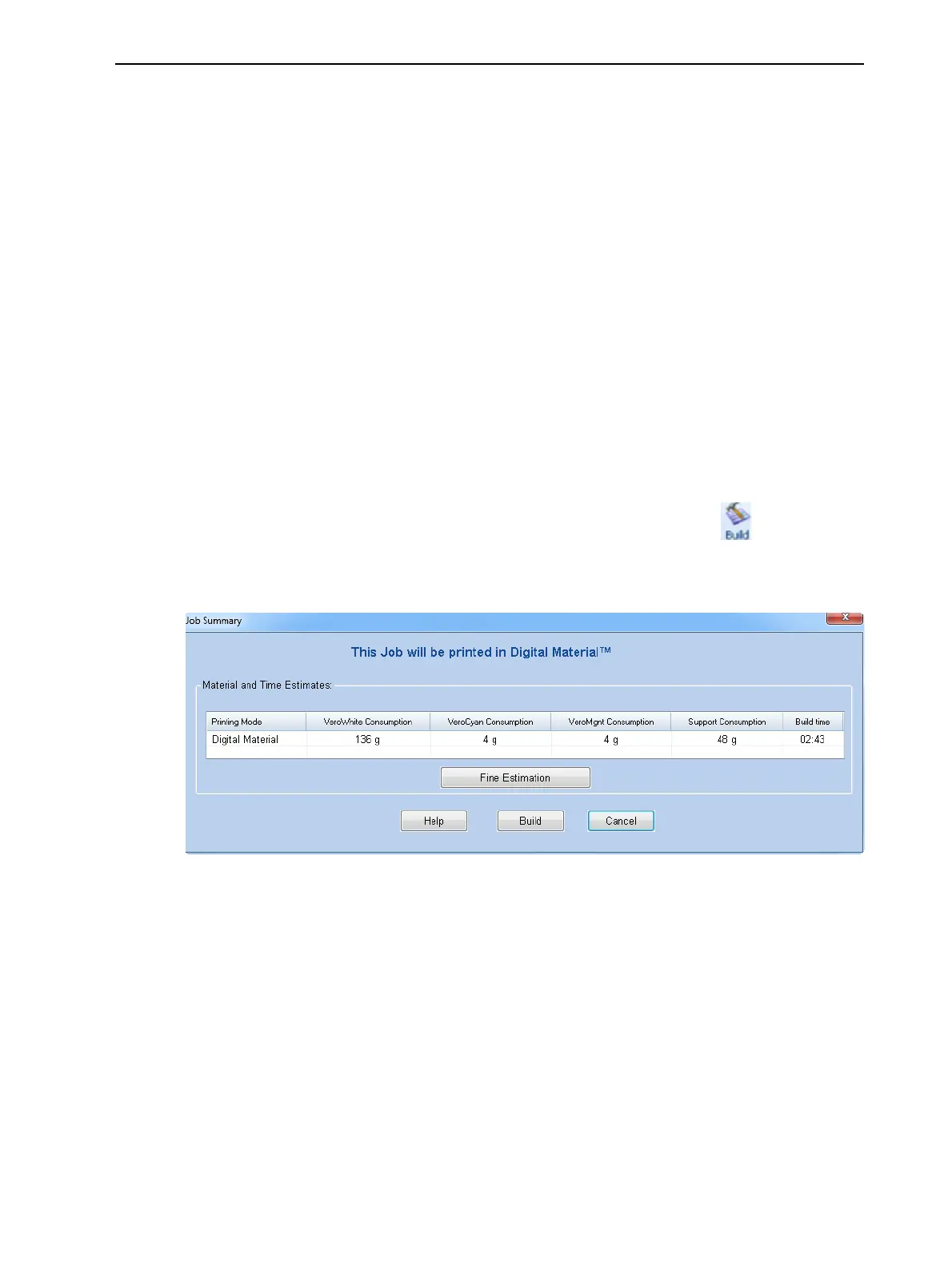
Materialmode),theJob Summarydialogboxopens.
Figure5-73 JobSummarywhenprintingwithmultiplemodelmaterials
Note: Thevaluesdisplayedaretheresultofaquickcalculation,and
representaroughestimateofthematerialsandtimeinputrequiredtoprint
thejob.Foramoreaccuratecalculation,clickFineEstimation.
Continue with step 4on page 5-60.













 To Next Page