Objet260 User Guide 5 Using Objet Studio
DOC-37004 Rev.E 5-62
Applying Additional Objet Studio Features
ThefollowingtopicsdescribeadditionalfeaturesavailableinObjetStudio:
•DividingObjects
•DisplayingtheCrossSectionofObjects
•SavingtheScreenDisplayasanImageFile
•SavingandImportingBuildTrays
Dividing
Objects
YoucanusetheSplitObjectfeaturetoproduceobjectslargerthanthetray
areabydividingthemodelintoseparateparts.Withthisfeature,youproduce
onlyaspecificsectionofamodel.
Tosplitanobject:
1. Selecttheobject.
2. FromtheObjectmenu,selectSplit.
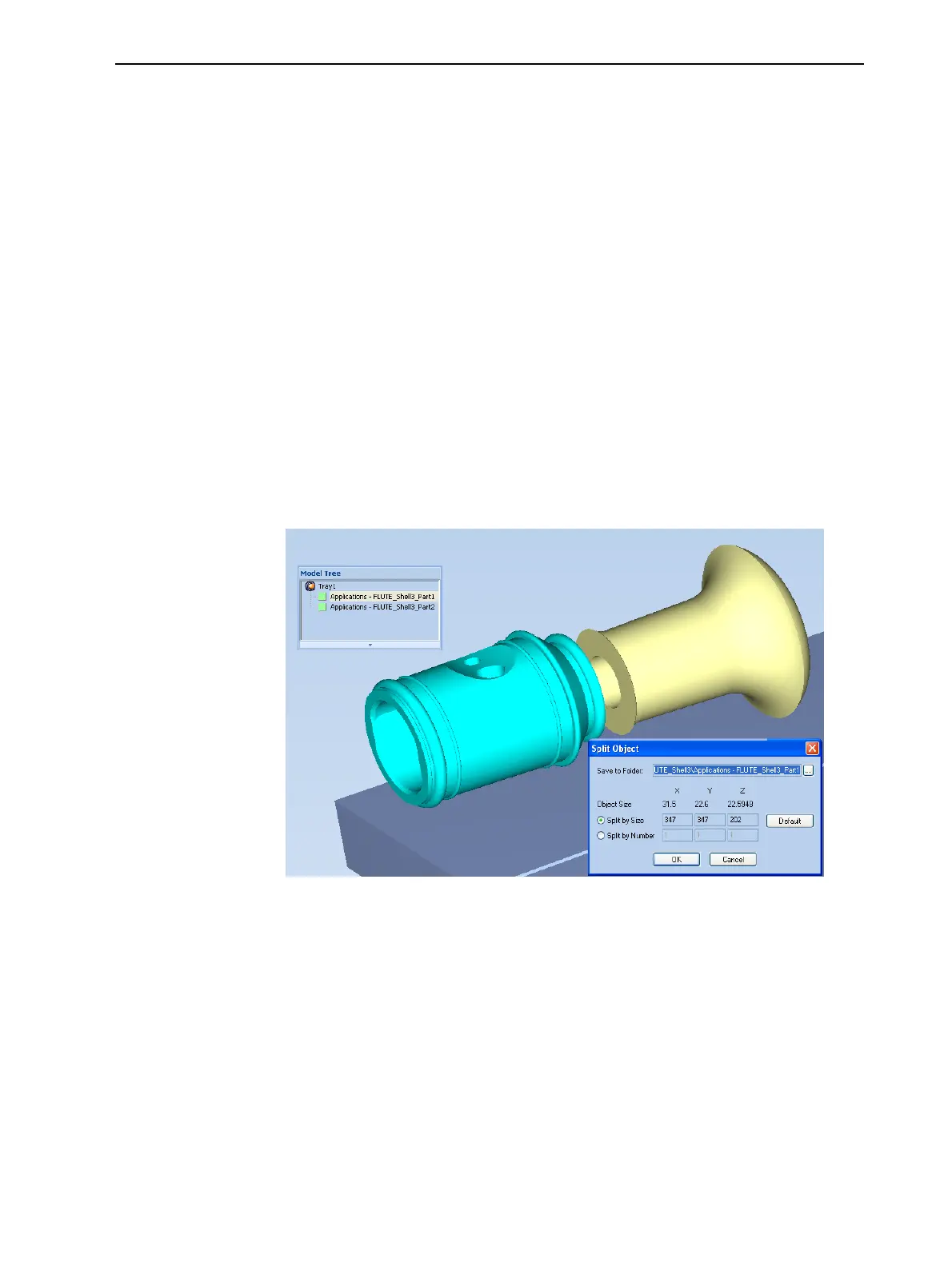
3. IntheSplit Objectdialogbox,enterthevaluestodeterminehowObjet
Studiowilldividetheobject.Youcandivideanobjectalonganyofitsaxes,
byenteringeitherexactmeasurementsorthenumberofparts.
Figure5-77Split Objectdialogbox
4. InSave to Folder,enterthefoldername.
5. ClickOK.
Thecompositepartsaresavedasnewstlfileswith“Part1,”“Part2,”etc.,
addedtotheoriginalfilename.
Note: Beforeprintingthenewlycreatedstlfiles,itisrecommendedthatyou
checkthemfordefectsinanSTL-repairapplication,suchasMagics™,by
Materialise
®
.













 To Next Page