Objet260 User Guide 5 Using Objet Studio
DOC-37004 Rev.E 5-63
Choosing the
Support
Strength
Whenproducingmodels,supportmaterialfillssomehollowandempty
sections(see"ManualPositioning"onpage5-33).ObjetStudioallowsyouto
adjustthestrengthofthestructureformedwiththesupportmaterial.This
adjustmentisusefulwhenproducingeitherlarge/massivemodelsor
small/delicatemodels.Formostpurposes,thedefaultsettingprovides
adequatesupportstrength.
Tochangethestrengthofthesupportstructureusedwhenprintingamodel:
1. Selectamodelonthetray.
2. OntheModel Settingsribbon,intheOptions group,click .
or—
❒ OntheModelToolbar,click .
or—
❒ Fromtheright-clickcontextmenu,selectAdvancedProperties.
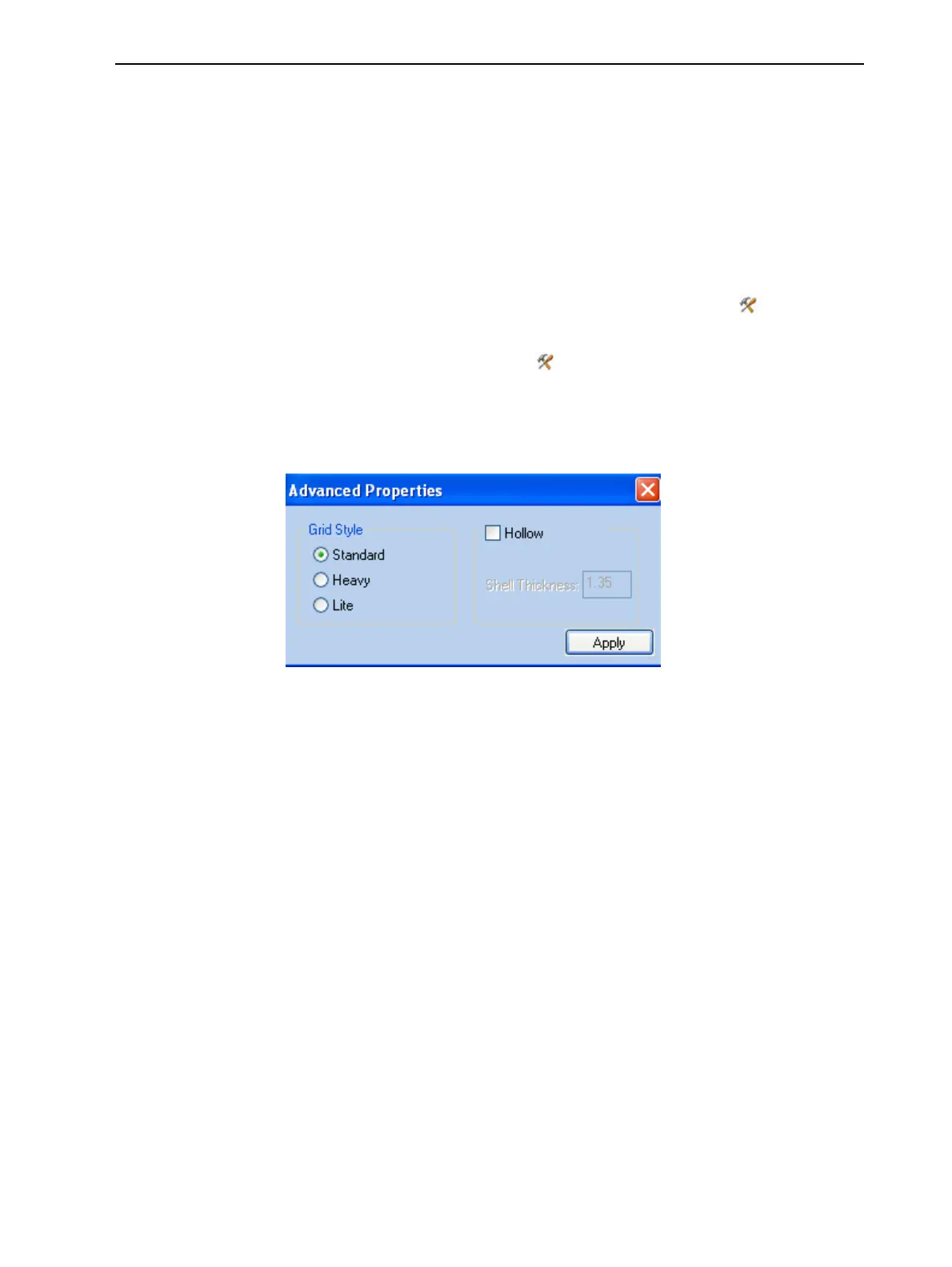
TheAdvanced Propertiesdialogboxopens.
Figure5-78Advanced Properties dialogbox
Note: Ifanobjectissplitintoshells,theAdvanced Propertiesenabledvary
withtheobjectselection.IfasingleelementisselectedonlyHollowis
enabled.IfagroupofelementsisselectedonlyGrid Styleisenabled.
3. IntheGrid Stylesection,choosethesupportstrengthsuitableforthe
selectedmodel.Youcanselectadifferentsupportstrengthforeachmodel
onthetray.
❒ Standard—formodelsneedingaveragesupport(mostmodels).
❒ Heavy—forlargemodelsneedingmuchsupport.
❒ Lite—formodelsprintedusingSUP706Supportmaterialandfor
delicatemodelsneedinglittlesupport.(Thissettingmakesiteasyto
removethesupportmaterial.)
4. ClickApply.













 To Next Page