Objet260 User Guide 6 Operating and Maintaining the Objet260 3DPrinter
DOC-37004 Rev.E 6-13
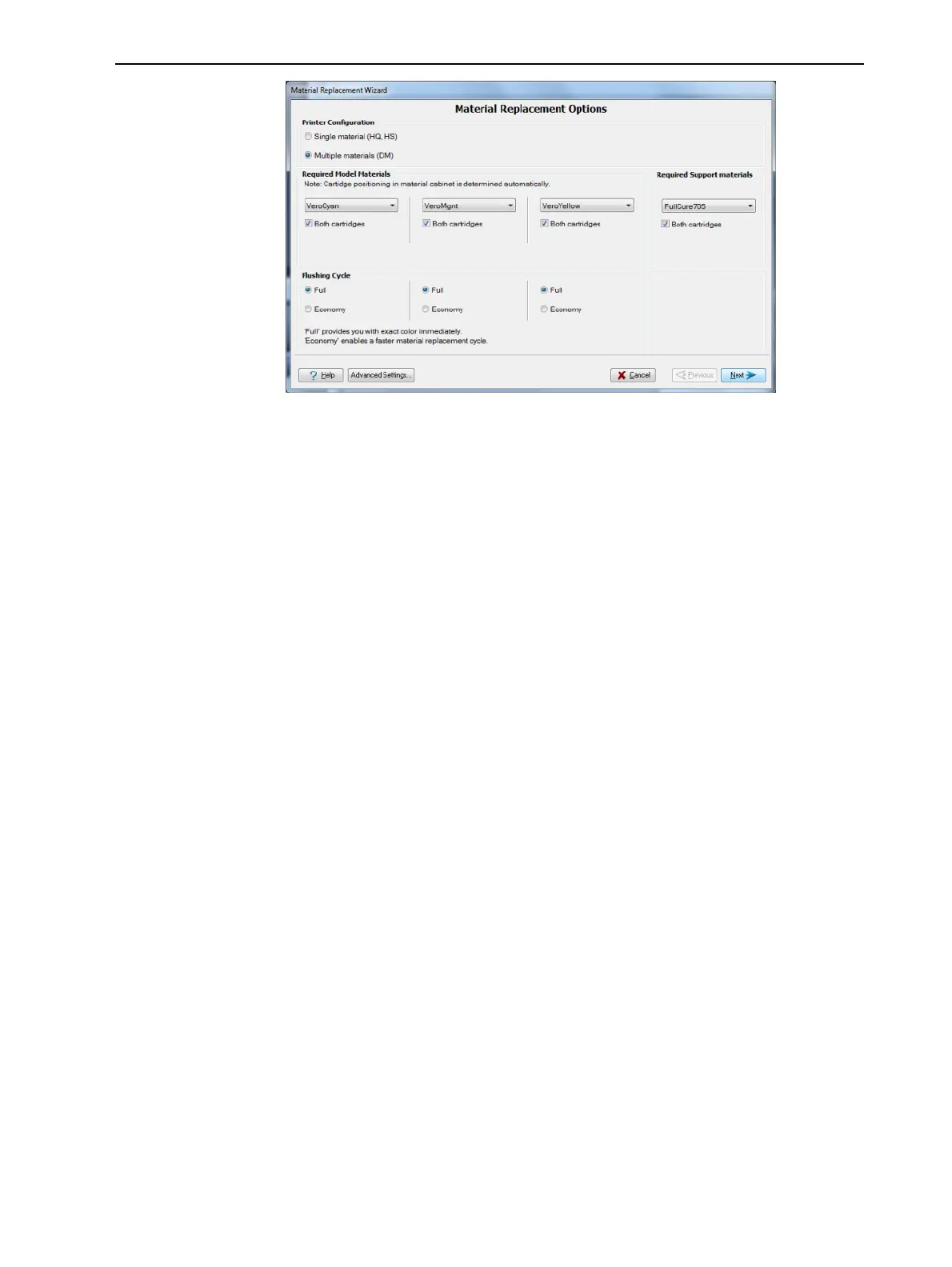
Figure6-9MaterialReplacementOptions
IntheMaterial Replacement Optionsscreen,youselectthesettingsthat
determinehowthewizardreplacesmaterialcurrentlyinthesystemwith
newlyloadedmaterial.
4. ChoosewhetheryouwanttoproducemodelsinSingle Materialmodeor
inDigital Material(“multiple-materials”)mode.
Single Material mode
Fourprintheadsareusedtoprint,usingoneModelmaterial.
❒ ThismodeisrequiredtoproducebuildtrayswiththeHigh Quality
setting,andtoproducetrayswiththeHigh Speedsetting,usingonly
oneModelmaterial.
Digital Material mode
EachoftheModelmaterialsloadedisusedintwooftheprintheads.
❒ IfonlyoneoftheModelmaterialsisrequiredforprinting,modelsare
producedusingtwoprintheads.Thismakesitunnecessarytoreplace
theotherModelmaterial.
❒ IfModel-materialsubstitutionisallowed,theprinterproducestrays
withtheHigh SpeedsettingusingamixtureofModelmaterials(see
"ModelMaterialSubstitution"onpage5-60)
5. IntheRequired materialssectionofthewizardscreen,selectoneormore
replacementmaterialscartridges.
6. ForModelmaterials,selectBothifyouneedtoloadtworeplacement
cartridges.
Loadingonereplacementcartridgeismoreeconomicalbecauseit
potentiallyrequireslessflushingofmaterialcurrentlyinthesystem.
However,whenonecartridgeisnotsufficient,loadingtwocartridges
enablescontinuousprintinguntiltheprintjobiscompleted.Whenone
cartridgeemptiesandtheotheroneisbeingused,youcanreplacethe
emptycartridgewithanewone.
7. ForSupportmaterial,selectBothifyouneedtoloadtworeplacement
cartridges.
8. IntheFlushing cycle sectionofthewizardscreen,choosehowthoroughly
youwanttoflushoutmaterialcurrentlyinthesystem:













 To Next Page