Objet260 User Guide 6 Operating and Maintaining the Objet260 3DPrinter
DOC-37004 Rev.E 6-17
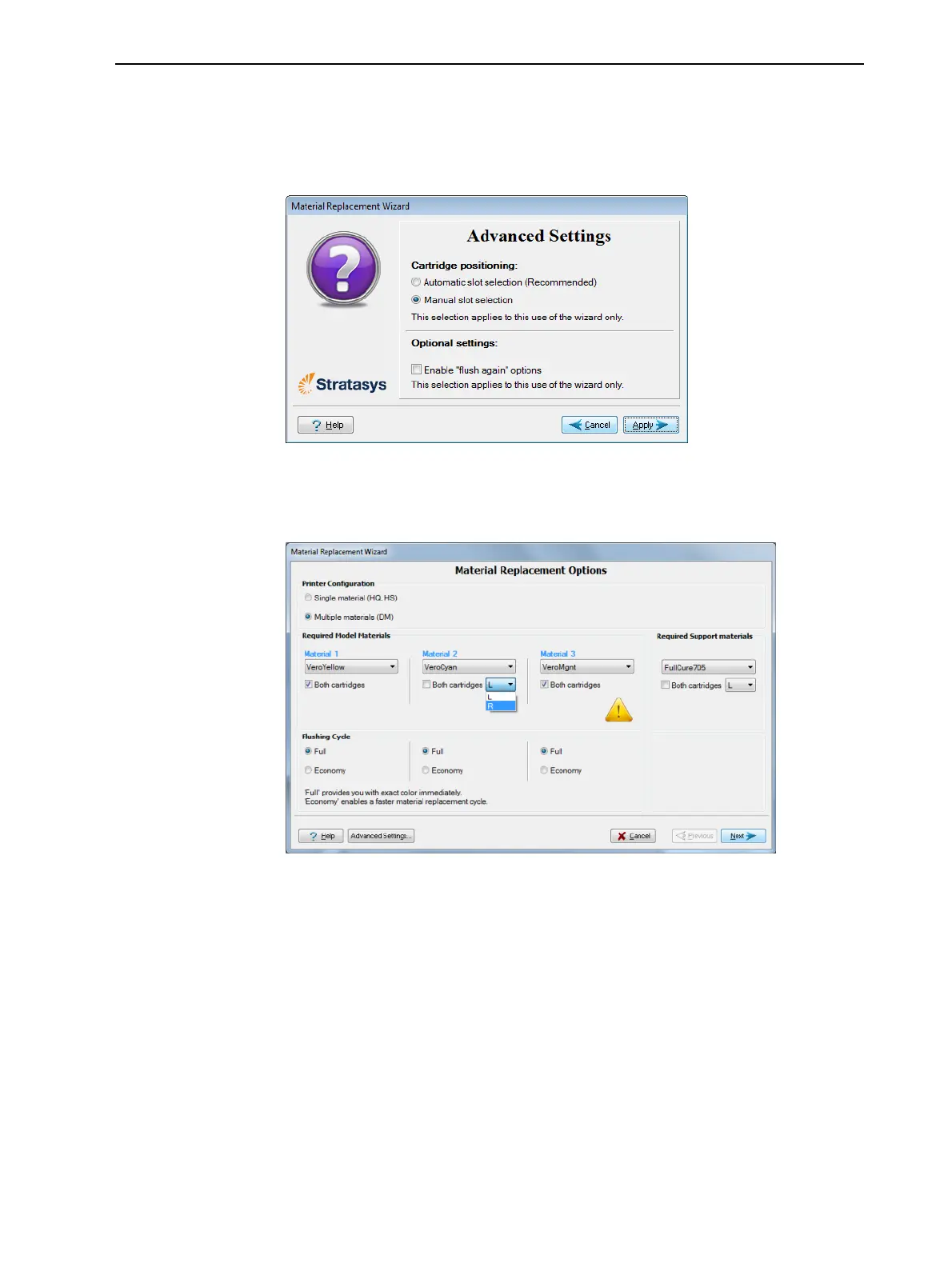
Toselecttheslotsforthecartridgesmanually:
1. IntheMaterial Replacement Optionsscreen,clickAdvancedSettings.
2. IntheAdvanced Settingsscreen,selectManualslotselection,andclick
Apply.
Figure6-13Manualslotselection
3. IntheMaterial Replacement Optionsscreen,selectorcleartheBoth
cartridgescheckboxforeachslot,asrequired.
Figure6-14MaterialReplacementOptions(Advanced)
4. Whenacheckboxiscleared,adropdownmenuappears.SelectL(left)or
R(right)tochangethecartridgeontheleft ortheright sideonly inthat
location.













 To Next Page