Objet260 User Guide 6 Operating and Maintaining the Objet260 3DPrinter
DOC-37004 Rev.E 6-84
Thewastecontainerconsistsofaplasticcontainerinsideacardboardbox.
Youtypicallydisposeoftheentirewastecontainer—includingthebox.
Therefore,youmustassembleanewboxandinsertanewplasticcontainer
beforeyoucaninstallitintheprinter.
Replacementboxes,plasticcontainers,andsealingcapsaresuppliedin
theObjet260printerstart-upkitandinthepreventive-maintenancekit.
Toprepareanewwastecontainer:
1. Assemblethecardboardbox,makingsuretopunchouttheperforated
sections.
2. Placeanewplasticcontainerintothebox.
Note: Donotclosetheboxuntilyouconnectthewastedraintubefromthe
printer.
Toreplacethewastecontainer:
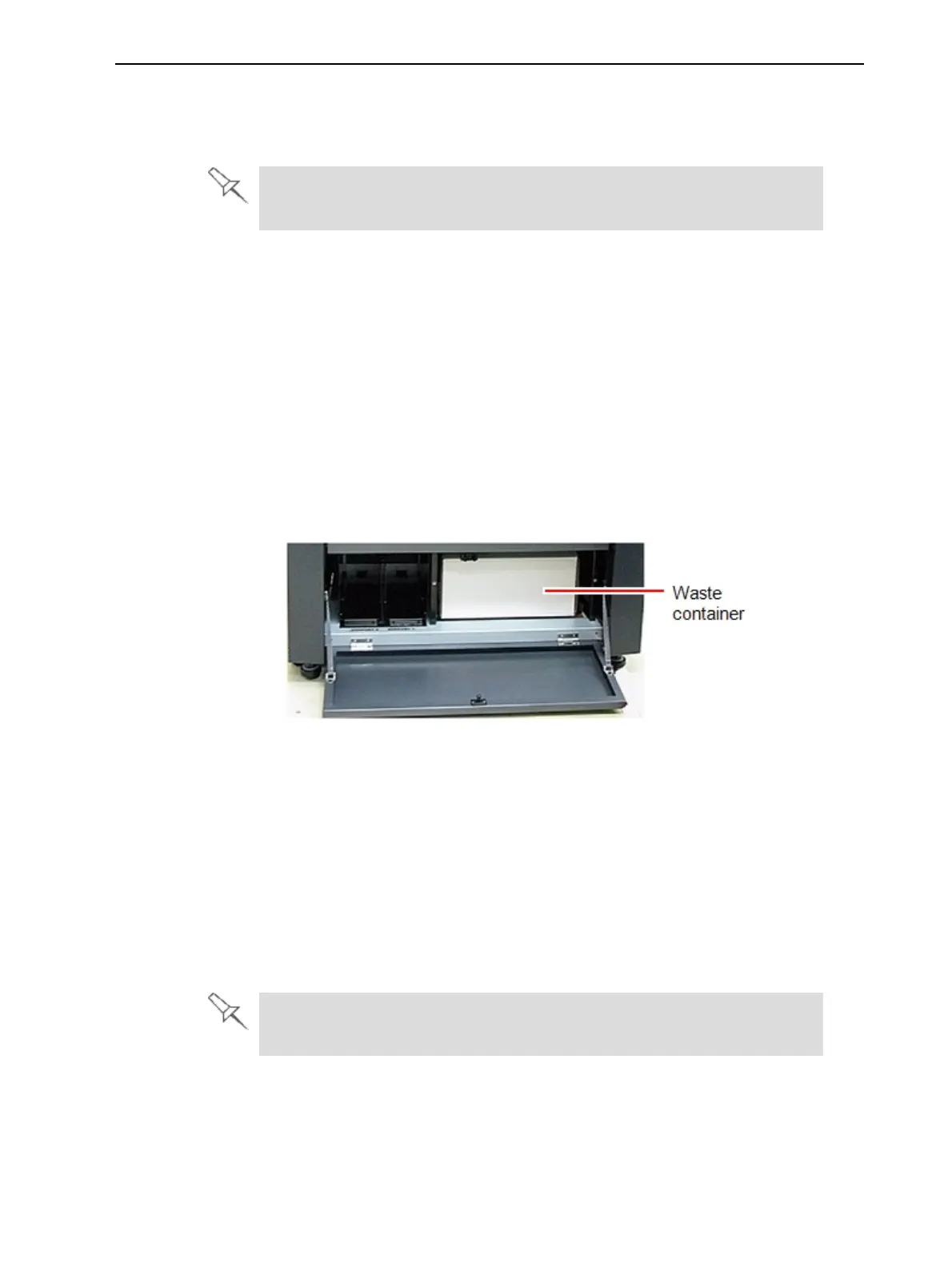
1. Locatethedooronthelower-leftsideoftheprinter.
2. Pushinthetop-centerofthedoortoreleasethelatchandopenthedoor.
Figure6-121Wastecontainerundertheprinter
3. Carefullyslideoutthewastecontainertoremoveitfromtheprinter.
4. Closethefullcontainerwiththecapsuppliedwiththenewwaste
container.
5. Closethenewwaste-containerbox,usingtapetoholditclosed.
❒ Thecontainershouldbeontheextremerightsideofthe
compartment.
❒ Makesurethatthewastedraintubeisnotcrimpedandthatitisnot
pinchedbythecontainer.
6. Closethewastecompartmentdoor.
Disposeofthefullwastecontainerinaccordancewithenvironmentaland
safetyrequirements.













 To Next Page