98
27.2 Preventative Maintenance Restart
CCaauuttiioonn:: A system restart is required every seven days to keep the system running
properly and to prevent potential system errors.
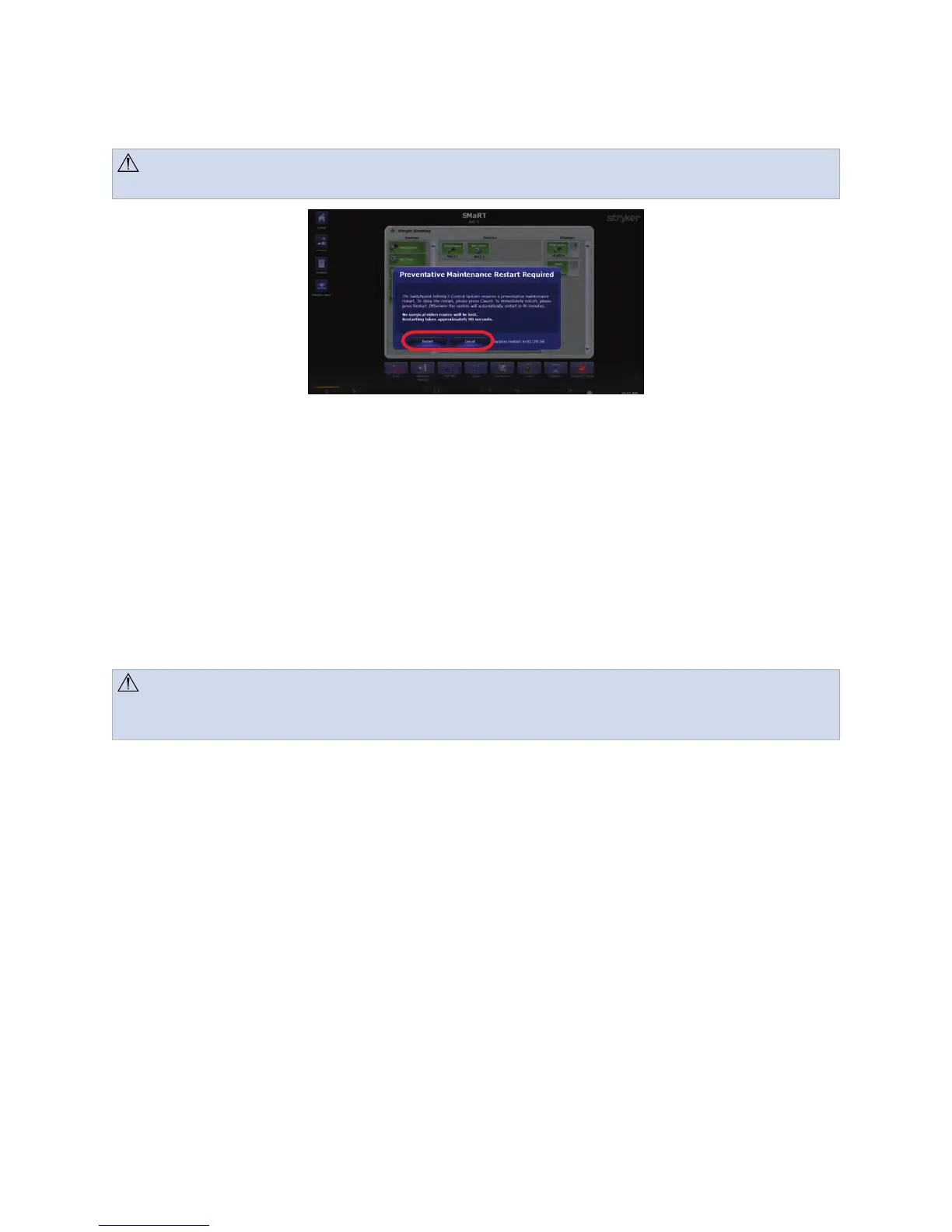
FFiigguurree 5599.. PPrreevveennttaattiivvee MMaaiinntteennaannccee RReessttaarrtt SSccrreeeenn
Every seven days at 2:00 a.m., the system will prompt to be restarted. You can choose to
restart the system immediately by pressing the RReessttaarrtt button.
If no action is taken, the system will automatically restart 90 minutes after the prompt
appears.
To cancel the restart, press the CCaanncceell button. You will not be prompted to restart again
for another seven days.
27.3 Cleaning Instructions
CCaauuttiioonn:: Do not use alcohol (methyl, ethyl, or isopropyl) or any strong solvent. Do
not use thinner or benzene, abrasive cleaners, or compressed air of any kind on the
Touch Panel display or the preview monitor. Do not allow liquids to enter the case.
1. No periodic cleaning is required.
2. Metal surfaces requiring cleaning should be wiped down using 100% isopropyl
alcohol.
3. To clean the Touch Panel display or the preview monitor use a soft cloth.
27.4 Disposition of the Product
The device must be disposed of according to local laws and hospital practices.
Local regulations may include specifications regarding the disposal of this product. We
request that you contact Stryker when you plan to withdraw this device from service with
the intention of discarding it.
27.5 Removability of Batteries
The SwitchPoint Infinity 3 consists of button cell batteries embedded into various boards
in the system. These button cells are not intended to be removed by the user or hospital.



 To Next Page