36
9.3 Previewing Presets
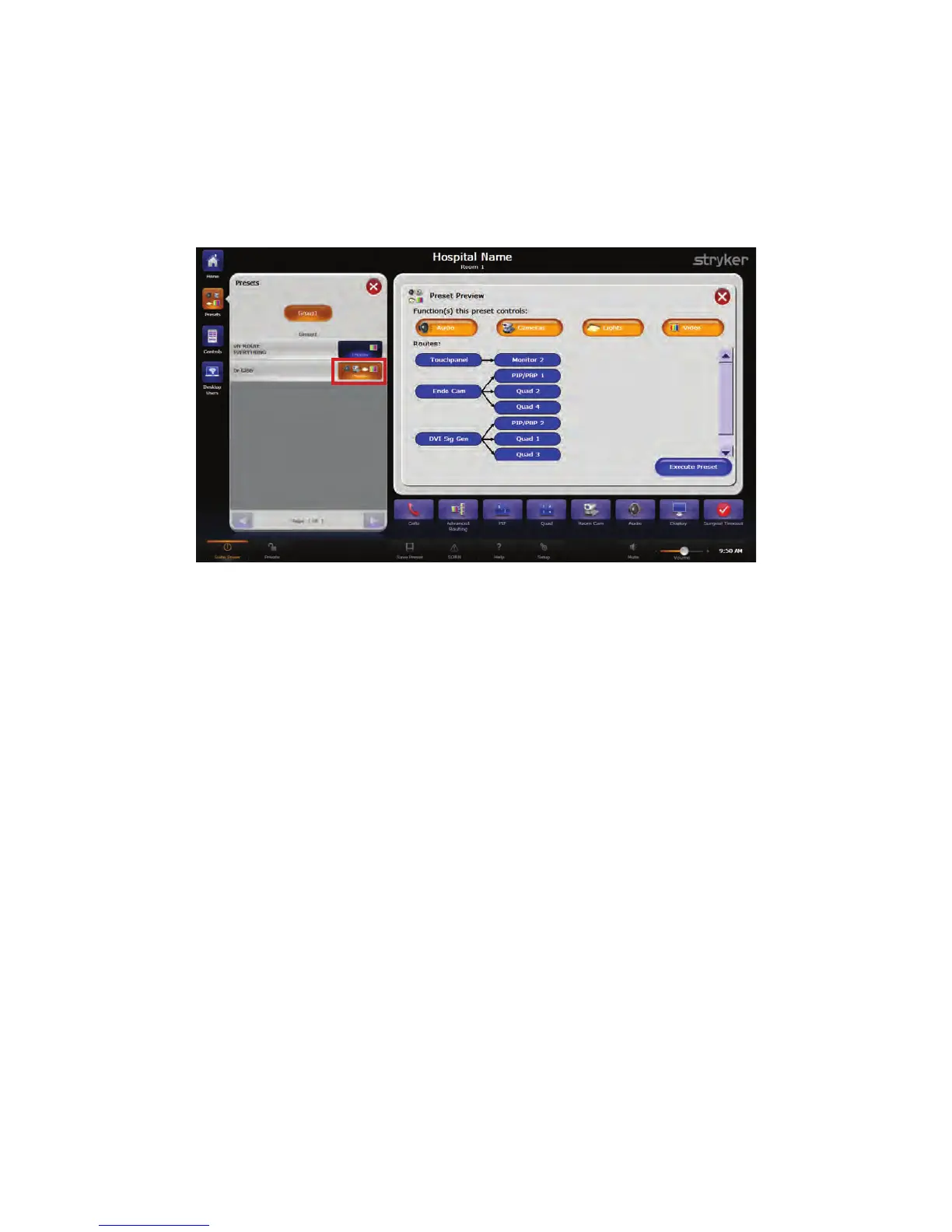
The PPrreevviieeww button, located on the right side of any given preset, allows you to preview
the options associated with the particular preset before selecting it for use.
To view a preset, press the PPrreevviieeww button. A Preset Preview screen will open and
display all of the features associated with the specific route.
FFiigguurree 1177.. PPrreesseett PPrreevviieeww SSccrreeeenn
NNoottee:: TThhee PPrreevviieeww bbuuttttoonn ddiissppllaayyss iiccoonnss ffoorr aallll ooff tthhee ffuunnccttiioonnss tthhaatt aarree ccoonnttrroolllleedd
iinn tthhee rreessppeeccttiivvee pprreesseett..
To apply the preset, press the EExxeeccuuttee PPrreesseett button at the bottom right corner of the
screen. To close out of the preview without applying the preset, press the red XX button at
the top right corner of the screen.
9.4 Unrouting Presets
To unroute all presets and functions, press the UUnnrroouuttee EEvveerryytthhiinngg button in the Preset
Menu. All connections will be broken.



 To Next Page