59
14
Audio Controls
14.1 Speaker Controls
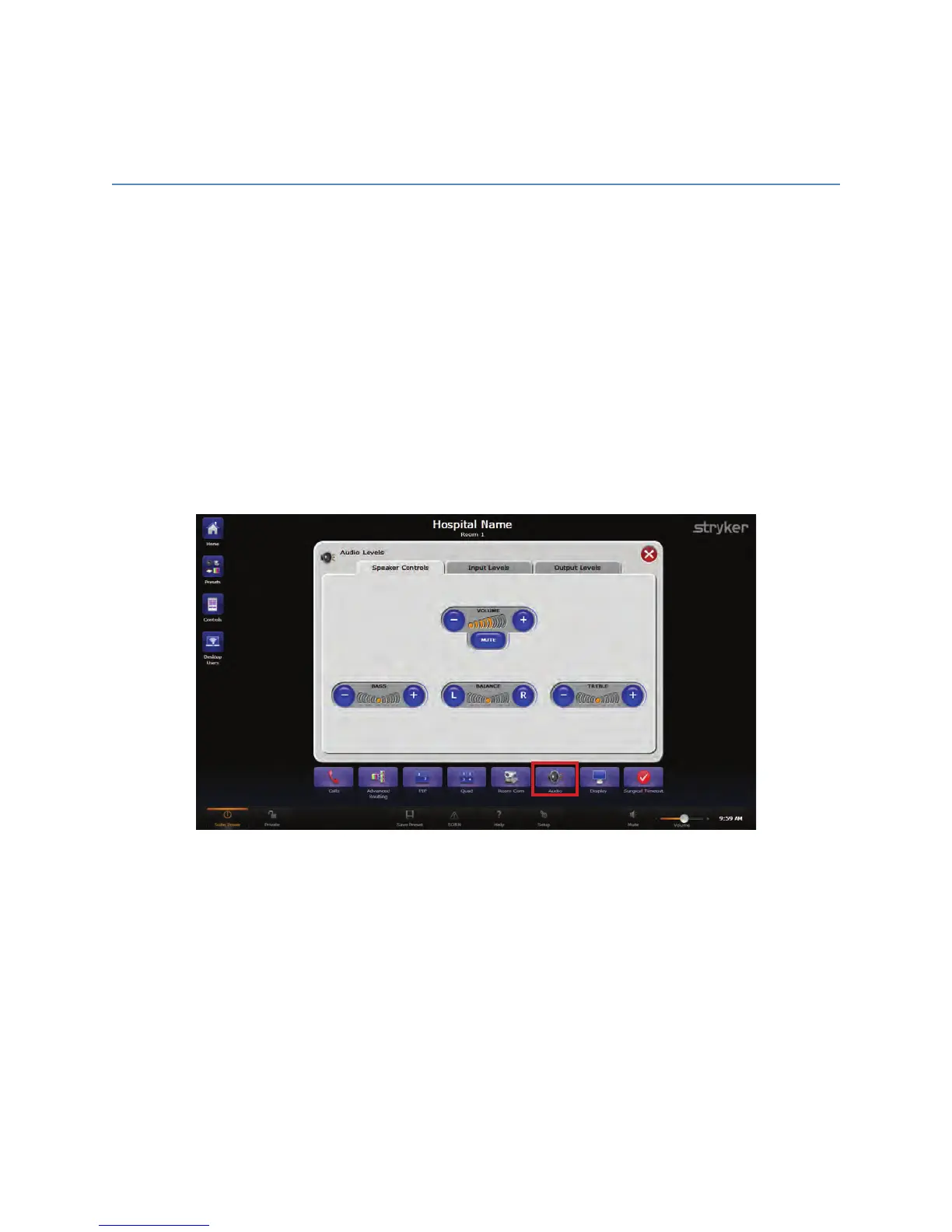
The Speaker Controls tab on the Audio Levels screen provides the ability to control the
speaker volume as well as change the bass, balance, and treble levels of the SwitchPoint
Infinity 3 Control System Audio Amplifier/Mixer. To access the Speaker Controls screen,
press the AAuuddiioo button from the Quick Button Bar.
The Speaker Control tab has a volume level indicator bar to show the current speaker
volume setting. To adjust the volume, press the “--” or “++” buttons to decrease or increase
the speaker volume, respectively. The MMuuttee button in the center of the level indicator bar
will turn off the audio source for the speaker. The MMuuttee button toggles on and off and
stays highlighted in orange when muted.
FFiigguurree 3388.. SSppeeaakkeerr CCoonnttrroollss SSccrreeeenn
14.2 Input Levels
The Input Levels tab on the Audio Level screen provides the ability to change the audio
input levels, such as the surgeon’s wireless microphone. The SwitchPoint Infinity 3
Control System router supports up to 10 audio inputs, and the SPI3-Lite router supports
up to four inputs. To access the Input Levels tab, press the AAuuddiioo button from the Quick
Button Bar, and press the Input Levels sub tab.
Each audio input level has a volume level indicator bar to show its current settings. To
adjust the volume, press the “--” or “++” buttons to decrease or increase the audio input
volume, respectively. The MMuuttee button in the center of each level indicator bar will turn



 To Next Page