49
10.12Managing SuiteView Functionality
The SwitchPoint Infinity 3 Control System allows room-to-room connectivity for IP video
conferencing using Stryker SuiteLink and a Campus Codec. In addition, IP broadcasting
to the desktop is supported using Stryker SuiteView.
NNoottee:: IIff yyoouurr ssyysstteemm iiss nnoott eeqquuiippppeedd wwiitthh aa SSuuiitteeLLiinnkk SSeerrvveerr tthhee CCaallllss mmeennuu aanndd
PPrriivvaattee bbuuttttoonnss wwiillll bbee ggrraayyeedd oouutt aanndd nnoott aacccceessssiibbllee..
10.12.1Desktop User Access
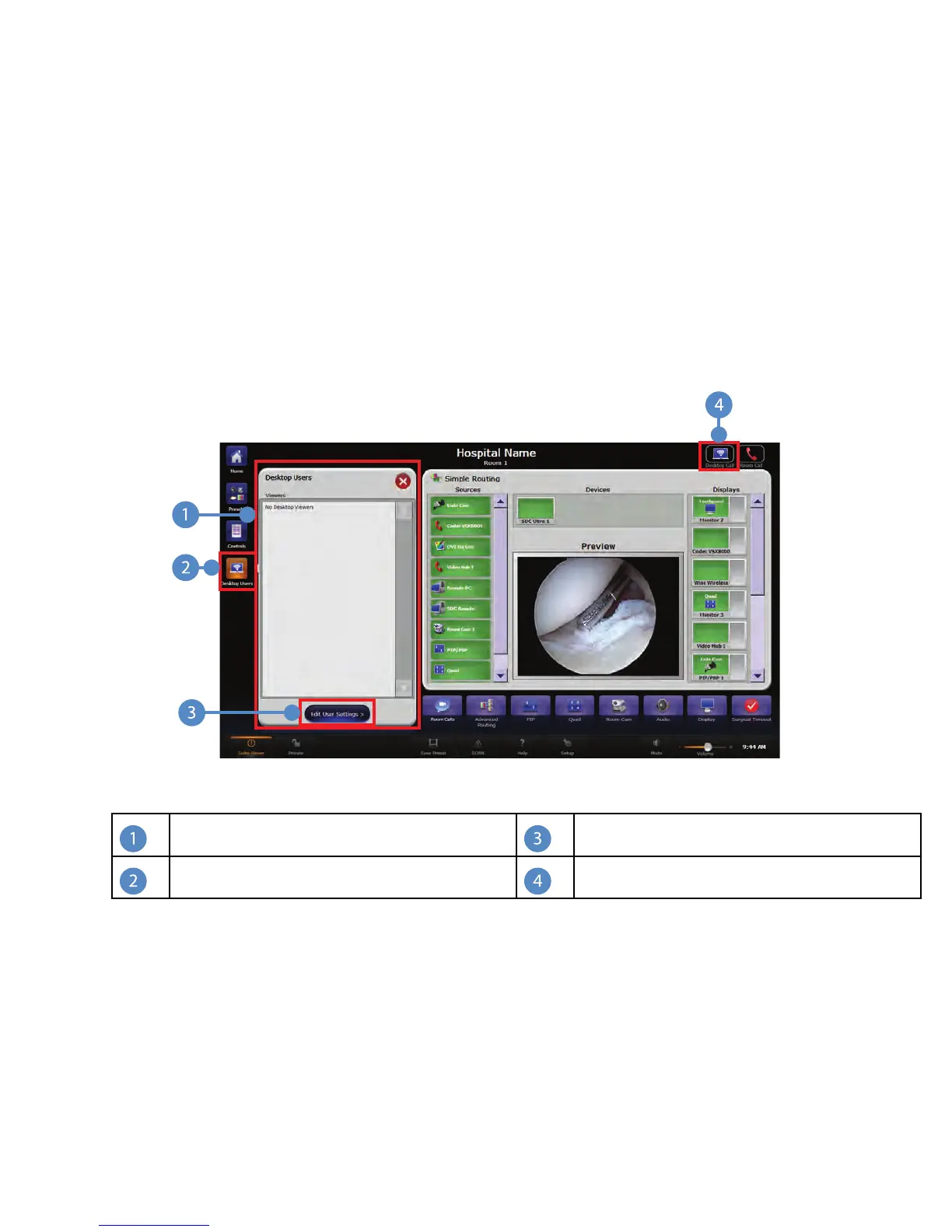
Clicking on the Desktop Users button opens the Desktop Users menu that shows what
users are viewing your endpoint.
FFiigguurree 2299.. DDeesskkttoopp UUsseerrss MMeennuu
Desktop Viewers
Edit Caller Setting Button
Desktop Users Button
Call Status Bubble
The top of the Desktop Users panel displays a list of all users who are actively viewing
the feed.
If the call is being viewed by a desktop user, this will be indicated by the Desktop Call
bubble in the upper right corner of the screen.
10.12.2Managing Call Settings
To manage Viewer settings, click the EEddiitt UUsseerr SSeettttiinnggss button at the bottom of the
Desktop Users menu.



 To Next Page