43
The “Where you see it” drop down menu contains a list of all devices and displays on
which incoming video can be displayed.
Touch the preview screen to expand the preview window to a larger size. Press the red XX
in the top right corner of the preview window to return to the normal user interface.
To allow the user on the other end to control the camera, select the “Allow others to
control my camera” box. This will enable the user to pan, tilt, and zoom the camera.
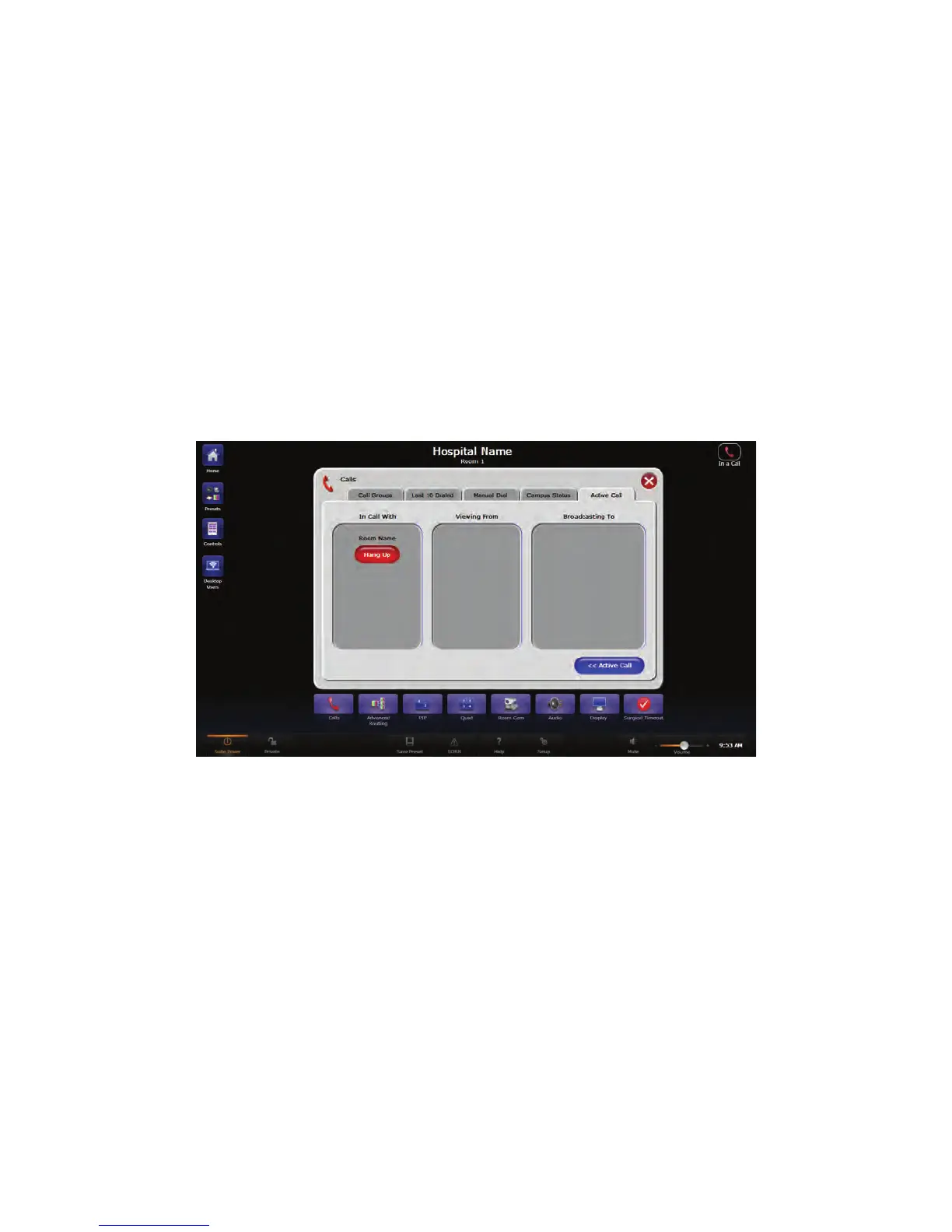
To disconnect a call, press the red HHaanngg UUpp button on the Active Call page. When a call
is disconnected, the screen will return to the interface from which the call was initiated.
10.5.1 Active Call Status
NNoottee:: TThhiiss sseeccttiioonn iiss oonnllyy aapppplliiccaabbllee ttoo ssyysstteemmss wwiitthh aa VViiddeeoo NNeettwwoorrkk HHuubb..
To view the participants and status of the current call, press the CCaallll SSttaattuuss button
located in the lower middle portion of the screen. The Active Call Status screen will open.
FFiigguurree 2244.. AAccttiivvee CCaallll SSttaattuuss SSccrreeeenn
Depending on the type of call you are involved in, call information will be displayed in one
of the three sections of the Active Call Screen.
• IInn CCaallll WWiitthh - Shows all of the participants on a call other than one where you are
the recipient or on a conference call, with a maximum of three connections.
• VViieewwiinngg FFrroomm - Shows the other participant on a View Only call.
• BBrrooaaddccaassttiinngg TToo - Shows all of the participants on a broadcast call.
NNoottee:: WWhheenn eennddiinngg aa ccaallll,, yyoouu mmuusstt pprreessss tthhee HHaanngg UUpp bbuuttttoonn ffoorr eeaacchh ppaarrttiicciippaanntt..
HHaannggiinngg uupp oonn tthhee ccaallll ffrroomm tthhee AAccttiivvee CCaallll ssccrreeeenn,, aass ooppppoosseedd ttoo tthhee AAccttiivvee CCaallll
SSttaattuuss ssccrreeeenn,, wwiillll oonnllyy ddiissccoonnnneecctt yyoouu ffrroomm tthhee ccaallll.. IItt wwiillll nnoott ddiissccoonnnneecctt aallll
ppaarrttiieess..



 To Next Page