46
NNoottee:: BBeeffoorree ssttoorriinngg aa nneeww PPrreesseett iinn tthhee CCaallll GGrroouuppss sseeccttiioonn,, eenntteerr tthhee ccoonnnneeccttiioonn
ttyyppee,, ddiiaalliinngg nnuummbbeerr,, aanndd aannyy ootthheerr nneecceessssaarryy ccaalllliinngg iinnffoorrmmaattiioonn iinn tthhee MMaannuuaall
DDiiaall iinntteerrffaaccee aanndd pprreessss tthhee SSttoorree NNuummbbeerr bbuuttttoonn..
10.9 Storing a Speed Dial Call Setting
To store a Speed Dial Call setting:
1. Select all of the applicable settings necessary to make a call from the Manual Dial
tab.
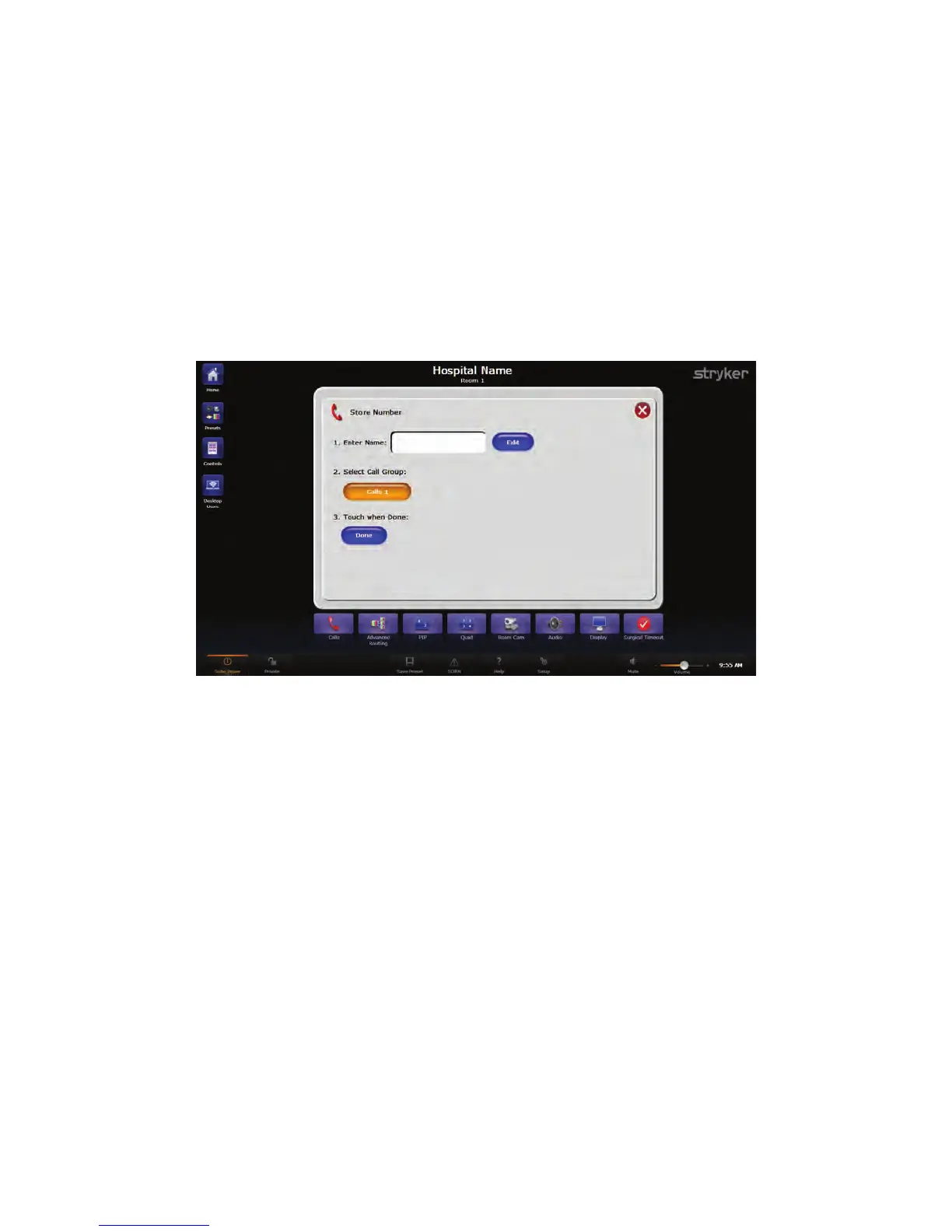
2. Press the SSttoorree NNuummbbeerr button located at the bottom left corner of the screen. The
Store Number screen will open.
FFiigguurree 2277.. SSttoorree NNuummbbeerr SSccrreeeenn
3. Select the white text field or the EEddiitt button next to the Enter Name field.
• Enter the preset name using the on-screen or attached keyboard. The preset
name can be no longer than 13 characters, including spaces.
• Press DDoonnee when finished. The Enter Name field will display the new preset
name.
• The interface will return to the Store Number screen.
4. Select the Calls Group in which to store the speed dial call setting.
5. Press DDoonnee.
The SwitchPoint Infinity 3 Control System supports up to 50 speed dial call settings in
each of the four call groups. If more than four speed dial call settings have been
configured, a scroll bar will appear on the right side of the screen. The current page
number and the number of pages will appear between the up and down scroll buttons.
Select any speed dial call setting to one-touch dial the stored location. After selecting a
speed dial call setting, the interface will automatically navigate to the Active Call screen.



 To Next Page