34
9
Presets
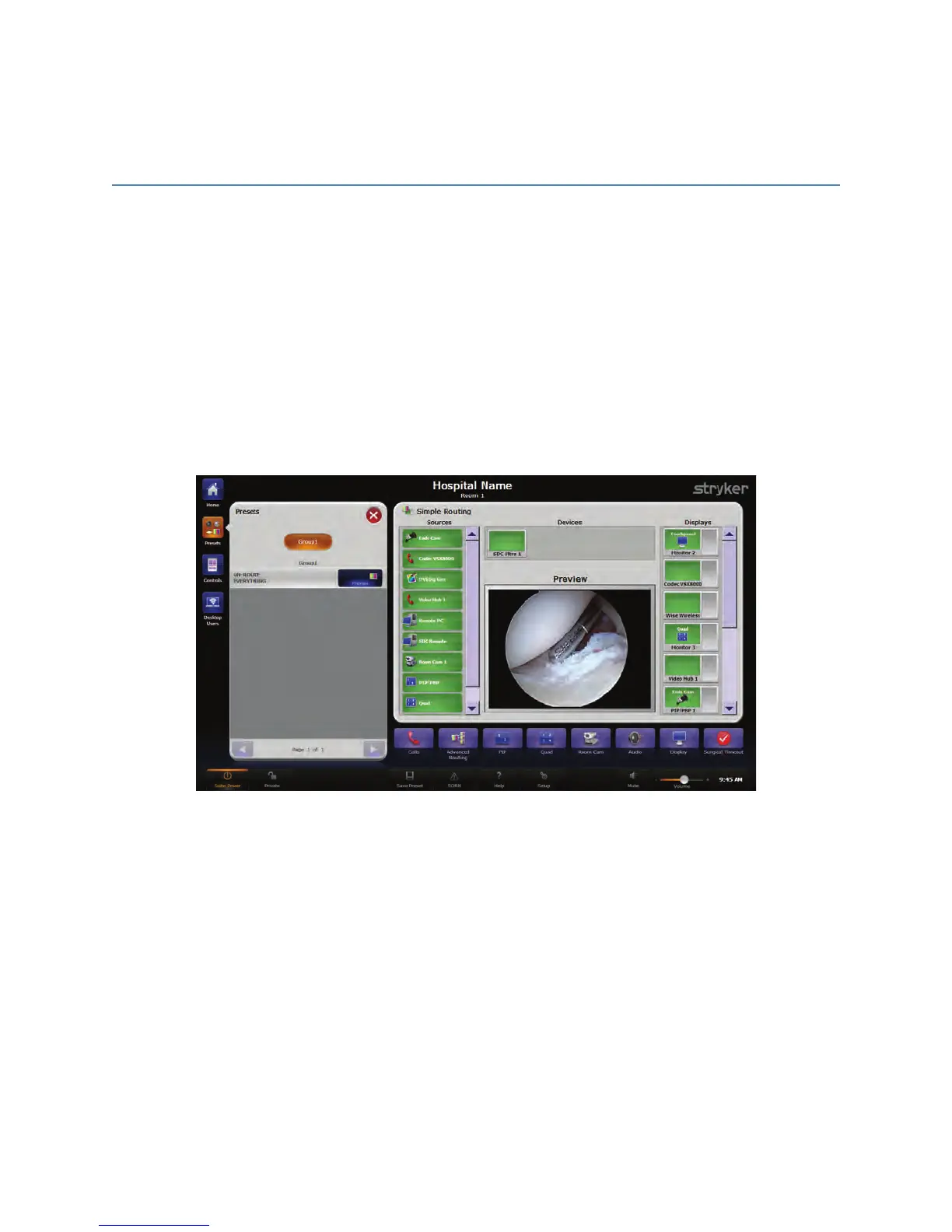
SwitchPoint Infinity 3 provides the ability to save preferred audio, camera, lighting, and
video settings into Presets. They are a time-saving function for remembering frequently
used room configurations. Presets may be sorted into six user-defined groups or left in a
single undefined grouping. The figure below shows one group of presets. To access the
Presets menu, press the PPrreesseettss button on the top left side of the screen.
The SwitchPoint Infinity 3 Control System supports up to 48 presets in each of the six
potential preset groups. If more than seven presets have been configured, a scroll bar
will appear on the right side of the window. The current page number and the number of
pages will appear between the up and down scroll buttons.
FFiigguurree 1144.. PPrreesseettss MMeennuu
9.1 Recalling Presets
To recall a stored preset, press the desired preset button. A message will appear stating,
“Executing Preset. Please Wait.” The preset will then be loaded.
9.2 Saving a Preset
Before storing a new preset, begin by setting up all of the video routing choices, lighting,
camera positions, and audio mixes for the SwitchPoint Infinity 3 Control System.
1. Press the SSaavvee PPrreesseett button located on the Global Taskbar at the bottom of the
screen. The Save Preset screen will open.



 To Next Page