35
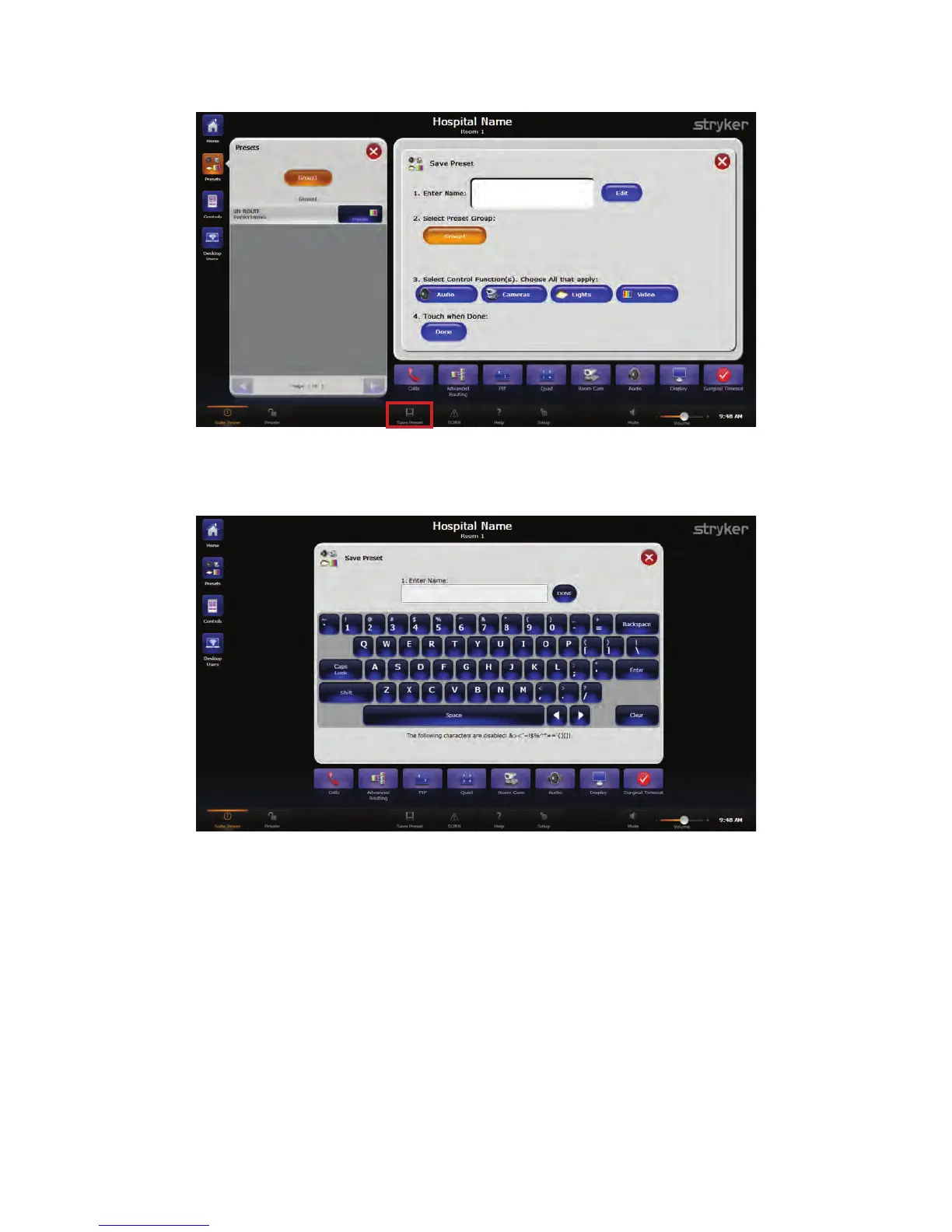
FFiigguurree 1155.. SSaavvee PPrreesseettss SSccrreeeenn
2. Select the white text field or the EEddiitt button next to the “Enter Name” field. A
keyboard screen will appear.
FFiigguurree 1166.. KKeeyybbooaarrdd SSccrreeeenn
3. Enter the preset name using the on-screen keyboard that appears, or the attached
keyboard. The preset name can be no longer than 41 characters, including spaces.
4. Press DDoonnee when finished. The “Enter Name” field will display the new preset name.
5. Select the preset group where you want to save your new preset. If only one preset
group has been configured, it will be selected by default.
6. Select the function(s) that the new preset will control. For example, if this is a video
preset, press the VViiddeeoo button. To save a preset that has video, audio, and camera
settings, select all three buttons.
7. Press the DDoonnee button to save your new preset. To cancel the preset, press the red
XX button at the top right-hand corner of the screen. You will be returned to the
Presets screen.



 To Next Page