47
10.10Offsite (Codec) Calls
Offsite or Codec calls can be initiated from the Manual Dial screen as well as the Last 10
Dialed and Call Groups interfaces.
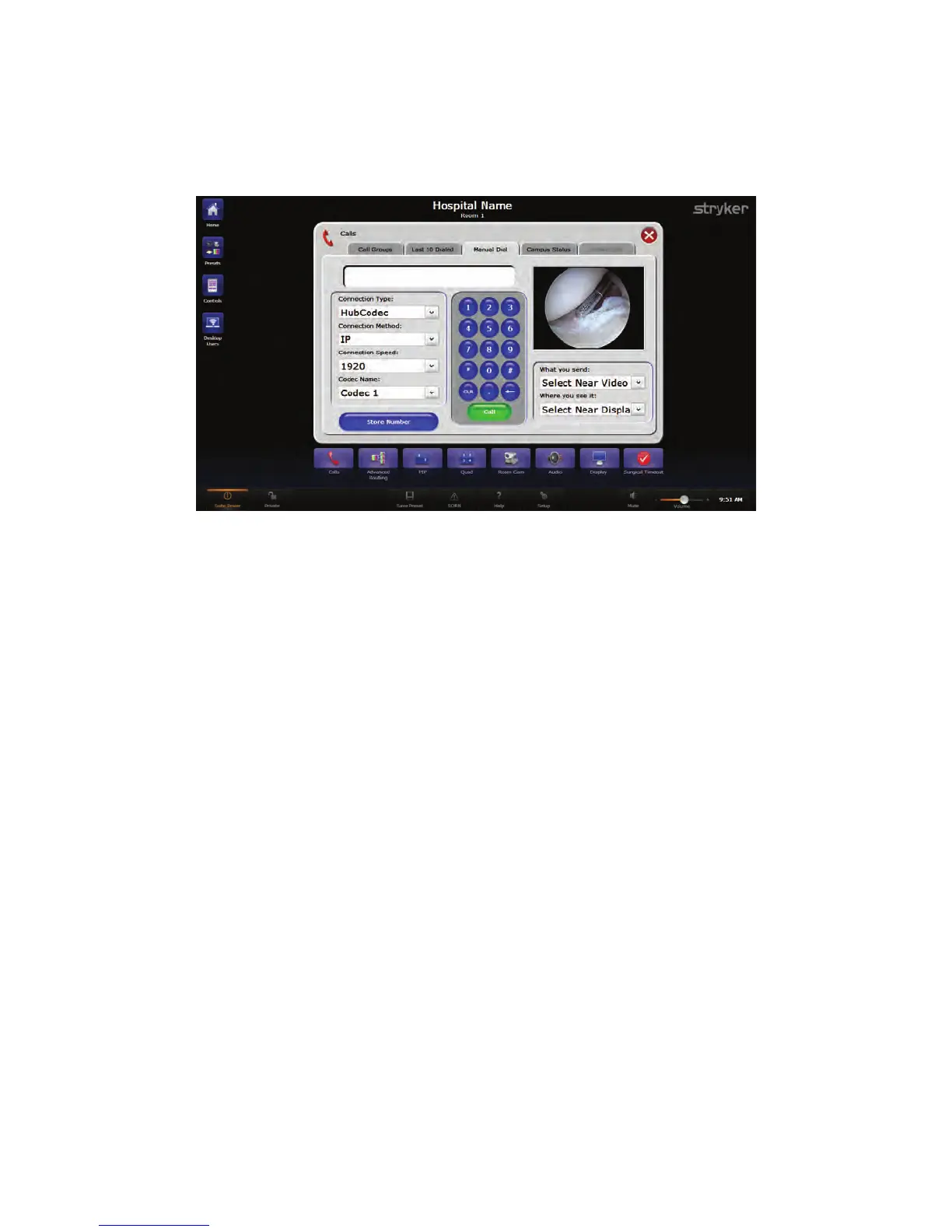
FFiigguurree 2288.. MMaakkiinngg aa CCooddeecc CCaallll
Up to six different types of offsite calls are available, depending on the options available
on the Codec and whether there is a local Codec or one or more Video Network Hub
Codec(s) available.
10.11Making a Codec IP Call
To dial a Hub Codec IP or Local Codec IP call:
1. From the Manual Dial tab, select the call type from the “Connection Type” drop down
menu.
2. Select the connection method from the “Connection Method” drop down menu.
3. Select the call “speed” or bandwidth from the “Connection Speed” drop down menu.
4. Select the Codec to be used from the “Codec Name” drop down menu.
5. Enter the IP address using the on-screen keypad.
6. Press the green CCaallll button located below the number pad to initiate the call.
NNoottee:: PPrreessss tthhee SSttoorree NNuummbbeerr bbuuttttoonn ttoo ssttoorree tthhee ccaallll iinnffoorrmmaattiioonn ttoo CCaallll GGrroouuppss
pprreesseettss..
10.11.1Making a Codec ISDN Call
NNoottee:: TThhiiss sseeccttiioonn iiss oonnllyy aapppplliiccaabbllee ttoo ssyysstteemmss wwiitthh aa VViiddeeoo NNeettwwoorrkk HHuubb..
To dial a Hub Codec ISDN or Local Codec ISDN call:
1. From the Manual Dial tab, select the call type from the “Connection Type” drop down
menu.
2. Select the Codec to be used from the “Codec Name” drop down menu.



 To Next Page