18
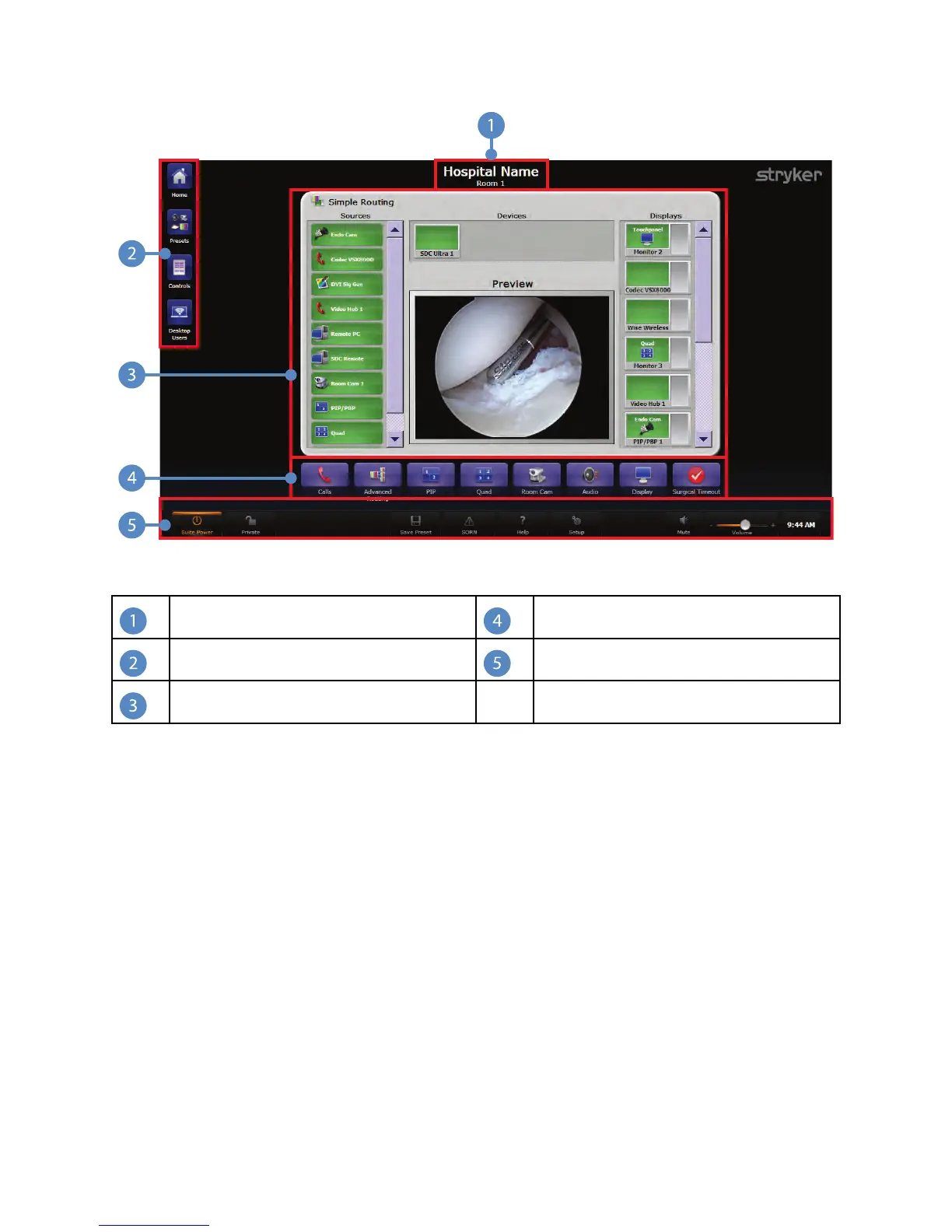
FFiigguurree 11.. HHoommee PPaaggee
Title Bar
Quick Button Bar
Menu Buttons
Global Taskbar
Control Section
6.1 Control Section
The Control Section is the main area of the screen. From here, the user can navigate the
system. By default, the Simple Routing screen is displayed as the Home Page in the
Control Section.
6.2 Quick Button Bar
The Quick Button Bar is displayed below the Control Section. It provides quick access to
the functions most often used, such as the Calls, Advanced Routing, Picture-in-Picture
view, QUAD view, Audio, Display, Room Cam, and Surgical Timeout screens. Pressing a
button in the Quick Button Bar opens the respective display in the Main Area.
NNoottee:: QQUUAADD vviieeww iiss nnoott aavvaaiillaabbllee ffoorr SSPPII33--LLiittee



 To Next Page