96
27
Maintenance
27.1 Periodic Maintenance Schedule
WWaarrnniinngg:: To ensure proper operation of the SwitchPoint Infinity 3, maintenance
should be performed by the end user periodically.
MMaaiinntteennaannccee AAccttiivviittyy IInnssttrruuccttiioonn TTiimmeelliinnee
Keep surrounding area of SPI3
free of dust
Clean with dry cloth
Always
Restart the SPI3 unit SPI3 control system requires no
preventative or periodic maintenance.
Stryker recommends you restart the
SPI3 control system weekly for best
performance (
see 23 Shutting Down
the SwitchPoint Infinity 3, page 74
).
Weekly
For SPI3 only, ensure LEDs for
fans located on the back of the
video router are illuminated in
green when video router is on.
For SPI3-Lite, check the fan
status by listening or feeling for
airflow, or by checking the
Hardware Status page.
Every 6
months
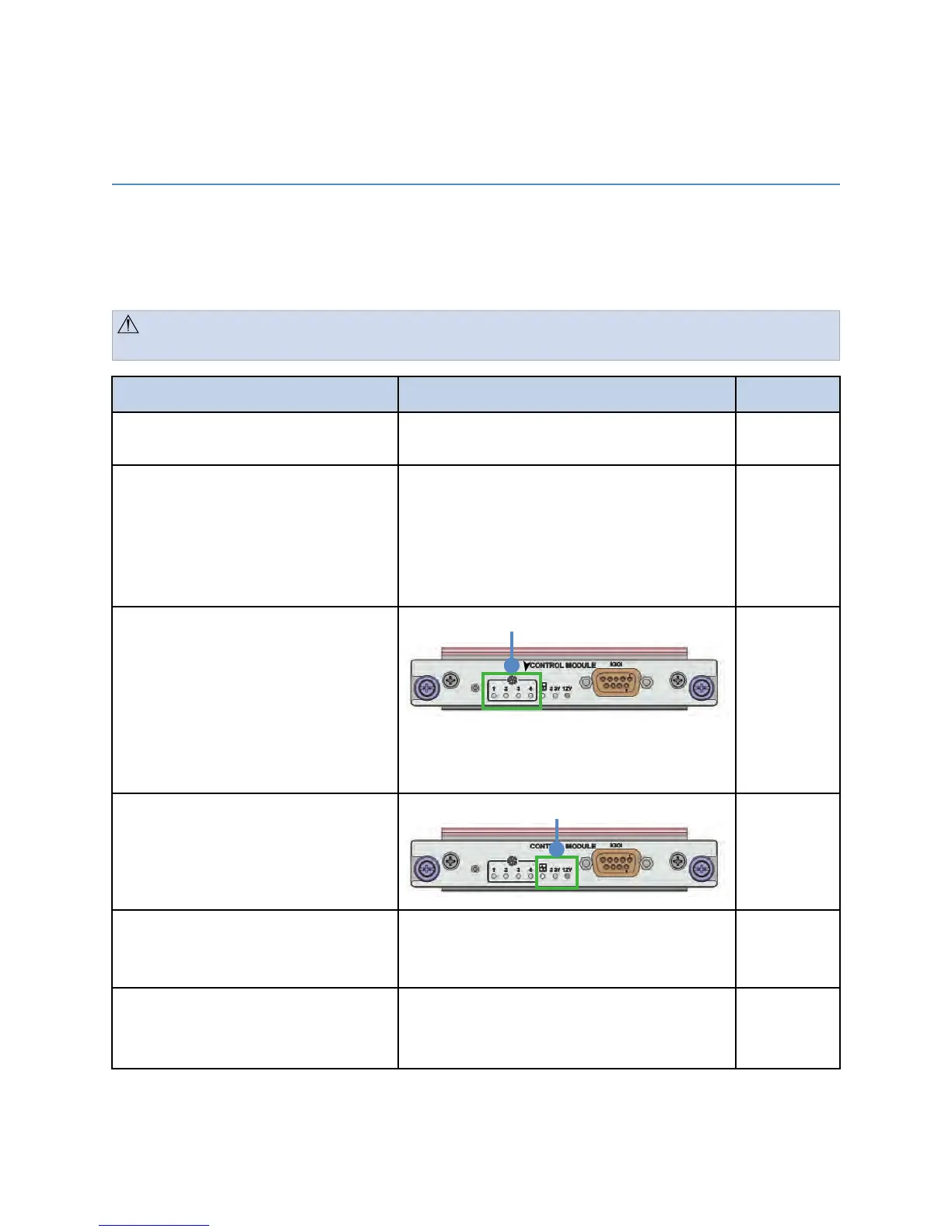
For SPI3 only, ensure LEDs for
voltage levels located on the
back of the video router are
illuminated in green when video
router is on.
Every 6
months
Inspect cable connections on the
front of the Control System
Push and reconnect any cables that
appear to be loose (
see 25.2.1 Router
Drawings, page 78
)
Every 6
months
Calibrate the Touch Panel Plug a USB compatible keyboard in the
expansion module in case keyboard is
not connected
As
necessary



 To Next Page