41
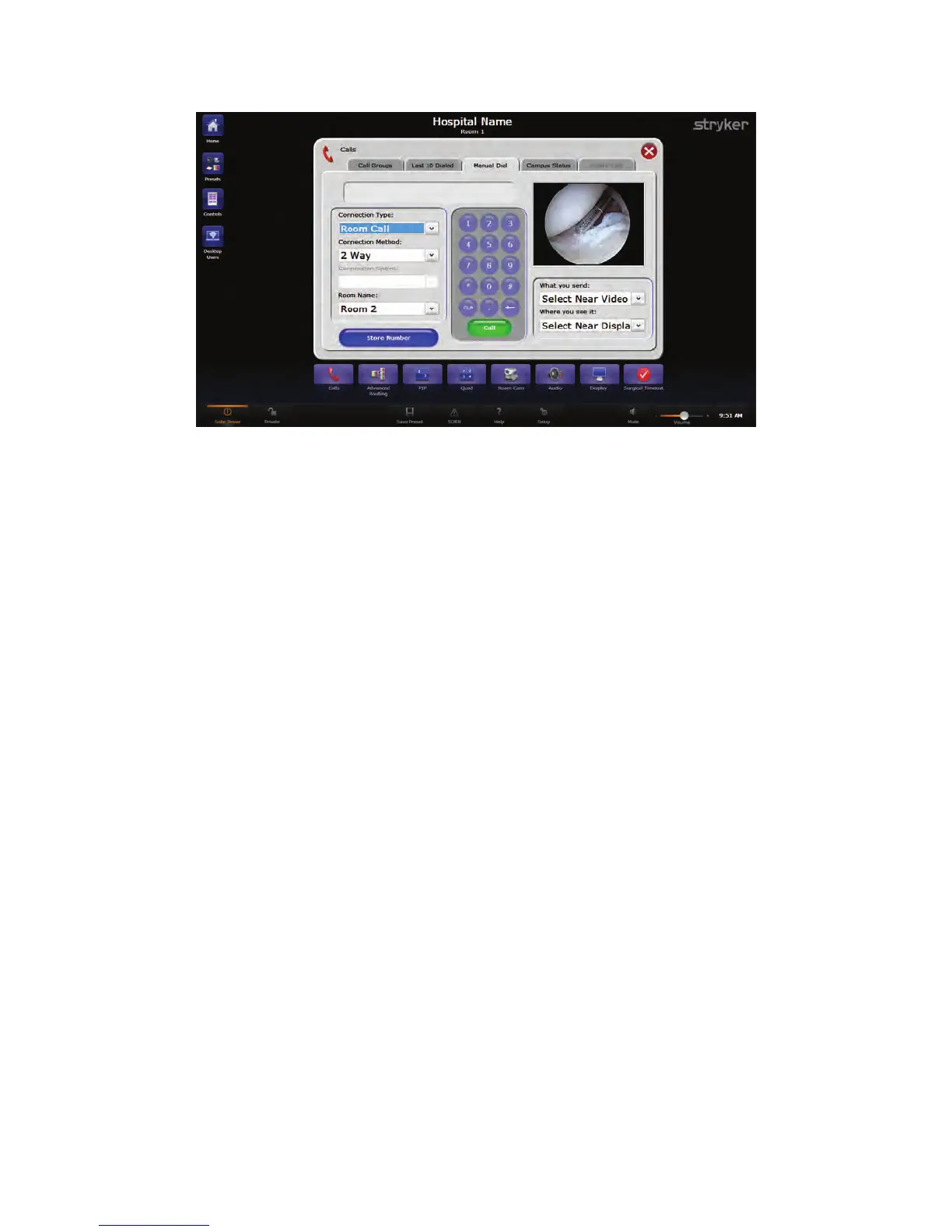
FFiigguurree 2222.. MMaakkiinngg aa RRoooomm--ttoo--RRoooomm CCaallll
NNoottee::
•• FFoorr iinn--ddeepptthh iinnffoorrmmaattiioonn oonn llooccaall aanndd VViiddeeoo NNeettwwoorrkk HHuubb CCooddeecc ccaallll,,
sseeee
1100..1100 OOffffssiittee ((CCooddeecc)) CCaallllss,, ppaaggee 4477
..
•• FFoorr iinn--ddeepptthh iinnffoorrmmaattiioonn oonn BBrrooaaddccaasstt,, VViieeww OOnnllyy,, aanndd MMeeeettiinngg RRoooomm
ccaallll ttyyppeess,,
sseeee 1100..1133 AAddvvaanncceedd CCaallll TTyyppeess,, ppaaggee 5500
..
2. Select the connection method from the “Connection Method” drop down menu.
3. Select which room to connect to from the “Room Name” drop down menu.
4. Press the green CCaallll button under the number pad to make the call.
You will see a brief “Connecting Call” message in the green Call Status bubble in the
upper right-hand corner of the screen. If the call is successful, you will be taken to the
Active Call screen.
NNoottee:: IIff tthhee SSwwiittcchhPPooiinntt IInnffiinniittyy 33 CCoonnttrrooll IInntteerrffaaccee iiss uunnaabbllee ttoo ccoonnnneecctt ttoo tthhee
rreemmoottee rroooomm,, aann eerrrroorr mmeessssaaggee wwiillll aappppeeaarr iinn tthhee CCaallll SSttaattuuss bbuubbbbllee..



 To Next Page