S Class 2 cutter Service manual
Replacements guidelines 2-18
19. J22: Cutter head flat cable HEAD 1 : Coil, up-down encoder, Cam sensor, OPOS
(Driven by U27)
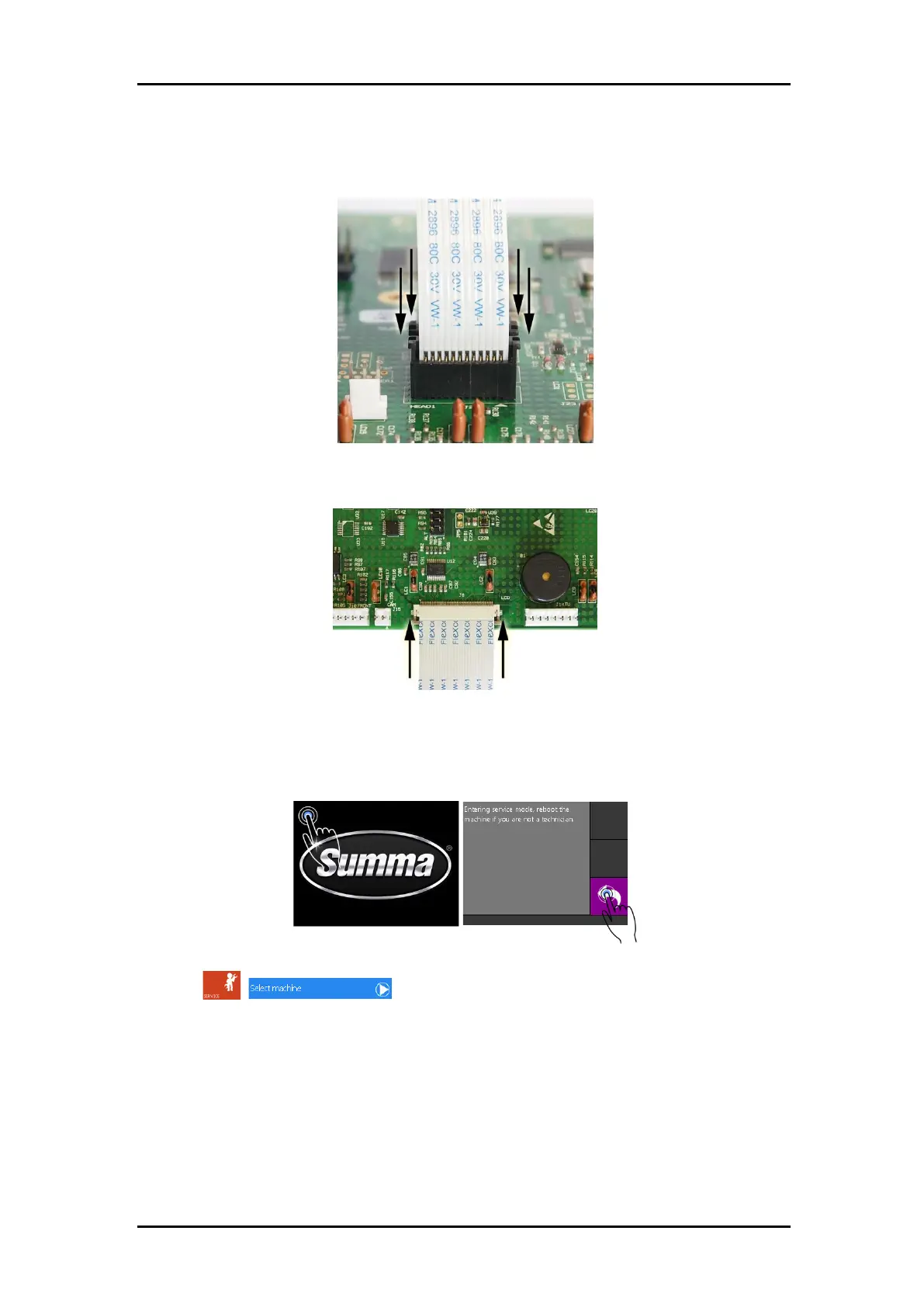
9. Secure the cutter head flat cables by sliding down the latch.
10. While sliding the right hand cover back over the main board, reconnect the flat cable
from the display. Secure by sliding the latch. Fix the cover with the 5 screws.
11. Connect the cutter to the mains power and switch the cutter on.
12. Set the cutter in “Service Mode” by tapping and holding the top left corner of the display
while the machine displays the Summa logo.
Confirm with a click on the back button.
13. Set the correct machine type:
Click , .
Select the correct machine type from the list.
S2Dxxx is to be used for machines equipped with a drag head.
S2Txxx is for machines with a tangential head and a standard OPOS-X sensor.
S2TXxxx is meant for tangential head machines equipped with an additional pen holder.
S2TCxxx is for machines with a tangential head and an OPOS-CAM sensor.
xxx represents the width of the machine (75, 120, 140 or 160).
The correct machine type is indicated on the serial number label:



 To Next Page