Chapter 5 Servicing Infrastructure Boards and Components 5-7
5.2.2 Installing the Drives Cage
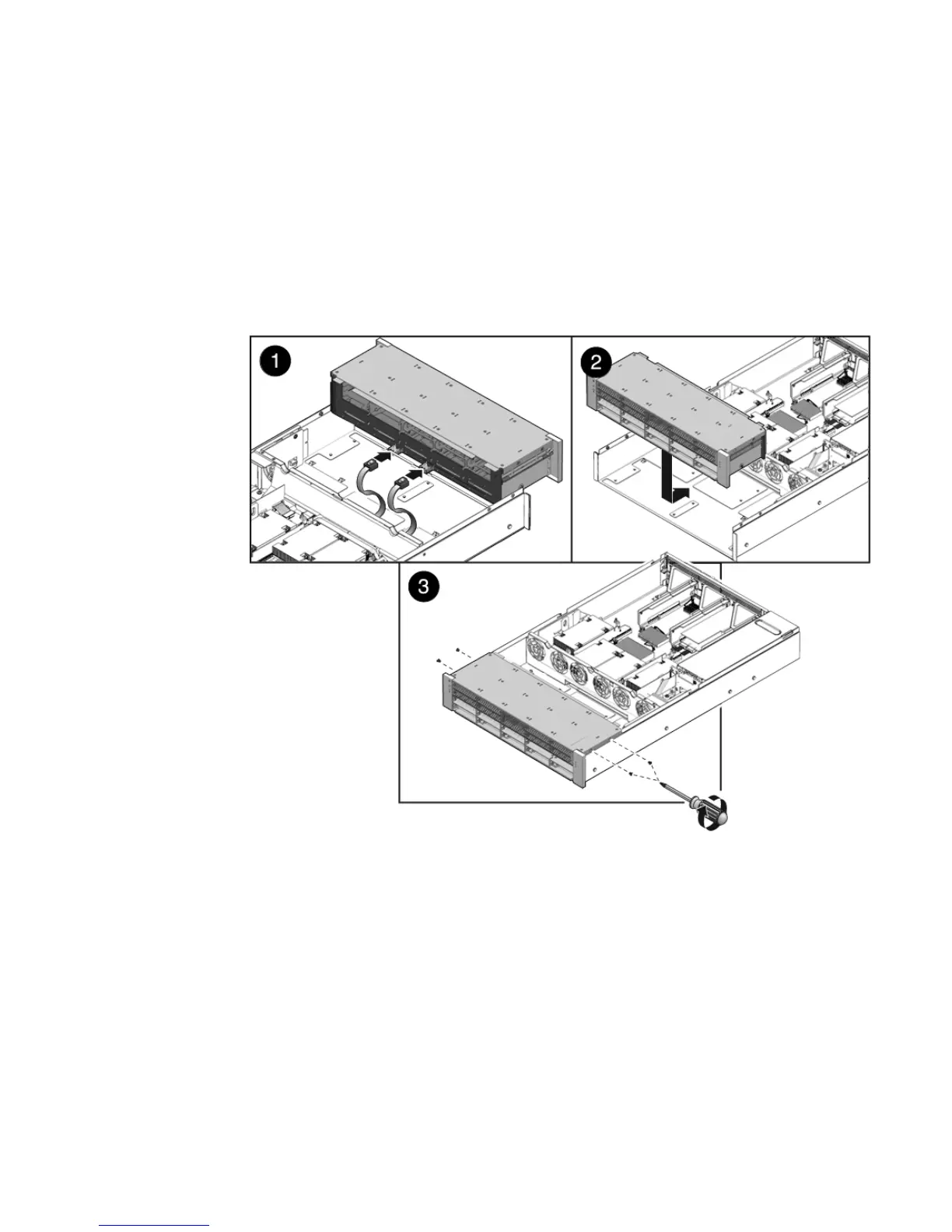
1. Connect the drive data cables.
Press the connector into its socket until it snaps into place.
2. Position the drives cage in the chassis, over its standoffs. (
FIGURE 5-4 [1])
FIGURE 5-4 Installing the Drives Cage
3. Slide the drives cage back until the drives backplane engages with the paddle
card connector. (
FIGURE 5-4 [2])
4. Replace the No. 2 Phillips screws securing the drives cage to the chassis.
(
FIGURE 5-4 [3])
Two screws secure the drives cage to each side of the chassis.
5. Install the fan modules.
See Section 3.3.5, “Installing a Fan Module” on page 3-13.














 To Next Page