Chapter 3 Servicing Customer-Replaceable Devices 3-19
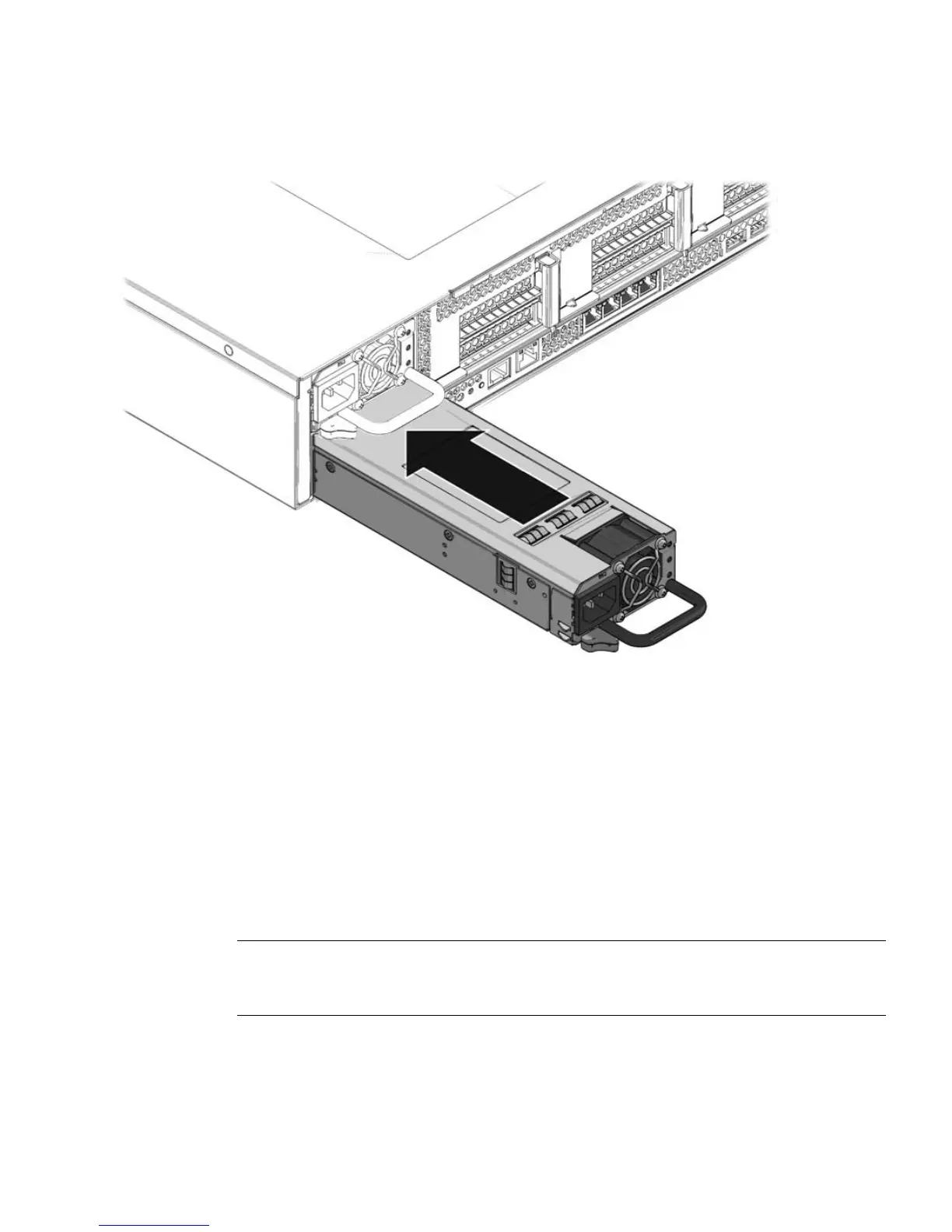
FIGURE 3-14 Installing a Power Supply
3. Reconnect the power cord (or cords) to the power supply (or supplies).
Verify that the AC Present LED is lit.
4. Close the CMA, inserting the end of the CMA into the rear left rail bracket
(
FIGURE 3-12).
5. Verify that the following LEDs are not lit:
Failure LED on the replaced power supply
Service Required LED
Front Service Required LED
Rear Service Required LED
Note – See Section 1.3, “Sun Fire X4450 Server Front Panel Features” on page 1-6 and
Section 1.4, “Sun Fire X4450 Server Rear Panel Features” on page 1-7 for more
information about identifying and interpreting system LEDs.
6. Verify the status of the power supplies.
Solaris OS: At the -> prompt, type the show environment command.














 To Next Page