Chapter 5 Servicing Infrastructure Boards and Components 5-19
6. Install the motherboard assembly.
See Section 4.8.2, “Installing the Motherboard Assembly” on page 4-32.
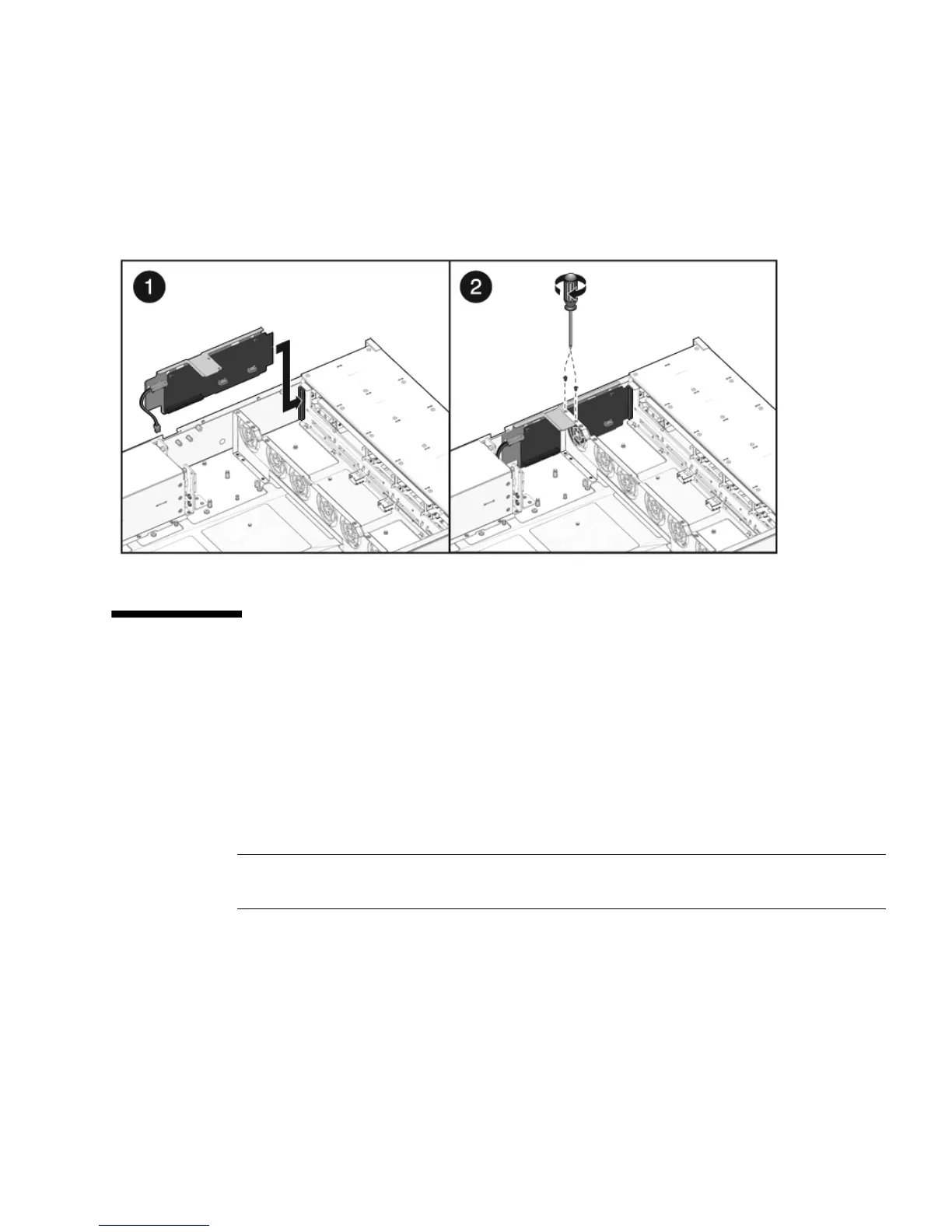
FIGURE 5-13 Installing the Paddle Card
5.8 Servicing Cables
The following topics are covered:
■ Section 5.8.1, “Removing Drive Cables in a SAS Configuration” on page 5-20
■ Section 5.8.2, “Installing HD Cables in a SAS Configuration” on page 5-21
■ Section 5.8.3, “Removing a PDB Cable” on page 5-25
■ Section 5.8.4, “Installing a PDB Cable” on page 5-27
Note – FRU: This field-replaceable unit should be replaced only by qualified service
technicians. Contact your Sun Service representative for assistance.
See Section 1.5, “Illustrated Parts Breakdown” on page 1-8 for illustrations of the
server and CPUs.














 To Next Page